GradingPal questions, answered clearly
Find practical answers about AI grading for math, science, writing, and handwritten work; evidence-backed rubric scores; student feedback; standards mastery; and school plans. Learn how the features fit together and where teachers stay in control.
Get started with AI grading
Bring the assessments you already teach into a process that combines rubric scoring, individual feedback, and evidence you can use in your next lesson.
What does GradingPal do?
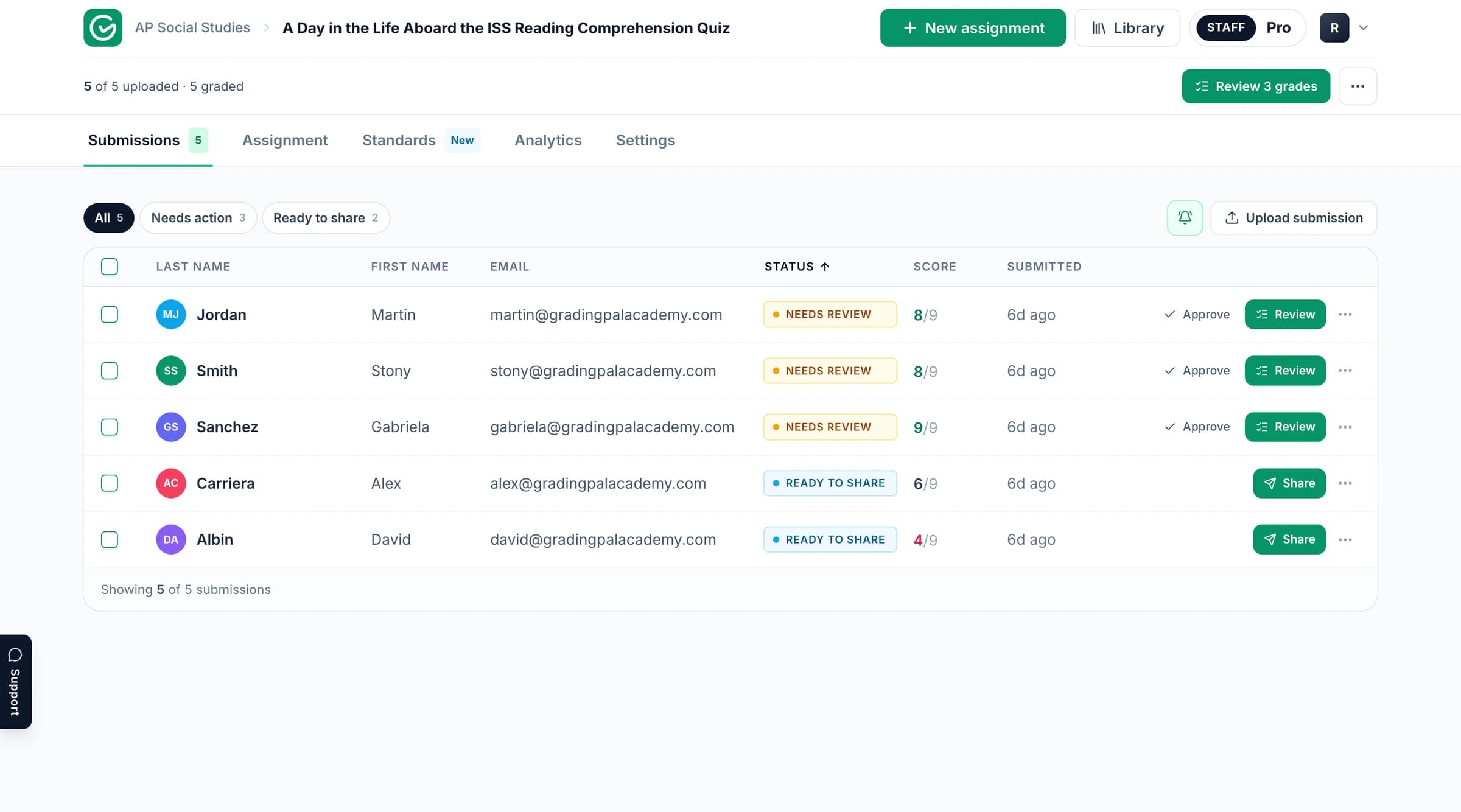
GradingPal generates rubric-based scores with supporting evidence and individualized student feedback. It also provides standards mastery tracking, classroom analytics, a rubric library, and an in-app assistant. Teachers review, edit, and approve assessments before sharing. Explore all features.
What subjects and assignment types can GradingPal grade?
GradingPal supports writing, math, science, essays, worksheets, quizzes, exams, problem sets, presentation slides, art coursework, and supported spoken or recorded assessments. It assesses short answers, long answers, calculations, and explanations rather than limiting grading to essays. Explore assignment types.
Can GradingPal read handwritten math and science?
Yes. Bring scans or photographs of handwritten work into the supported grading process. GradingPal can assess calculations, working, and written explanations against your rubric. Inspect the original work and proposed scoring evidence, particularly where handwriting is unclear. Explore handwritten grading.
Can I use an assignment I have already created?
Yes. Bring your existing submissions and rubric through a supported upload or integration. You can keep the task you planned and use GradingPal to prepare scoring explanations and feedback for review. See the grading process.
Do I need to create a rubric first?
You can bring your own rubric, ask GradingPal to draft one for review, or copy and adapt a starting point from the 500-rubric catalog with eligible library access. Edit criteria, performance levels, and points to match the assignment. Explore the rubric library.
Understand scores and keep control
Your rubric defines what earns credit. GradingPal explains proposed scores using evidence from the work, so you can inspect the assessment and make the final decision.
Who decides the final grade?
The teacher. Review the rubric scores, their supporting explanations, and the student feedback. Edit the assessment where necessary and approve what students receive. Explore teacher controls.
Can GradingPal make mistakes?
Yes. Evidence-backed scoring makes the proposed reasoning available for review; it does not make every interpretation correct. Inspect unusual reasoning, unclear handwriting, and relevant classroom context. The research page explains what our published evaluation measured.
Can I use my own marking rules?
Yes. Put scoring criteria, point values, and expectations into the rubric. Add grading instructions for task context and feedback preferences, including terminology that matches your teaching. Explore grading instructions.
Can I change the rubric after grading?
Yes. GradingPal offers a regrading step for affected submissions after a rubric change. Review the updated scores and comments before sharing the revised assessment.
Can GradingPal award partial credit for mathematical working?
Yes. It can propose credit for methods, intermediate steps, and reasoning according to your rubric, including when a final answer is incorrect. Review the explanation alongside the actual working. Explore AI math grading and science grading.
Can the AI assistant change a rubric, score, or comment for me?
The in-app assistant can propose rubric, score, and feedback edits in response to your instructions. Inspect the proposal, accept or reject it, and undo changes when needed. Explore Ask GradingPal.
Give students feedback they can act on
A useful comment explains something specific in the work and gives the learner a next action. GradingPal helps you provide that individual guidance more consistently across a class set.
Which feedback styles can I choose?
Choose Targeted, Glow & Grow, Structured, Sandwich, Actionable, or Socratic feedback. Set length, detail, and supported language; add instructions for your tone and teaching terminology. All six styles are available on the free plan within its submission allowance. Explore student feedback.
Which feedback languages are supported?
US and UK English, Spain and Latin American Spanish, France and Canadian French, German, and Brazilian Portuguese. Teacher-facing grading explanations remain in English, and quotations retain the original student wording. Explore feedback languages.
Do grammar suggestions automatically reduce a score?
No. Grammar affects scoring when it is part of your rubric. You can also use grammar guidance to support revision without a separate grammar deduction. Explore grammar feedback.
How can students receive feedback?
Use supported sharing routes such as Google Classroom or email, or download printable student reports. Preview the content and use scheduling where it fits your feedback workflow. Explore sharing and printing.
Track standards and decide what to teach next
GradingPal connects assessment evidence across assignments, making student progress and classroom patterns easier to act on.
How does standards mastery tracking work?
Approved, aligned assessment evidence contributes to a student’s standards record. View the class by standard, inspect an individual trajectory, and return to the original assessed work. The record develops as new evidence is approved. Explore the mastery gradebook.
How can my school calculate mastery?
Choose simple average, decaying average, most recent attempts, most frequent level, or highest level. Configure scales, evidence minimums, and weights. Teacher adjustments retain a reason and the calculated result, with an option to revert.
Which standards and frameworks are available?
The standards directory includes all 50 states and Washington, DC. Explore Common Core, NGSS, Texas TEKS, and state-specific resources, plus AP, IB, and exam-board guidance. Align the actual task and criteria to the expectations you teach. Browse standards.
How does GradingPal help me know what to reteach?
Classroom analytics surface strengths, weaknesses, and recommended instructional next steps from assessment evidence. Use the patterns to plan targeted practice, small-group support, or a class explanation, then inspect the relevant work before choosing your response. Explore analytics.
Do I have to use standards tracking?
No. You can grade against a rubric and return feedback without setting up mastery tracking. Enable standards alignment when you want approved evidence to contribute to a longer-term learning record.
Connect GradingPal to your school workflow
Use an LMS connection or supported file sources to bring the work into GradingPal and keep the assessment process practical for teachers.
Does GradingPal integrate with Google Classroom?
Yes. Google Classroom is available now for supported assignment, submission, rubric, and approved-result workflows. Check plan access for the sync features you need. Explore Google Classroom.
Are Canvas and Schoology available?
Yes. Canvas and Schoology are available on a school plan. Contact the team about your school’s setup and requirements. Explore Canvas, Schoology, or school plans.
Can I use GradingPal without an LMS connection?
Yes. Upload supported files or select files from Google Drive. Google Drive is a file source, distinct from an LMS sync connection. Explore integration options.
Choose a plan for your classroom or school
Start with a familiar assessment, then choose the access and collaboration features that fit your workload and teaching team.
Can I try GradingPal free?
Yes. The free plan includes 50 submissions per month with no credit card required. Check the plan details for supported formats and feature access. Explore the free plan.
Is the free allowance separate for each assignment type?
No. It is one shared monthly total across the supported assignment types, not a separate allowance for each format.
Are analytics and shared libraries included in every plan?
No. Feature access varies by plan. Review analytics, library, collaboration, integration, and format access on the pricing page.
Can our school evaluate GradingPal before teachers sign up?
Yes. Book a demonstration or contact us with your school’s priorities: reducing grading workload, improving individualized feedback, and acting on evidence of learning. Discuss subjects, integrations, shared resources, and rollout. Book a demo.
Use assessment evidence responsibly
Keep the teacher’s judgment central, and use the published product and privacy information when evaluating GradingPal for your institution.
Does GradingPal detect AI-written work?
No. GradingPal supports assessment and feedback; it does not determine authorship. Follow your school’s process when authorship needs investigation. Explore responsible AI.
Does it predict an official exam result?
No. Classroom rubric scores and standards mastery records are evidence for teaching and assessment, not official exam-score predictions.
Is student work used to train AI models?
No. Review the published security and privacy information for the full data-handling details and documents relevant to a school evaluation.
Explore assessment ideas and detailed product guidance
For deeper reading, explore assessment and feedback articles, standards-based grading, student feedback, the rubric library, security, and research. Product documentation is available at the help center.
Get help with your classroom or school question
Tell us which assignment, workflow, or institutional requirement you are exploring. Our team can help you identify the relevant product information and next step.
Can I share comments without displaying a grade?
Yes. Choose feedback without the displayed grade when the activity calls for revision or practice before a final result. Preview the student-facing feedback before returning it.