Find a grading rubric and make it fit your assignment
Start with the GradingPal rubric library, adapt a working copy, and use your criteria to generate scores and feedback. Spend less time building every rubric from scratch while keeping the language, levels, and points aligned with what you teach.
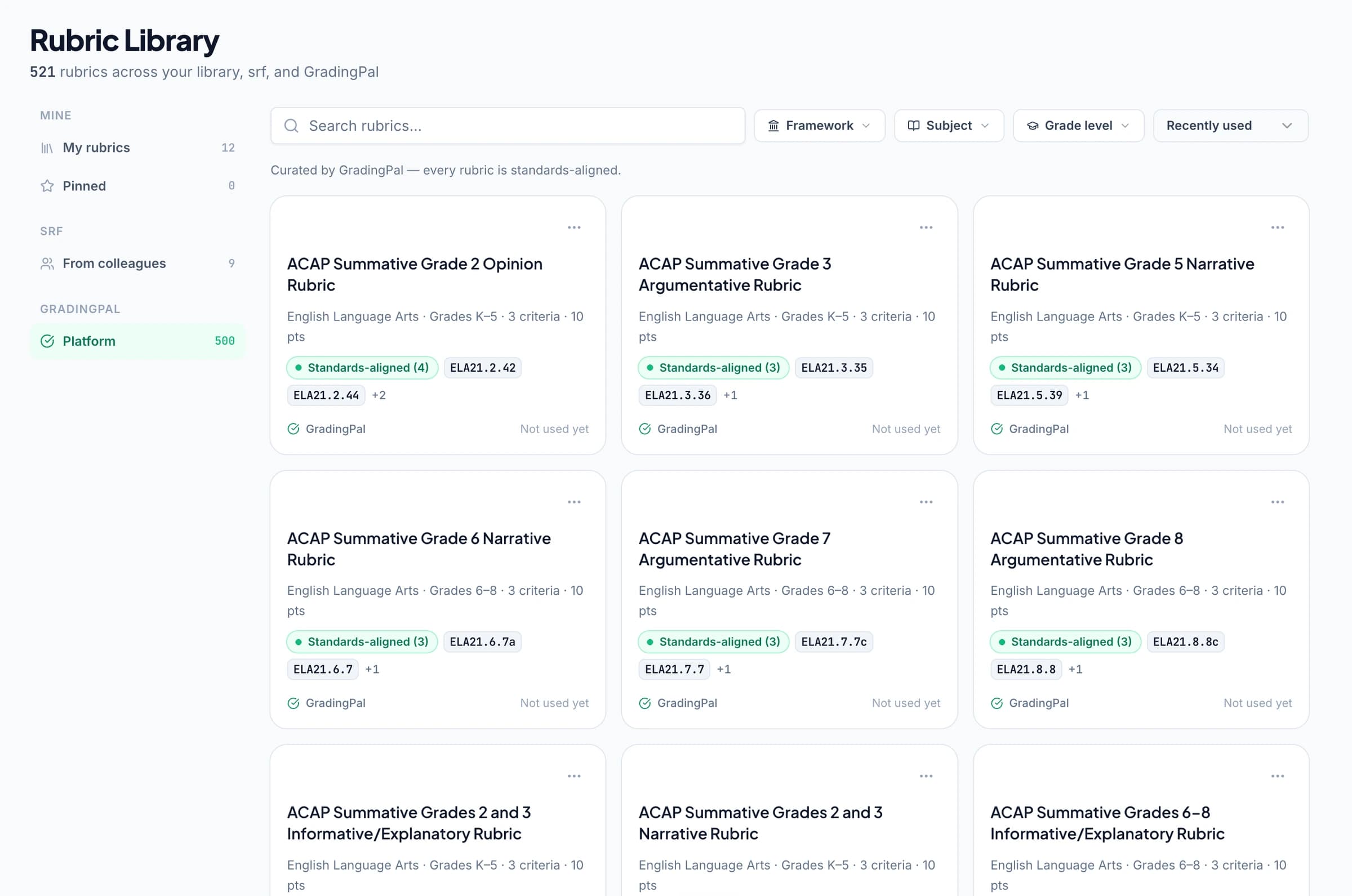
Find a useful starting point for the task
Browse or search the available library and open a rubric to inspect its criteria and performance descriptions. Choose a resource that fits the assignment's purpose, subject, and expected response rather than relying on the title alone.
A useful starting point saves preparation time because the structure is already visible. Your review makes it appropriate: check what earns credit, whether the descriptions distinguish performance clearly, and whether the point allocation reflects the emphasis of the task.
Edit your own copy without changing the original
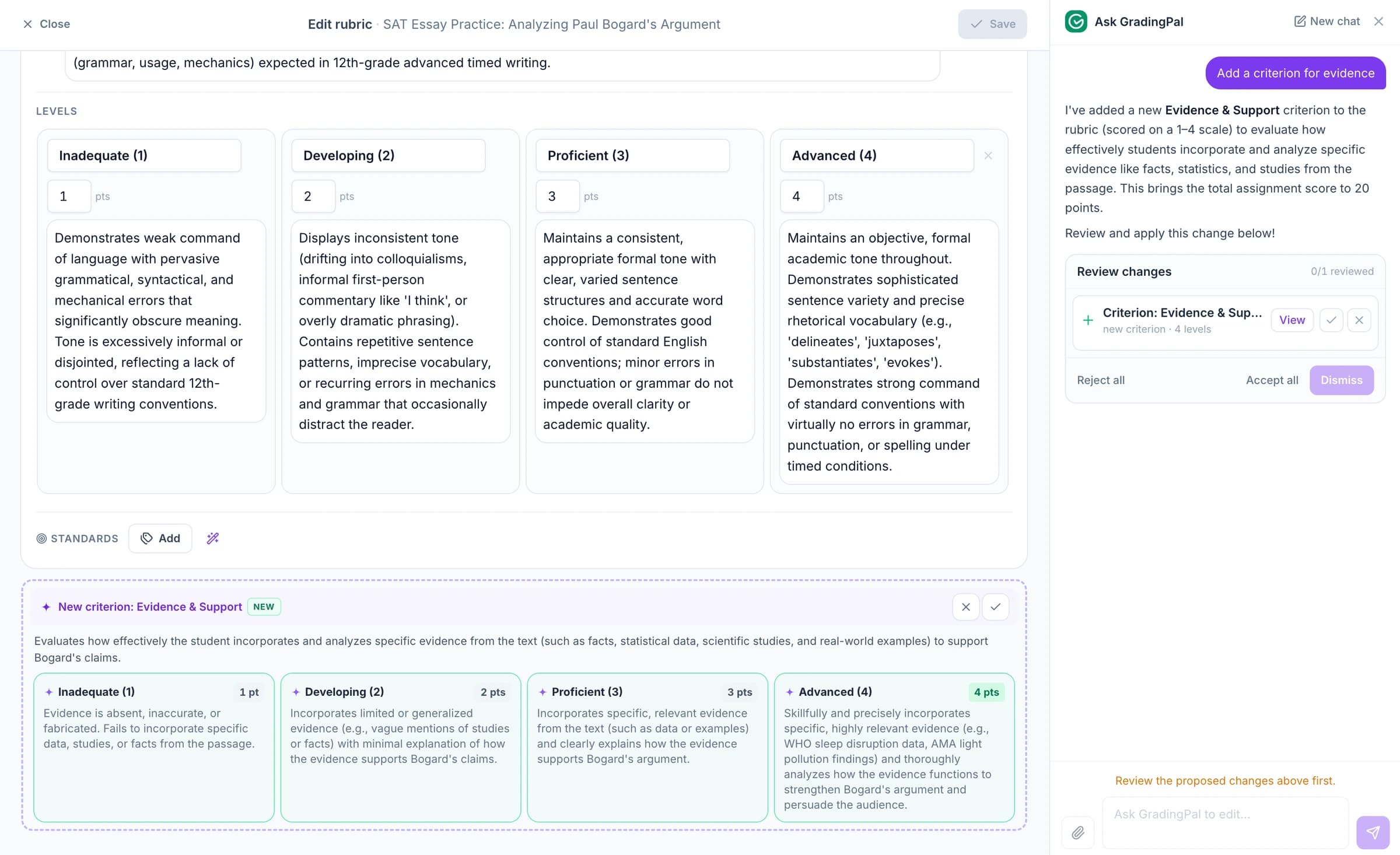
Using a library rubric creates a working copy you can adapt. Reword criteria, refine levels, and adjust points to match the assessment students will complete. The library original remains available.
Use Ask GradingPal to propose an edit when it reduces manual work. For example, separate evidence selection from explanation while retaining the intended total. Review the revised rows and points before using them to assess submissions.
Make the criteria specific to the subject
A rubric should identify the evidence the assignment is meant to produce. GradingPal can assess supported work across subjects, so the library and your own rubrics should describe more than generic writing quality.
Writing and essays
Specify expectations for claims, evidence, reasoning, organization, and language where relevant. Distinguish a well-chosen quotation from a convincing explanation of why it matters.
Math and quantitative work
Define the role of method, working, calculation, and final answer. Where the task awards partial credit, make the criterion and allocation explicit rather than assuming a correct answer is the only evidence.
Science investigations and explanations
Separate the use of data, scientific reasoning, and evaluation of a conclusion when the assignment assesses those skills. Review the submitted evidence against the actual criteria.
Presentations and recorded responses
Name the content and communication features the submitted slides or recording can demonstrate. Assess the relevant evidence through the supported presentation or oral workflow.
Keep the rubric you already use
The library is one option. You can upload, paste, or build your own rubric, import one through the supported Google Classroom workflow, or review a rubric generated from the assignment.
Add instructions for classroom context that helps apply the task. Keep scoring criteria and points in the rubric, and use feedback instructions to shape the way GradingPal explains the result to students.
Put the rubric to work on real submissions
GradingPal assesses supported student work against the rubric and generates criterion-level scores and feedback. Open the student response and scoring evidence to check how the criteria were applied.
Adjust a suggested result when the work calls for a different judgment. A reused rubric reduces preparation, while individual review keeps the assessment connected to the response in front of you. See the grading workflow.
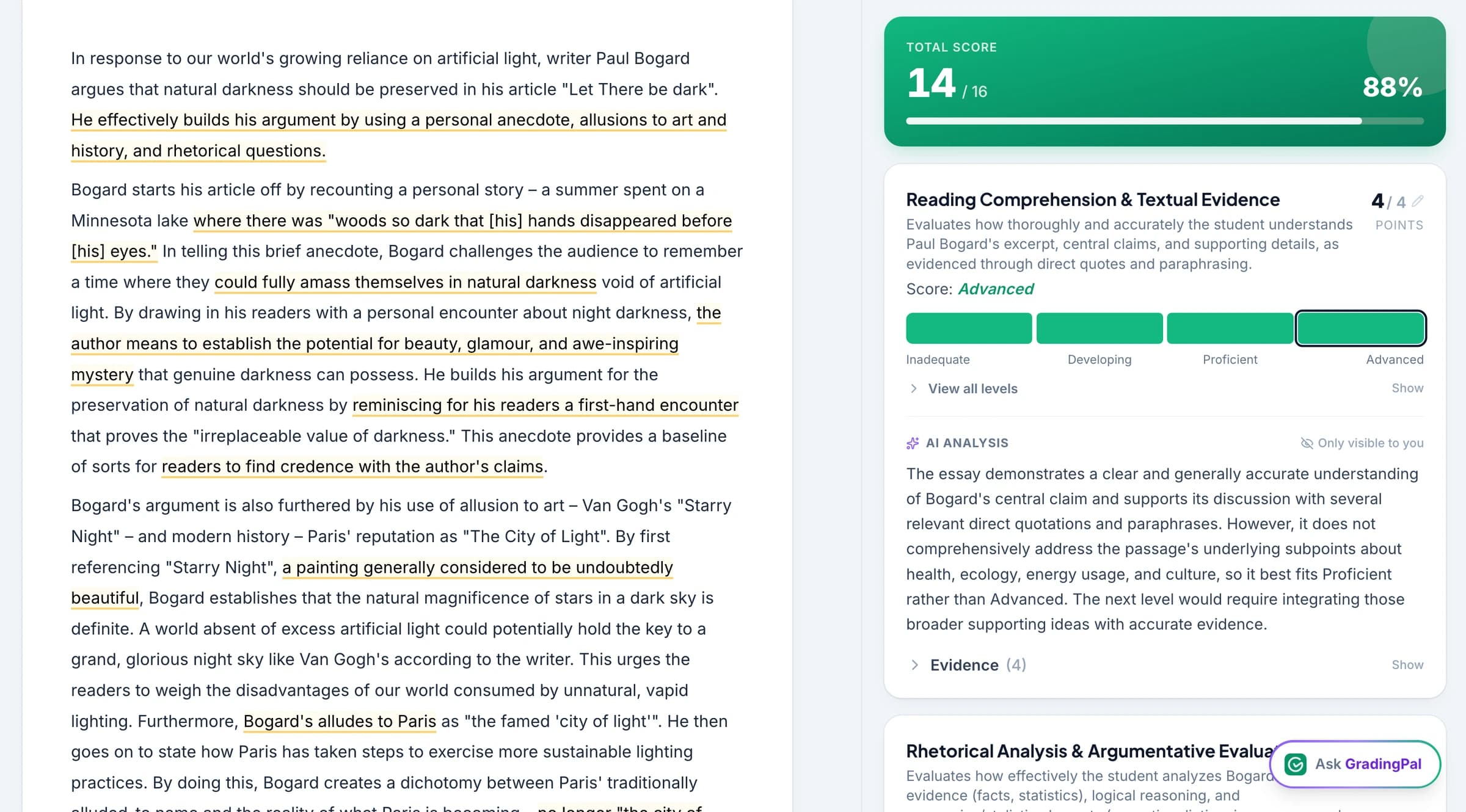
Help students use the criteria in revision
A rubric becomes more useful when students can connect its wording to their own work. Use the feedback to explain a strength, identify a gap, and name the next action against a relevant criterion.
For an illustrative writing example, a student includes evidence but has not explained its connection to the claim. A distinct explanation criterion lets the comment address that precise next step. Ask the student to revise the link and revisit the criterion after the change. Explore student feedback.
Connect rubric criteria to learning standards
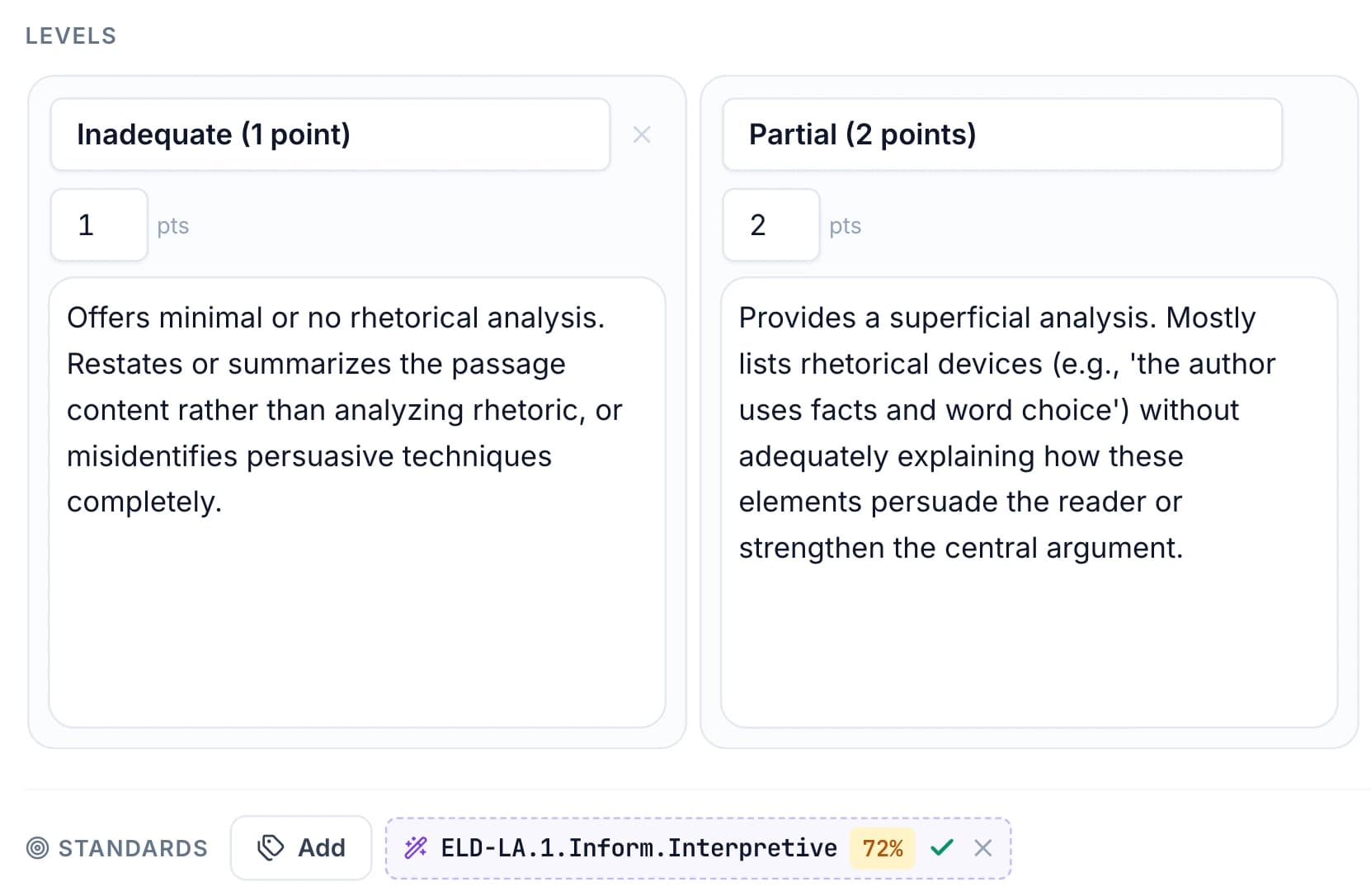
Review standards tags when adapting a rubric. A library resource may include alignment, but the tag should match the criterion and the assignment you actually use. Accept relevant suggestions or adjust the alignment to the selected framework and course.
Approved aligned results contribute to the optional standards mastery gradebook. The standards directory includes Common Core, NGSS, TEKS, other state sets, and relevant course resources. A framework label identifies the intended context; it is not official certification of an assessment.
Questions about the rubric library
Can I edit a library rubric?
Yes. Work from your own copy and change criteria, levels, and points without altering the library original. Review the completed rubric before applying it to student work.
Do I have to use the library?
No. Use your own rubric or review one generated for the assignment. The supported Google Classroom workflow also imports existing assignment rubrics.
Is the library included in every plan?
Library and sharing access depend on the plan. See pricing for the standards-aligned and shared-library options, or ask the team about school access.
Does a framework label certify my rubric?
No. Review the rubric and alignment against the assignment and course expectations. GradingPal records the alignment you approve and assesses work against the criteria you use.
Can the AI assistant revise a rubric?
Yes. It can propose supported changes to criteria, level descriptions, and points. Inspect the resulting rows and total before accepting and using the rubric.
Can colleagues reuse a rubric?
Shared libraries are available on eligible plans. Use shared resources as a common starting point, then review the working copy and individual assessment results in context.
Can rubric results contribute to standards mastery?
Yes, when the relevant criteria have accepted alignment and the results are approved. The optional gradebook combines qualifying evidence using the teacher's chosen settings.
Start with clearer criteria and spend more time on the work
Choose or bring a rubric, adapt it to the assignment, and see the scores and feedback it produces.