Grade your first assignment
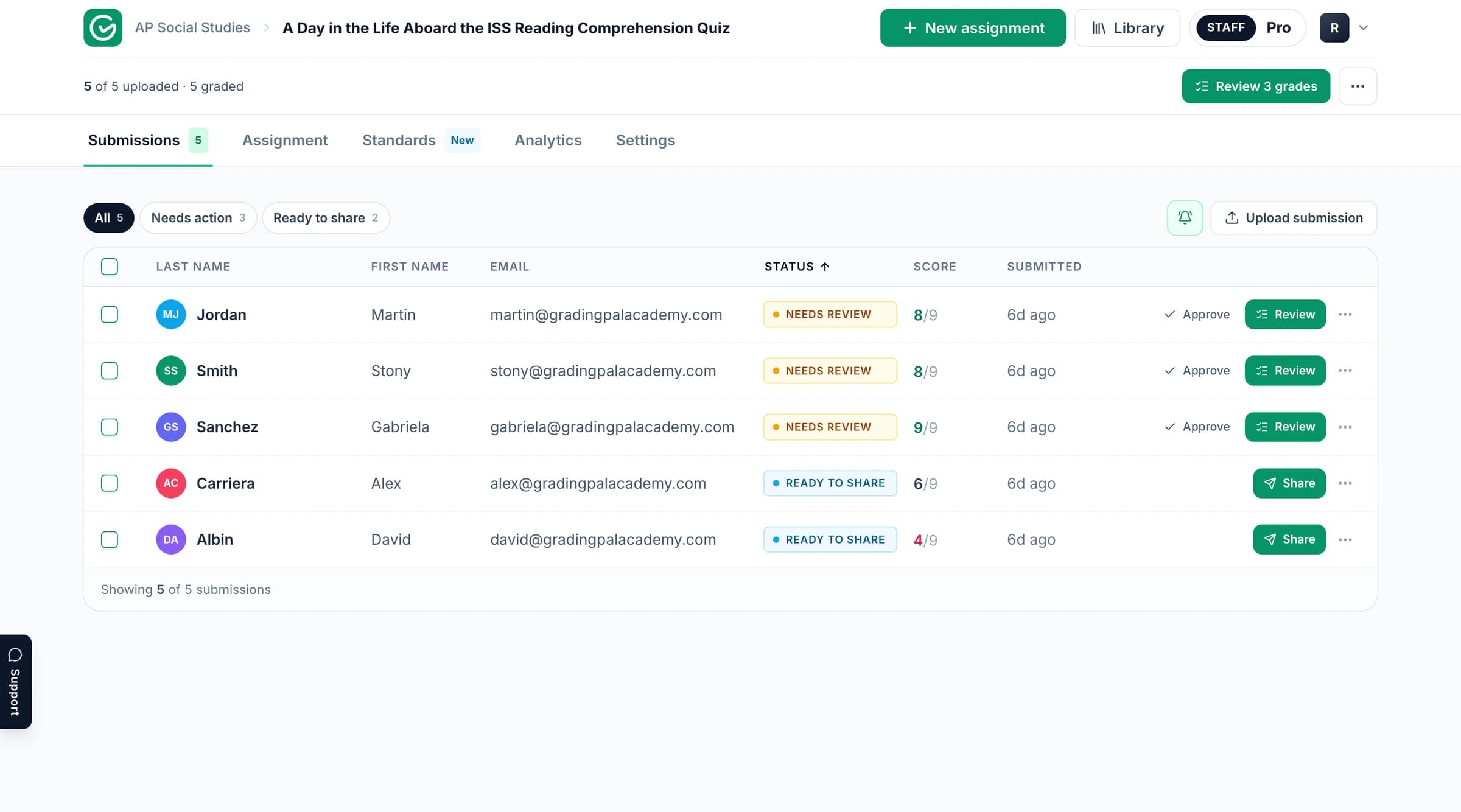
Bring your student responses and rubric, review the scores with their supporting evidence, and return feedback. See how grading works or follow the product documentation.
Learn to grade the assignments you already teach, give students useful feedback, and turn assessment evidence into your next lesson. Find product guidance, examples, training, and school resources for using GradingPal across math, science, writing, and more.
Start with the job in front of you. A first assignment, a department demonstration, and a school evaluation each need different resources. These routes help you get to the relevant material quickly.
Bring your student responses and rubric, review the scores with their supporting evidence, and return feedback. See how grading works or follow the product documentation.
Use a published grading example and the presentation resource to show subject coverage, scoring evidence, feedback controls, and standards mastery in a familiar teaching context.
Explore the classroom benefits, shared rubric resources, integration requirements, and published privacy documents. Find school evaluation information.
Start with an assignment you know well. Choose the rubric, bring in the work, and inspect how GradingPal applies the criteria. That makes it easier to assess whether the proposed credit and feedback fit your teaching expectations.
Find guidance on setup and the supported grading process. Use it alongside your assignment when you need a specific product step. Open the help center.
Explore the course for educators using AI in assessment and student feedback. The course page provides its current content and access details. View the course on Udemy.
Bring the subjects, assessment types, and questions that matter to your classroom or team. Book a demo, browse webinar information, or ask for help.
GradingPal offers Targeted, Glow & Grow, Structured, Sandwich, Actionable, and Socratic feedback. Choose the form of guidance that fits the task, then set language, detail, and instructions for your teaching voice. Students can receive a concrete revision step, a criterion-based explanation, or a question that prompts further reasoning.
For example, a teacher might ask for one strength and one next step on a first draft, then use more detailed Structured feedback on the final task. The submission and rubric give each student’s comments their specific context. Explore feedback styles and grading instructions.

Use the presentation below to introduce GradingPal, then choose an example that your colleagues will recognize. Show what the student submitted, why the rubric awarded credit, and what the learner can do with the feedback. For math and science departments, include methods and reasoning alongside written explanations.
Make the discussion practical: which parts of marking are repetitive, which feedback students need more often, and which class patterns would help teachers plan support? The rubric library and standards mastery gradebook help explain how a shared assessment approach can continue beyond one demonstration.
A school conversation should cover three outcomes: reducing repetitive grading, making individualized feedback practical, and helping teachers act on evidence of learning. It should also cover the resources and arrangements that make adoption work across the teaching team.
Review GradingPal for schools, pricing and feature access, and the published security and privacy information. Discuss shared assignment and rubric libraries, subjects, training, and your institutional requirements. Google Classroom is available now; Canvas and Schoology are available on a school plan. Explore integrations.
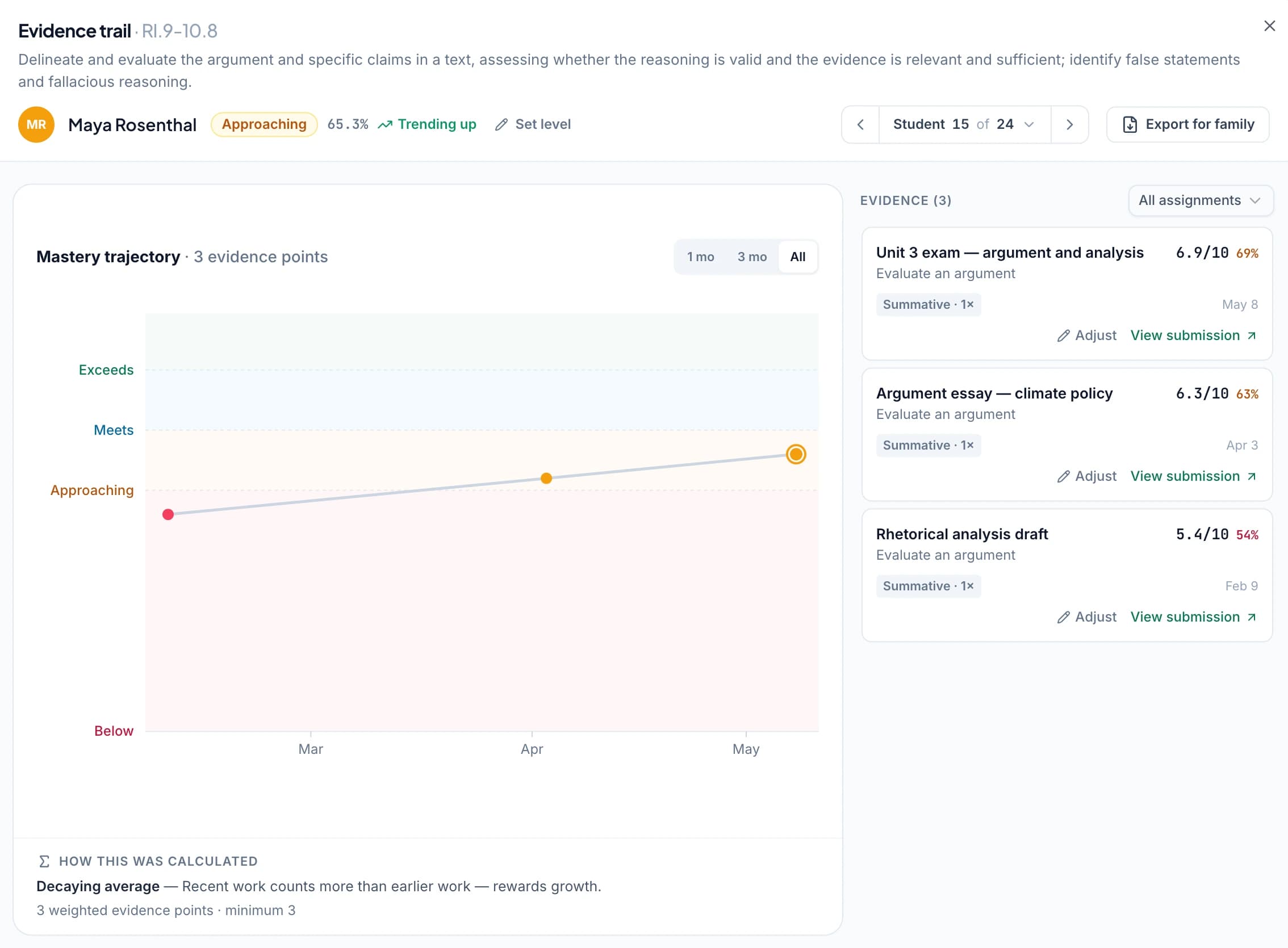
Approved, aligned assessments contribute to GradingPal's mastery record. Teachers can inspect the original work and select how evidence is combined: simple average, decaying average, most recent attempts, most frequent level, or highest level. Classroom analytics provide a more immediate view of strengths, weaknesses, and recommended teaching responses.
Explore Common Core, NGSS, TEKS, AP, IB, and the state standards directory. Use the relevant resources to connect your rubric, the evidence students produce, and the skill you want to teach next.
Browse teacher articles and explore the Pioneer Program if you want an ongoing role in product feedback. A useful contribution might be a clearer rubric, an explanation of how feedback worked in class, or a suggestion that makes assessment easier for colleagues.
Start with the product guidance and one familiar assignment. Use your rubric, inspect scoring evidence, and review the student comments. The free plan lets you begin within its monthly allowance; a demo can show the wider feature set.
Yes. Use the presentation resource and published examples, then connect the discussion to your department's marking and feedback needs. For school-wide requirements, talk to the team.
Yes. Start with the published security documents and tell us which integration, access, and procurement questions you need answered. Tell us what your institution needs so we can help with the relevant information.
Choose a rubric, review the evidence behind the scores, and give students guidance they can use. Keep the help center nearby and ask us when you need support with your classroom workflow.