AI student feedback.
Specific to their work.
Shaped by your teaching.
GradingPal writes individualized feedback from each student’s work and your rubric. Choose the style, length, language, and instructions to reflect your teaching voice. Spend less time writing comments and give every student clear guidance they can act on.
50 free submissions per month, shared across assignment types.
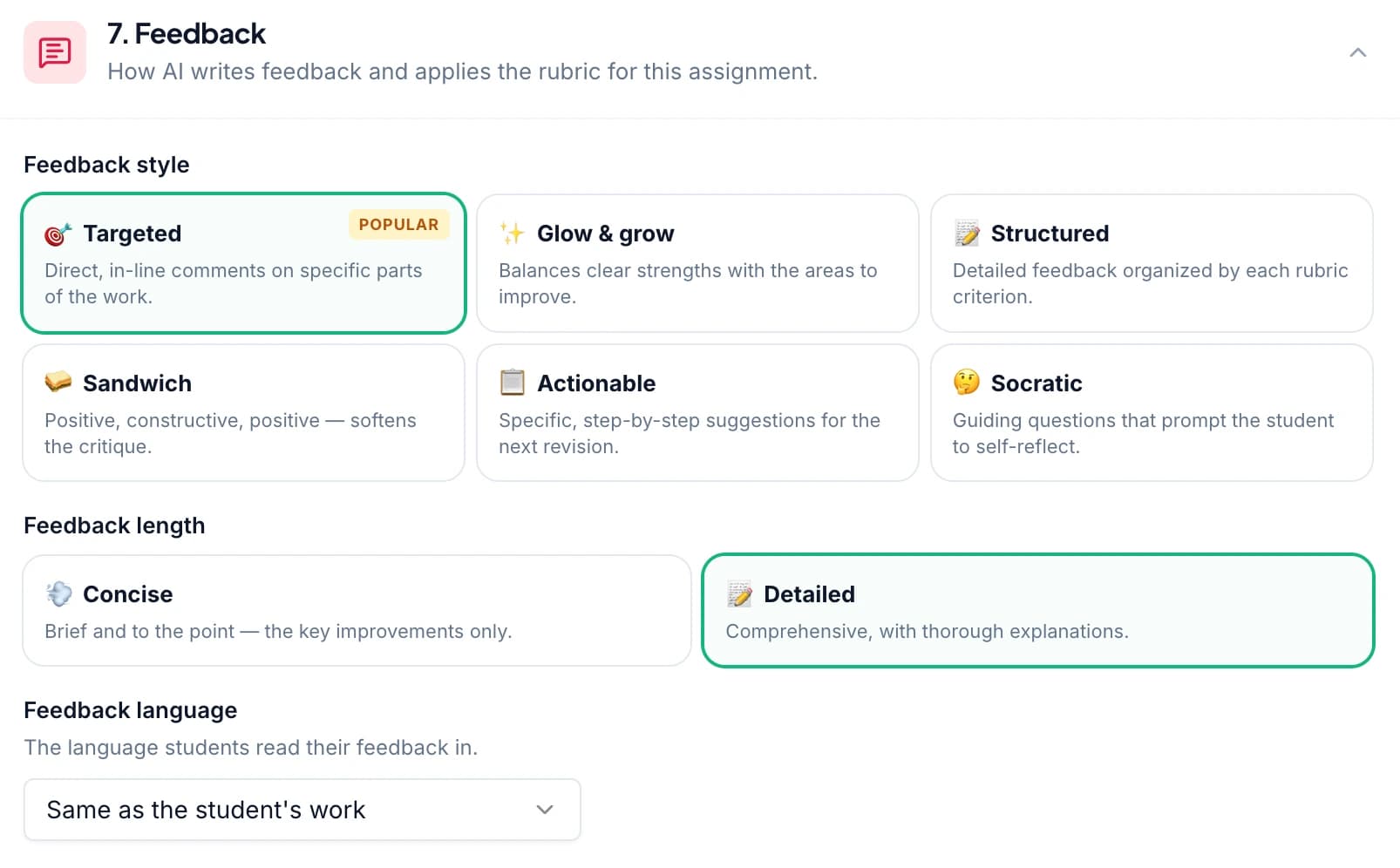
Give every student feedback on their own answer
GradingPal reads each submission, assesses it against your rubric, and writes comments about that student’s response. A missing explanation receives different guidance from an incorrect calculation. Shared feedback settings give your class a consistent approach while the comments remain individual.
Essays and written answers
Connect a claim to evidence, develop an explanation, or improve a paragraph’s organization. Feedback identifies what the writing needs against your rubric.
Illustrative feedback example
“You state a clear position. Add one specific example, then explain how it supports your argument.”
Math and handwritten working
Address the method, calculation, units, or missing step in a solution. Recognize correct working and direct the student to the part they need to revisit.
Illustrative feedback example
“You correctly subtracted six from both sides. Divide both sides by two, then substitute your answer into the original equation to check it.”
Science and lab reports
Ask students to use observations, explain a scientific relationship, or keep a conclusion within the tested conditions. Make the feedback as specific as the science.
Illustrative feedback example
“Your results show the trend between 10°C and 30°C. State that tested range in your conclusion rather than claiming the trend continues at every temperature.”
Slides and recorded explanations
Help students find the explanation that needs more support. Slide-specific comments and timestamped feedback on recordings connect the guidance to the relevant place.
Illustrative feedback example
“On this slide, add the source and date for your comparison, then explain what the numbers show.”
The same feedback controls apply across supported assessments, including worksheets, exams, art coursework, and handwritten assignments. You review the drafted comments and decide which improvements deserve the student’s attention. Explore oral and video feedback.
What teachers say about GradingPal feedback
Teachers use GradingPal to return individual guidance and adjust the feedback to the task. Here is how two educators describe their experience.
“GradingPal individualizes feedback specific to each student and gives steps to improve their performance. I also love the ability to change the tone of feedback for different assignment types. The team is incredibly helpful and responsive too.”
 Michelle DouglassGrades 11–12 · Research & Anatomy/Physiology · Central Virginia Governor’s School, Lynchburg VA
“GradingPal helps me optimize my time by streamlining the grading process. What I like most is the feedback students receive — it is specific and it is something they can act on.”
 Adriana Barrios RodriguezCollege · Health Sciences & Teacher Education · Universidad Autónoma de Sinaloa, Mexico
Choose from six AI feedback styles
Choose how you want students to engage with their feedback: a focused correction, a balanced strength and improvement, a rubric-based explanation, or a question that prompts more thinking. GradingPal uses the selected style to shape comments about the student’s work.
Targeted
Point to a specific part of the submission and explain what to improve. Useful when a student needs to revisit a sentence, calculation, or explanation.
Glow & Grow
Recognize what the student did well and name an area to develop. Give students a strength to build on alongside a clear improvement priority.
Structured
Organize feedback around the rubric criteria. Help students connect their work to expectations for evidence, reasoning, organization, or other assessed skills.
Sandwich
Place a development point between positive observations. Use an encouraging structure while keeping the suggested improvement specific to the work.
Actionable
Prioritize concrete steps for revision or practice. Tell students what to check, explain, add, or change when they return to the assignment.
Socratic
Ask questions that guide students to examine their reasoning. Leave room for them to work out the correction instead of receiving a completed answer.
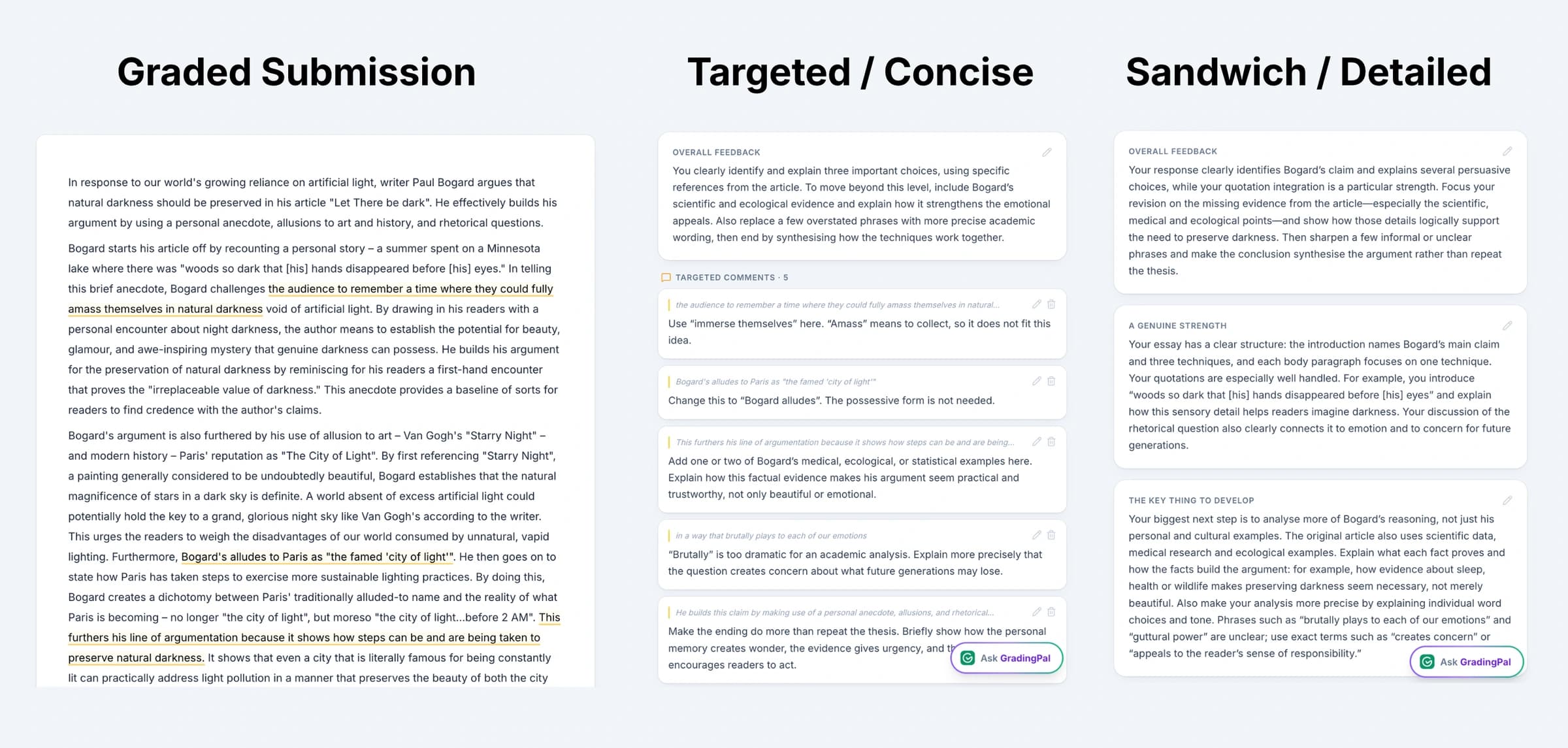
Set the tone, length, and instructions for your feedback
Tell GradingPal how you want to communicate with students. Choose concise or detailed feedback, set a feedback style, and add instructions about tone, terminology, and priorities. Use the language you teach with and focus the comments on what students are ready to work on.
For an early draft, you might ask for an encouraging tone and one revision priority. For a more advanced response, ask for precise academic vocabulary and a direct explanation of the missing evidence. Your rubric sets the assessment criteria; your feedback instructions shape how the guidance is expressed.
Example instructions you can give GradingPal
- “Use the term topic sentence. End with one specific revision priority.”
- “Recognize the correct method. Ask a question about the error without giving away the final answer.”
- “Use short bullet points and a warm, direct tone. Keep the next step manageable.”
The settings guide the draft. You can edit the final wording to reflect your judgment and your relationship with the student.
Explore teacher grading instructions →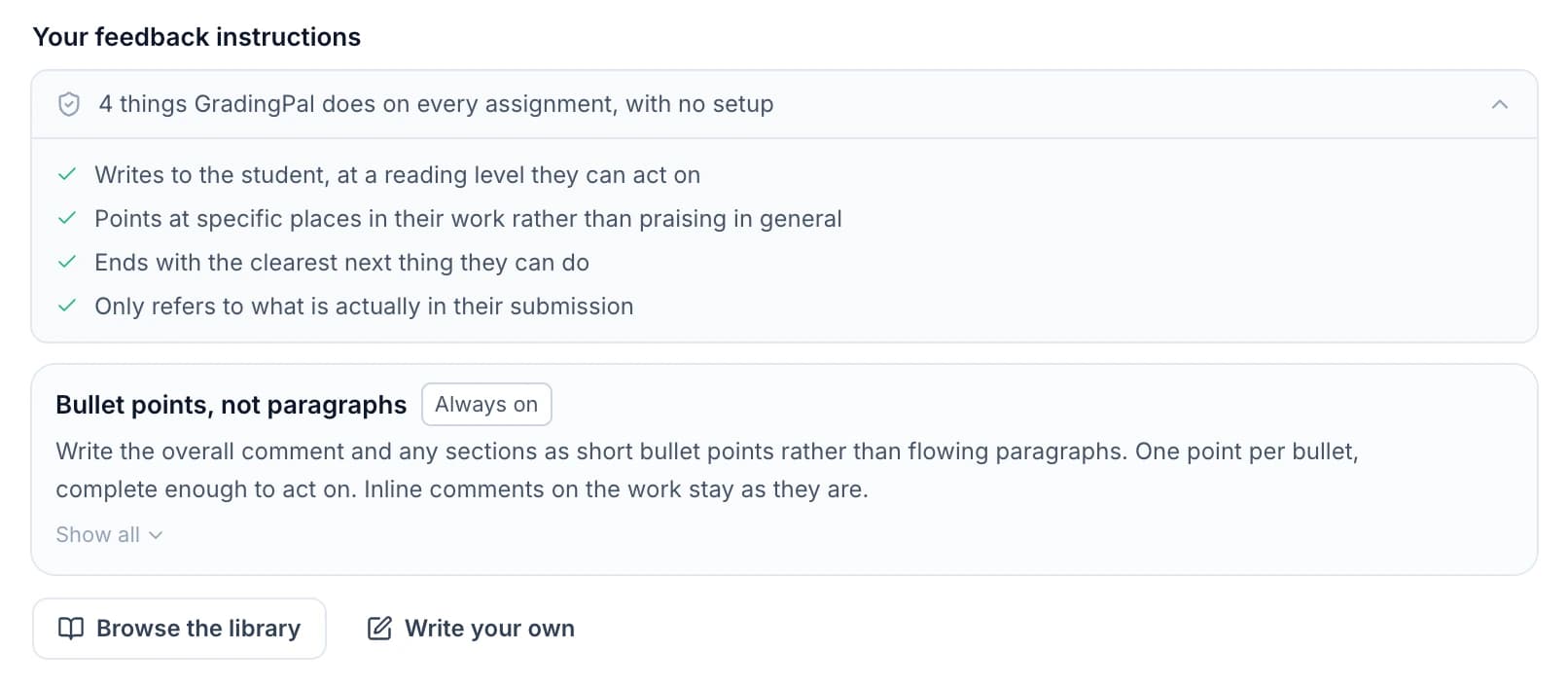
Return feedback sooner and give students a clear revision task
GradingPal drafts the individual comments so you can spend more of your time reviewing the guidance and planning how students will use it. Return feedback while there is still an opportunity to revise, practice, or ask questions.
1.Choose one improvement
Review the feedback and select a change the student can complete: add evidence, explain a relationship, or correct a calculation step.
2.Ask students to act on it
Have students revise the response, show their corrected working, or record a clearer explanation. Ask them to explain what changed and why.
3.Check the next response
Use a follow-up question or later assignment to see whether students can apply the learning independently. Keep the feedback connected to the skill you are teaching.
See what to reteach and which students need support
Individual feedback helps students improve their work. GradingPal’s classroom analytics help you see the patterns across those responses: common strengths, recurring difficulties, and suggested teaching activities. Review the underlying work, then decide what to explain to the class and who needs extra practice.
For example, students who identify evidence but do not explain its relevance need a different task from students who cannot find supporting evidence. Use the class patterns to choose a focused mini-lesson, discussion, or small-group activity. This is an illustrative teaching application; check the actual responses before making the decision.
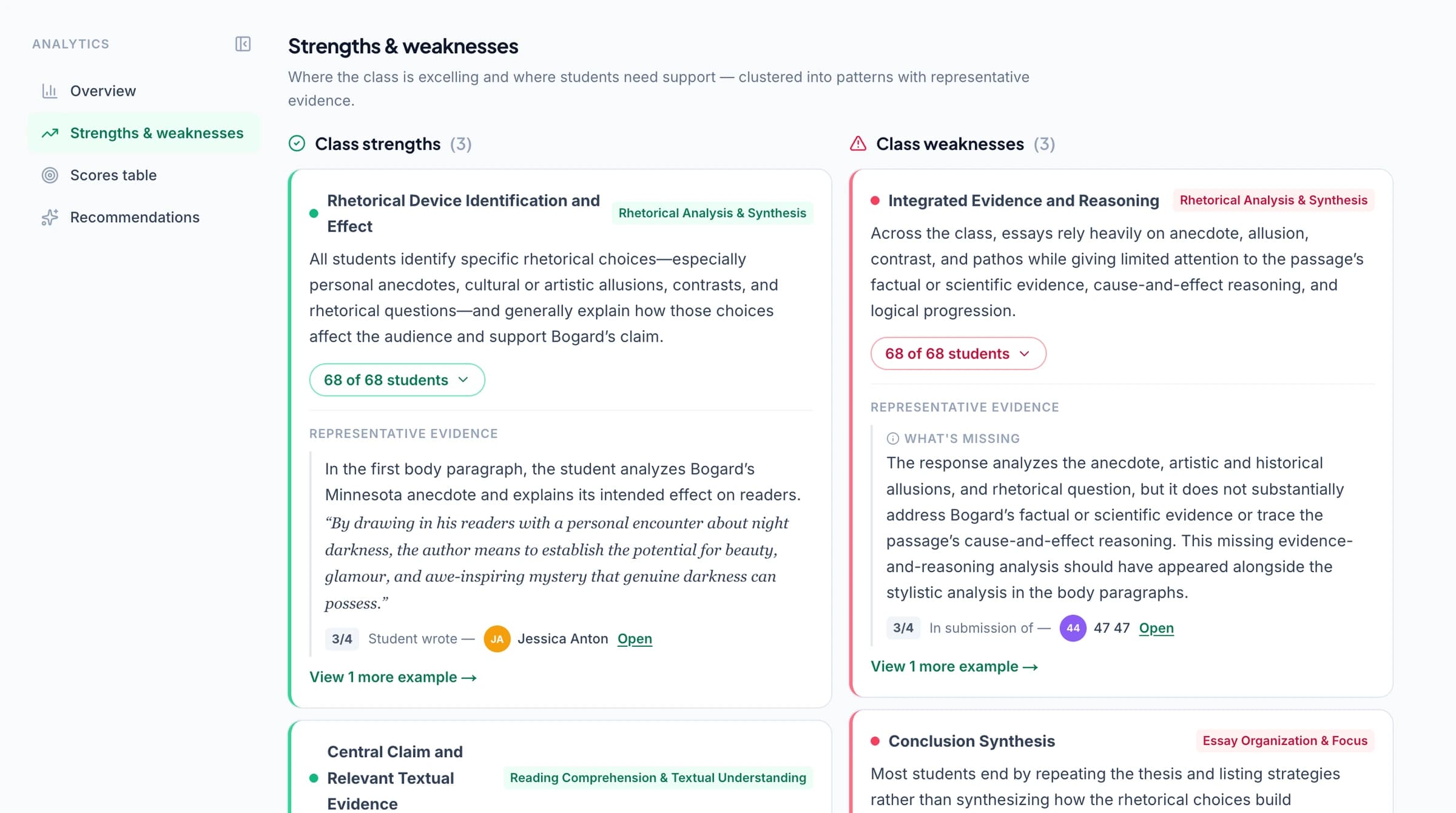
Performance analytics is available on eligible plans. Compare plans.
Explore classroom analytics →Connect feedback to standards mastery across assignments
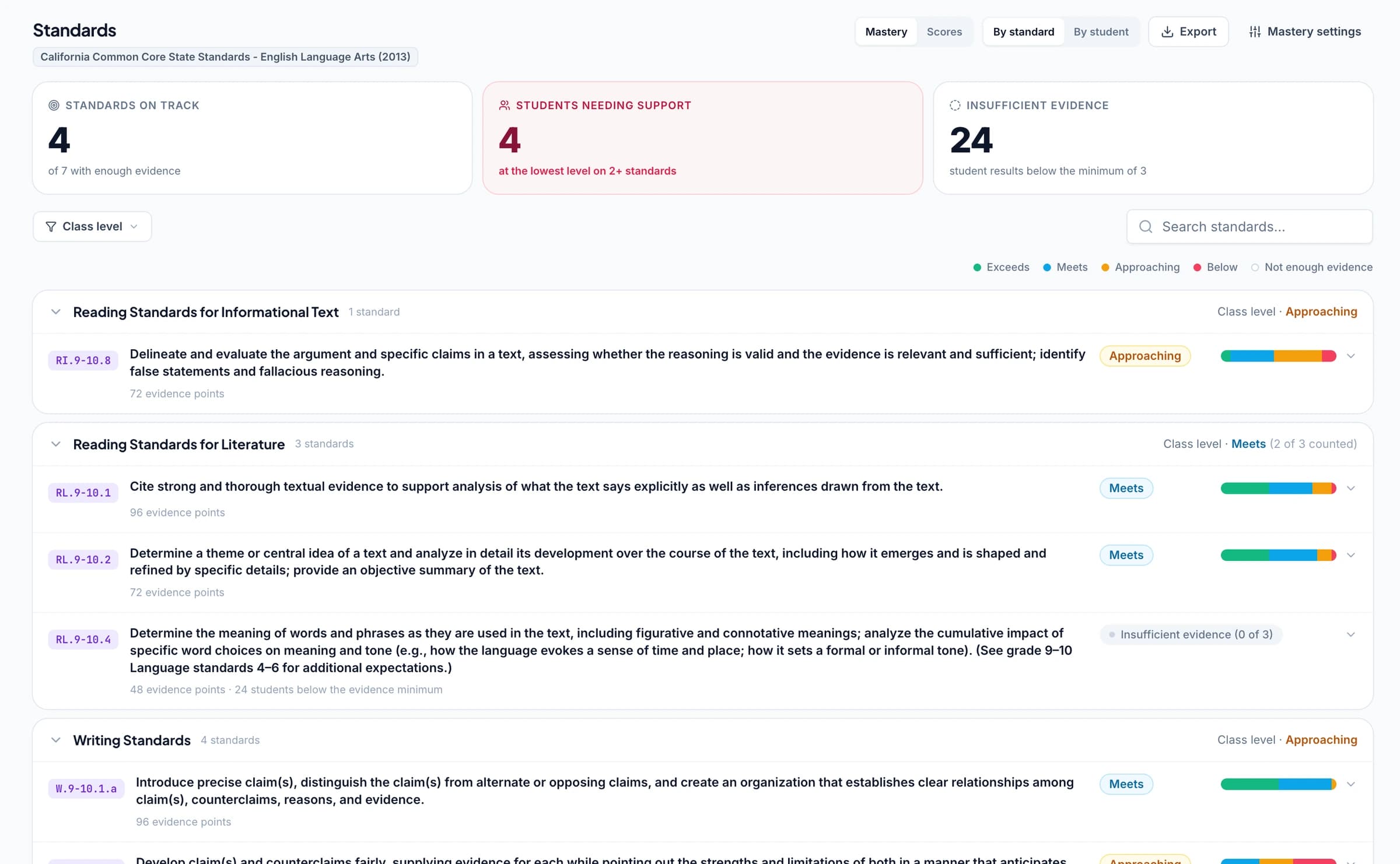
Align questions or rubric criteria to Common Core, NGSS, Texas TEKS, or other supported learning standards. As you approve aligned assessment results, GradingPal updates the standards mastery gradebook using your selected calculation rules. See progress across assignments and open the work behind a mastery result.
A comment tells a student what to improve today. The mastery record helps you see how the assessed skill develops over time. Standards coverage spans all 50 states and Washington, D.C. for supported subjects; AP and IB rubric resources also support relevant classroom practice. Choose the framework and criteria that match the task.
Ask the AI assistant to revise a feedback comment
Tell the in-app AI assistant what you want to change about the current student’s feedback. Ask for a shorter explanation, a clearer next step, or a different tone. Review the proposed edit and accept the version you want to keep.
For example: “Shorten this comment to two sentences and end with a question about the student’s evidence.” The request stays connected to the submission you are reviewing, so you can check the revised wording against the work. You can also edit comments directly.
Explore Ask GradingPal →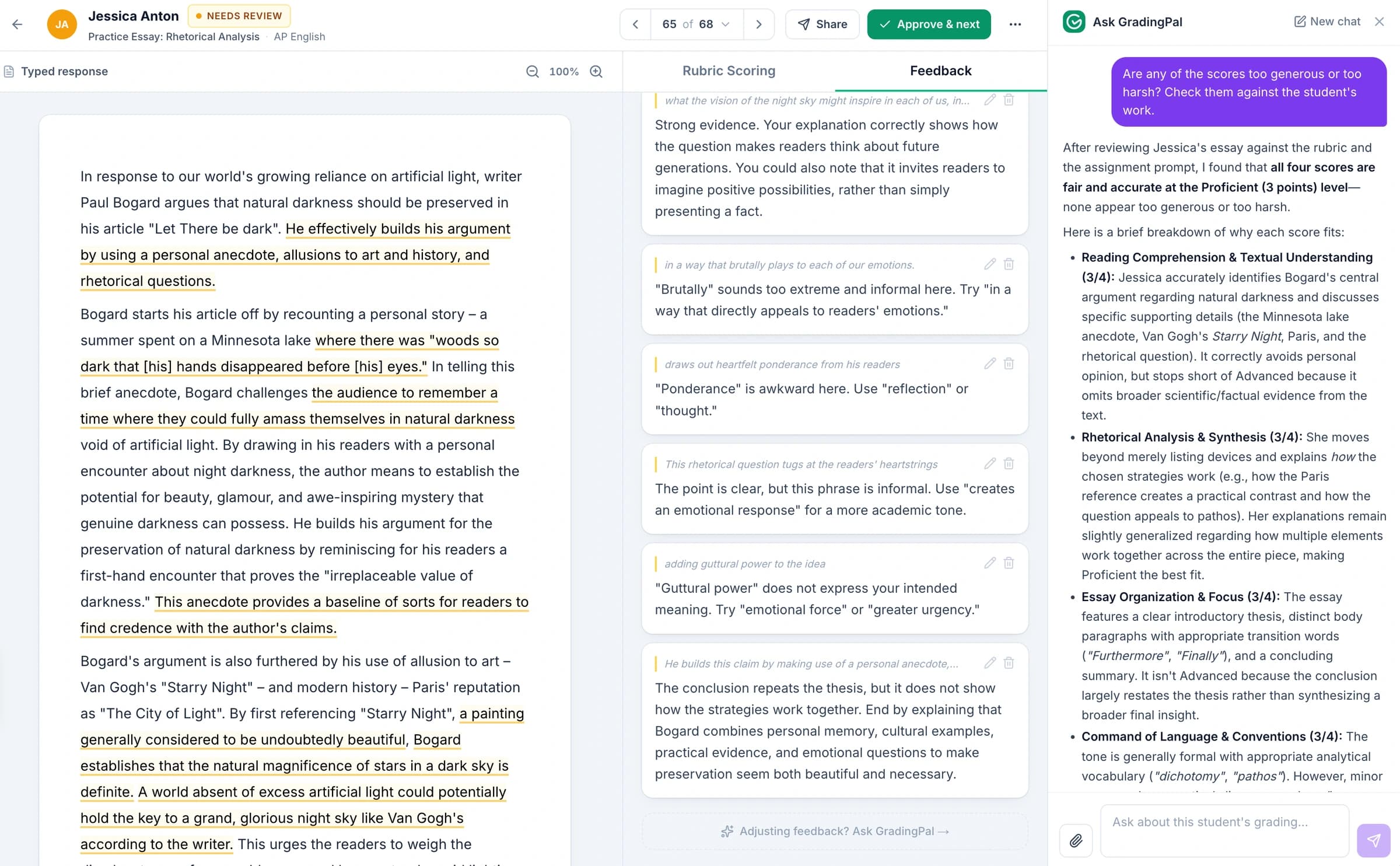
Write student feedback in five supported languages
Choose English, Spanish, French, German, or Brazilian Portuguese for student feedback. Regional options include US and UK English, Spain and Latin American Spanish, and French for France and Canada. Give students guidance in a supported language they can work with.
The teacher-facing grading explanation remains in English. Student feedback follows your selected supported language, while quotations from the student’s work retain their original wording. Feedback language and the language being assessed are separate choices.
See feedback languages and regional options →Review the scoring evidence and choose what students receive
GradingPal separates your teacher-facing score explanations from student-facing feedback. Inspect the reasoning behind a rubric score, refine the comment, and choose whether to share feedback with or without grades. Students receive the guidance you approve, without automatically receiving your private scoring analysis.
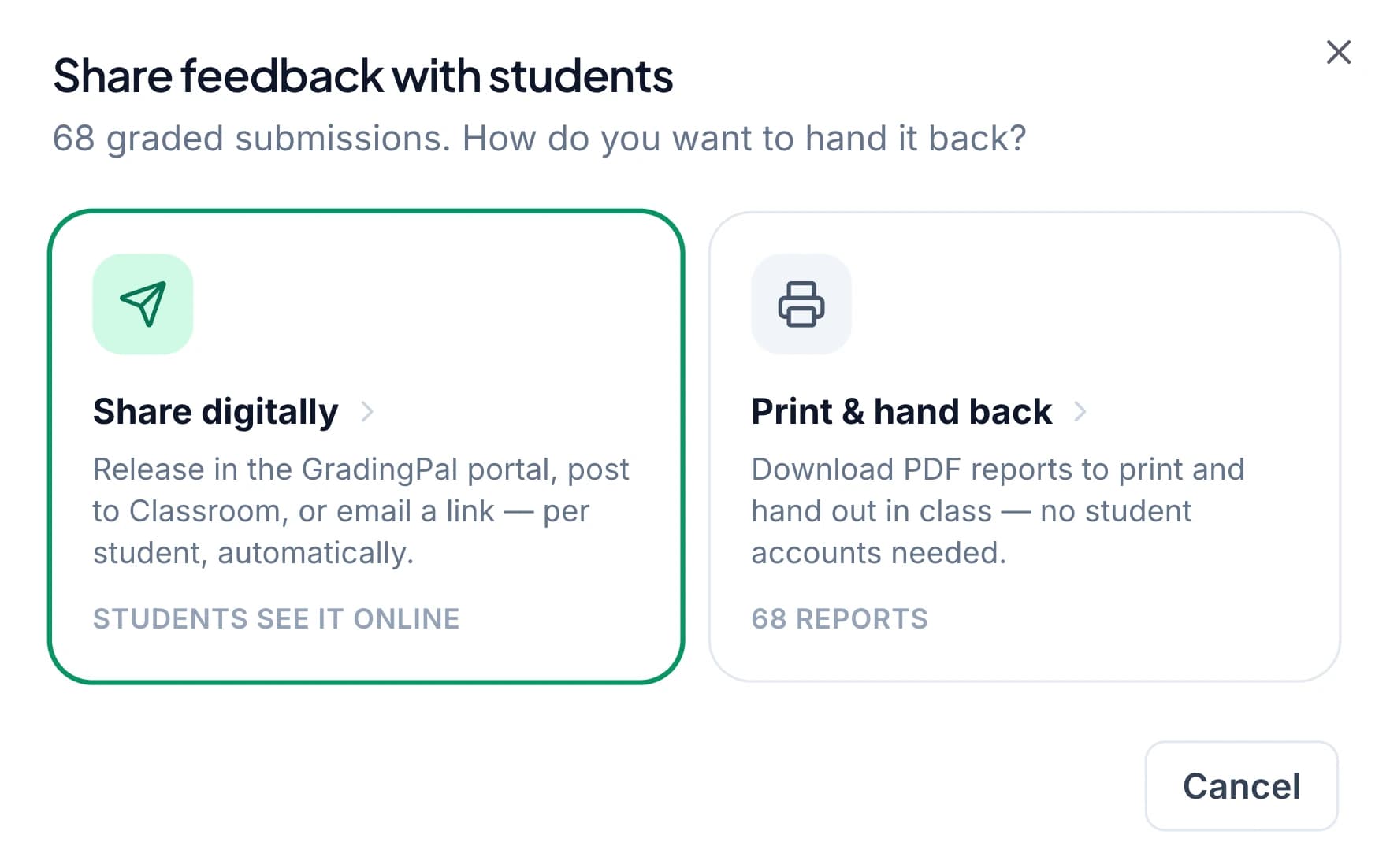
Print feedback reports for paper assignments or share feedback digitally. Through Google Classroom, import classes, assignments, rubrics, and submissions, then return approved feedback with or without grades. Students can keep handwritten work and use the comments to make corrections.
Canvas and Schoology are available on the school plan. Explore the integration options that fit your school’s setup.



Protect student work and stay in control of sharing
GradingPal is FERPA, COPPA, and GDPR compliant, with CASA Tier 2 verification. Student work is never used to train models. You review the assessment and control when feedback is shared.

FERPA
Compliant

COPPA
Compliant

GDPR
Compliant
CASA
Tier 2 Verified
Questions about AI student feedback
Will every student receive the same comment?
No. GradingPal writes feedback from each student's submission and your rubric. Shared instructions keep the approach consistent, while the comments address the strengths and improvements in that student's work.
Can I make feedback shorter or more direct?
Yes. Choose concise or detailed feedback, select a style, and add instructions about tone and priorities. You can edit an individual comment directly or ask the in-app AI assistant to propose a revision for you to review.
Can students receive feedback without a score?
Yes. You can share feedback without displaying grades, for example when students are revising an early draft. Your teacher-facing scoring analysis remains separate from the comments students receive.
How can I use the comments in a revision lesson?
Choose a specific improvement from the reviewed feedback and ask students to act on it. They might add evidence, correct a calculation, or explain a scientific relationship. Ask them to explain the change, then check the skill again in a later response.
How does GradingPal connect student feedback to my rubric?
GradingPal assesses the submitted work against your criteria and drafts feedback about the response. Your rubric defines what is being assessed; the feedback style and instructions shape how the guidance is communicated. You can inspect score explanations and edit student-facing comments before sharing.
Does AI student feedback work for handwritten math and science?
Yes. GradingPal assesses readable handwritten math and science work and writes feedback about the submitted answers, working, and explanations. It also supports essays, worksheets, exams, presentation slides, recorded spoken answers, and art coursework within each assessment type's scope.
Which languages can I choose for student feedback?
Choose English, Spanish, French, German, or Brazilian Portuguese, including the supported regional options. Teacher-facing grading explanations remain in English, and quoted student work keeps its original wording. See supported languages and regional options.
Will changing the feedback style change the rubric criteria?
Feedback style controls how comments are expressed. The rubric defines the assessment criteria. If you want to change what earns credit, edit the rubric or scoring instructions and review the resulting assessment; a warmer tone is not a different scoring standard.
Can I return individualized feedback through my LMS?
Google Classroom supports importing classes, assignments, rubrics, and student submissions and returning approved feedback with or without grades. Canvas and Schoology are available on the school plan. You can also print feedback reports or use the supported digital sharing options.
What student feedback features are included in the free plan?
The free plan includes the six feedback styles within its monthly submission allowance, shared across assessment types. Performance analytics requires an eligible plan. Check pricing for current allowances and feature access. Compare GradingPal plans.
Learn more on the blog
Give your next class more useful feedback
Bring an assignment and your rubric. Choose a feedback style, add your instructions, and review the comments GradingPal writes for each student.
50 free submissions per month, shared across assignment types. Compare plans for included features.