The 2.0 release

GradingPal 2.0: a clearer way to move from work to feedback

Explore the updated grading experience, with tools to refine your rubric, shape student comments and use approved assessment evidence in your next teaching decision.

GradingPal 2.0: the redesigned home page, opening on what needs review today.

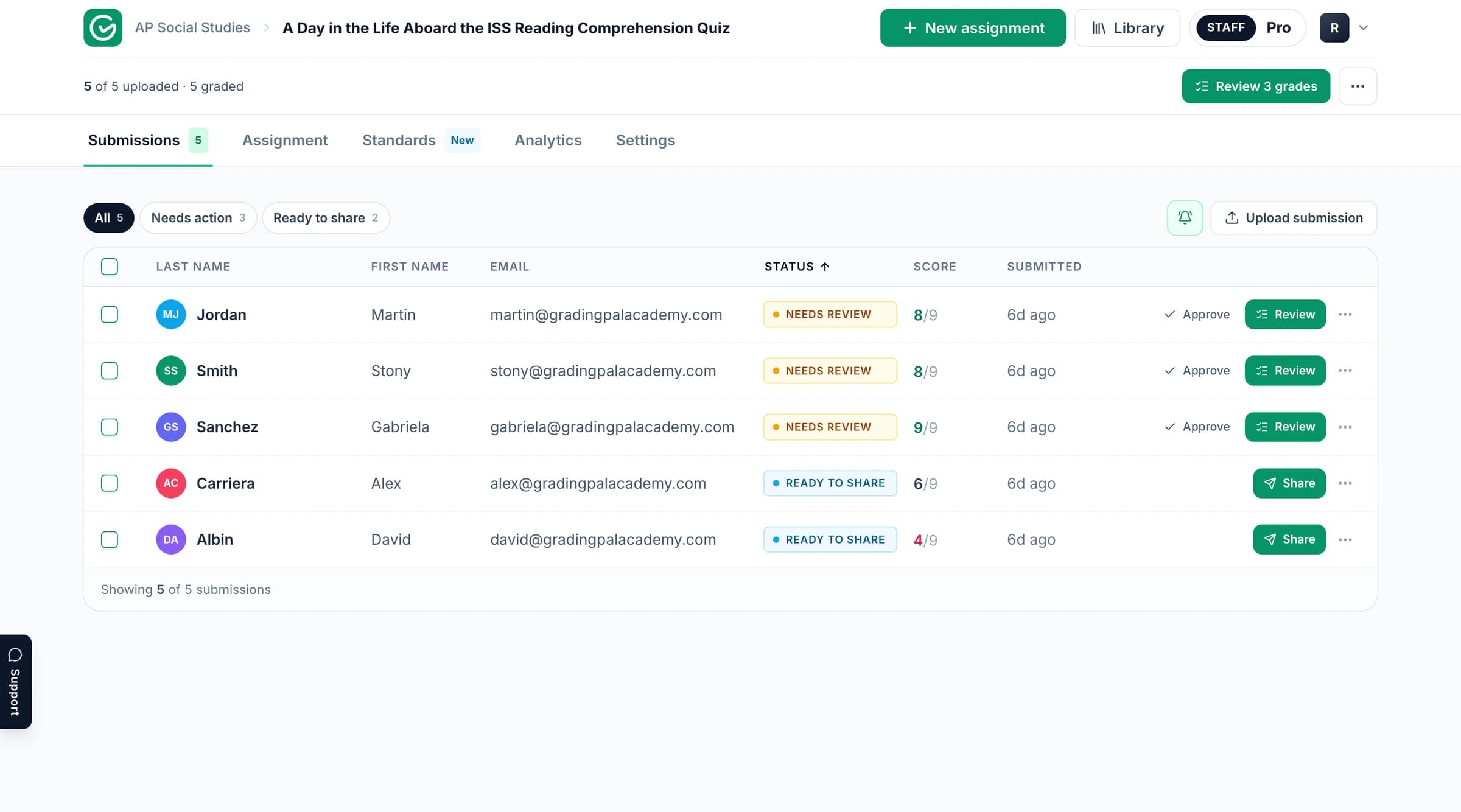
Find your next grading task more easily

The updated interface brings the assignment workflow into a clearer sequence: prepare the assessment, review suggested results and share the feedback you approve.

Your existing classes, assignments, rubrics and graded work remain part of GradingPal. The update supports the work you are already doing.

The redesigned GradingPal home page, showing the count of items needing review and the class rail.

Ask for a useful edit in plain language

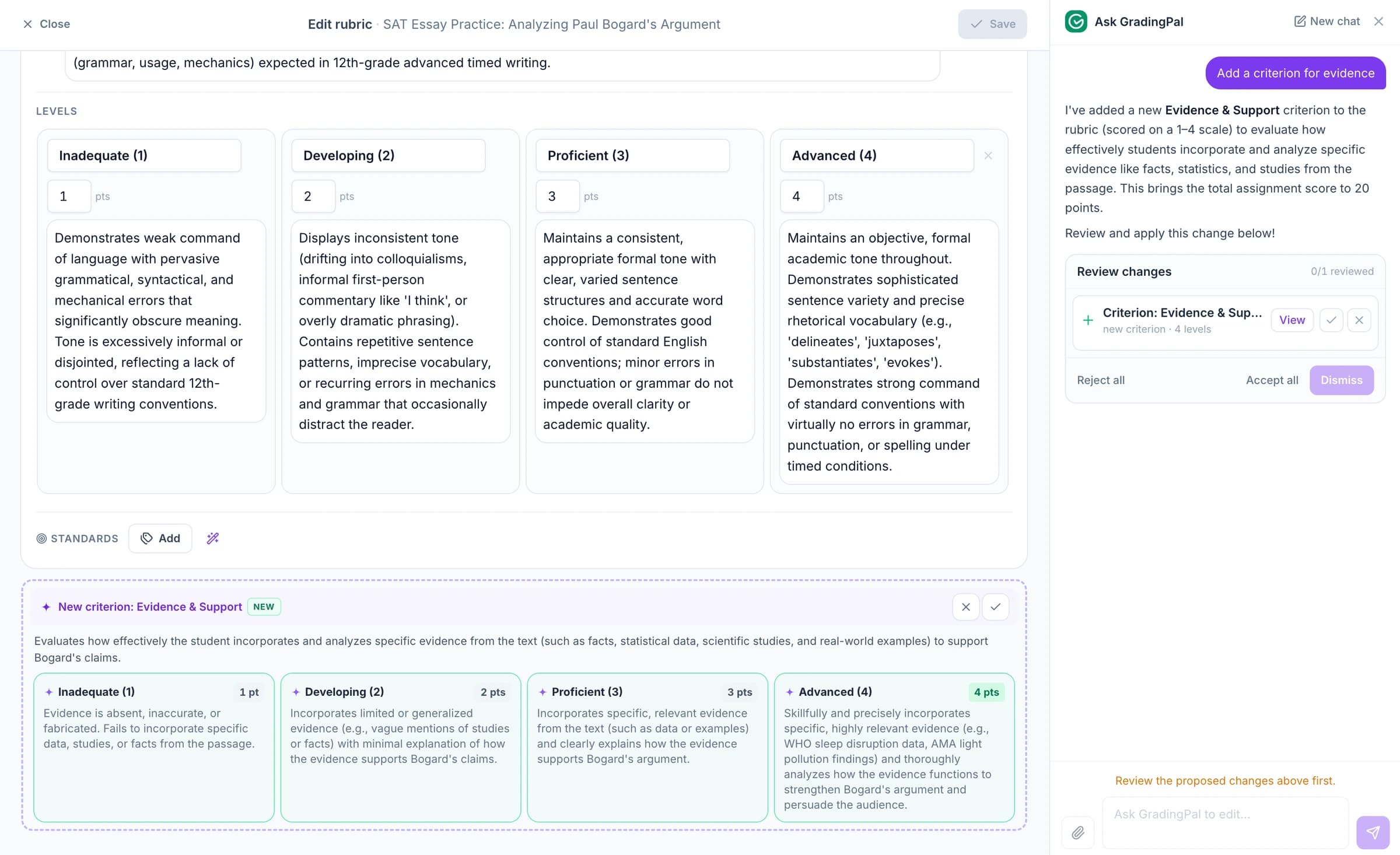
Ask GradingPal brings supported rubric, question and feedback edits into a conversational workflow. Describe the change, inspect the proposal and accept what fits.

Use it to clarify a criterion or refine an individual comment without losing sight of the assessment you are reviewing.

Start from a rubric you can adapt

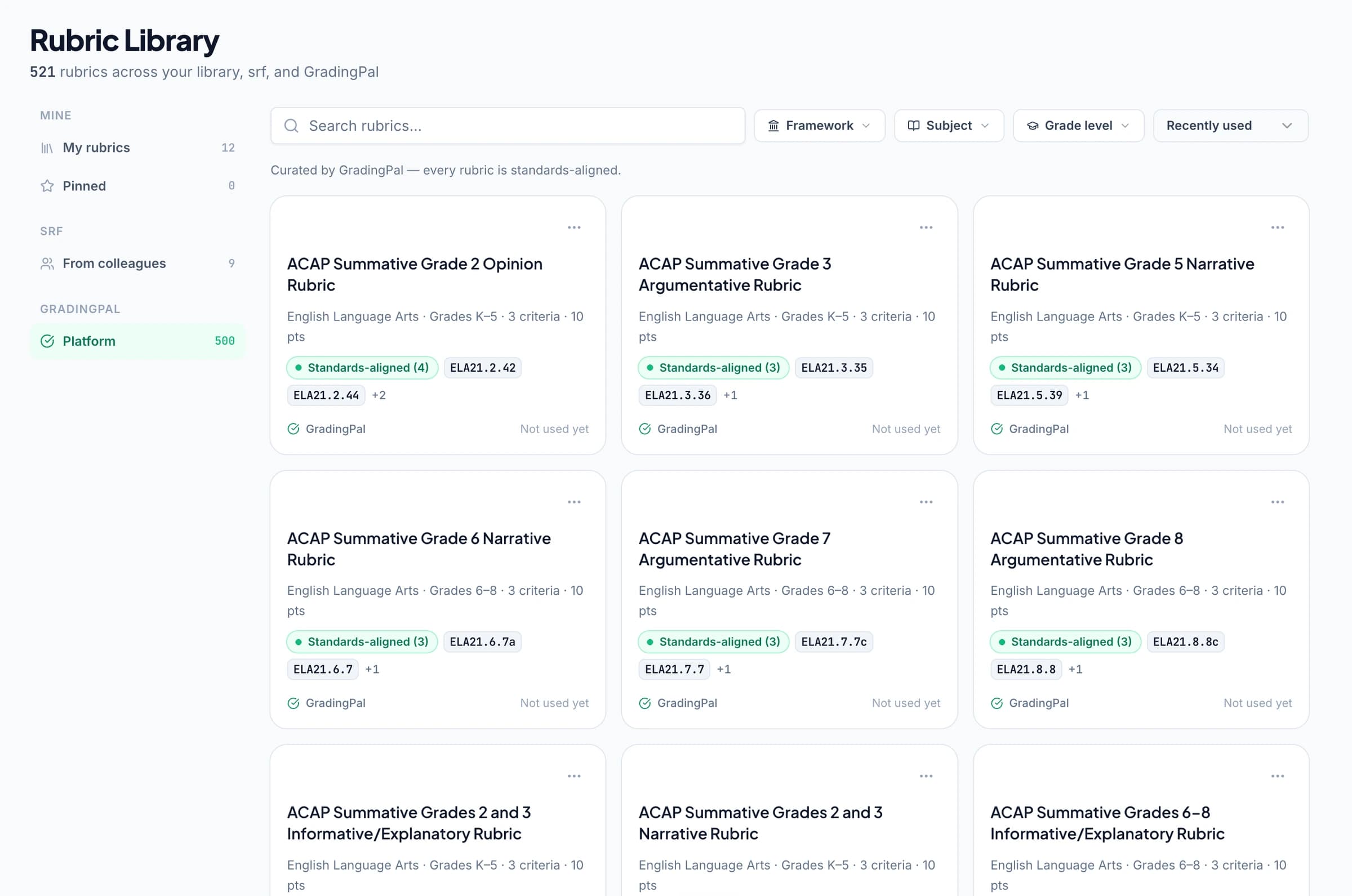
The rubric library provides starting points for supported plans. Make your own copy, review the criteria and adjust the levels or points to fit the task.

You can continue using your existing rubrics whenever they are the right choice.

The GradingPal rubric library showing three shelves with a grade-level filter applied.

Make feedback preferences easier to apply

Use grading controls for instructions, grammar suggestions and supported feedback languages. Choose the feedback style, tone and length that fit the class, then edit the final comments.

The goal is less repeated rewriting and clearer next steps for students.

Change nothing and GradingPal still:

  • Grades against your rubric, one criterion at a time
  • Quotes the evidence behind every judgement so you can check it
  • Judges each student on their own work, never against classmates
  • Flags anything it cannot read instead of guessing at it
  • Leaves the final say with you: nothing is released until you share it
An assignment’s grading rules and feedback settings in GradingPal, with one instruction marked ‘Always on’.

Bring approved work into a longer learning picture

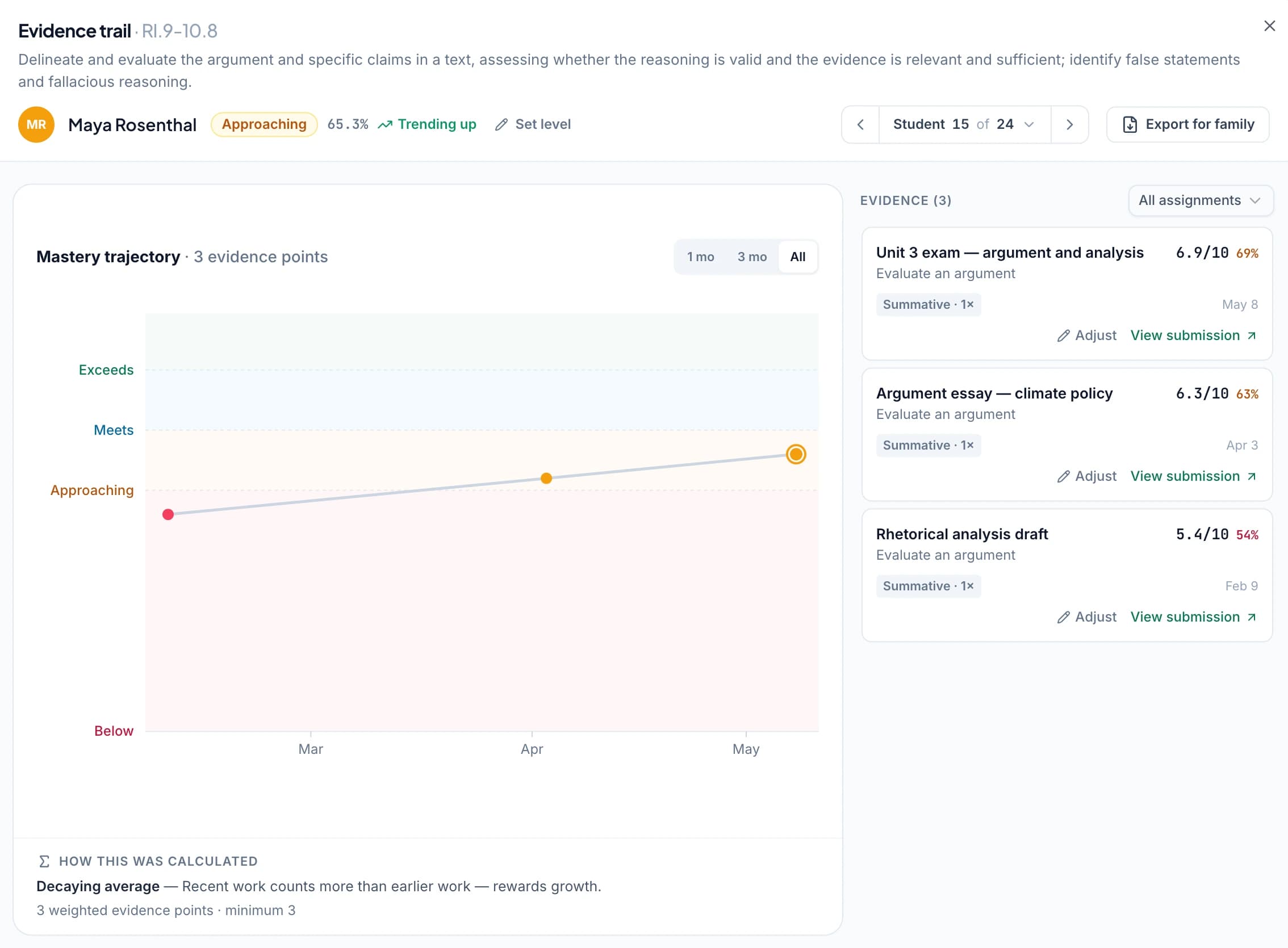
Optional standards mastery tracking connects aligned assessment evidence across assignments. You choose the calculation method and review the work behind the result.

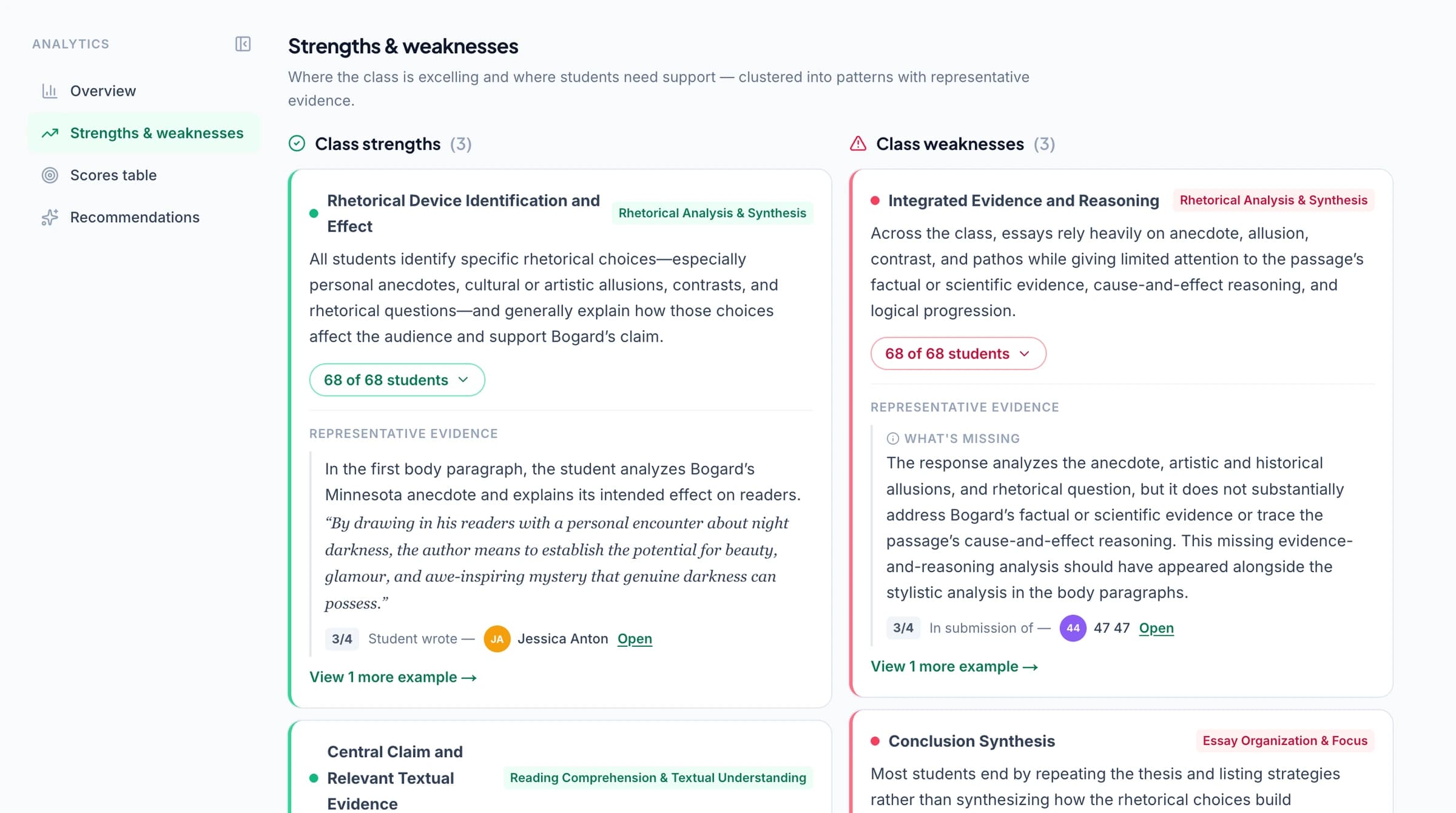
Performance analytics, on supported plans, helps you inspect class patterns and decide what to teach next.

The GradingPal standards view: one row per standard with the class level and a bar showing how many students sit at each level.

Keep the connected workflow in view

Google Classroom is available now. Canvas and Schoology are on the way; contact us for early access. Explore the integration pages for the current workflow and access conversation.

Rebuilt workflows

Instant Grading, RebuiltUPGRADED
Upload the work you already have. GradingPal sets everything up and grades it, in about a minute of setup. instant grading, rebuilt
Sharing Feedback, RedesignedUPGRADED
Share feedback digitally or as a print pack, now or scheduled for exactly when you want. sharing and scheduled release
Batch ScanUPGRADED
Scan the whole class as one PDF. Review the split, match the students, grade it all. batch scan and handwriting
Google Classroom, DeeperUPGRADED
Your Classroom rubrics import exactly as written, and one button posts the assignment back. deeper Classroom sync
Know What to Teach NextUPGRADED
See what the class struggled with, and get a concrete suggestion for what to teach next. what to teach next
The Student SideNEW LOOK
See your assignment exactly as your students will, before they do.
The GradingPal batch scan page board, with scanned pages grouped by student and one match marked Verify.

And dozens of smaller changes

  • Organise assignments into folders, and recover deleted ones from a bin
  • One join code per class for students; co-teachers get proper invites and equal footing
  • Roster import from CSV with errors shown on the exact rows, and roster export
  • Schedule an assignment to open later, and close it to genuinely stop collection
  • Every email redesigned to match the product
  • Dates and deadlines always shown in your class’s timezone
  • Math notation renders correctly everywhere: on screen, in exports, in Classroom
  • When grading fails on a file you now see why, with the fix one click away
  • Refer a colleague and earn rewards in the new rewards store
  • Preview any assignment as a specific student sees it

Update questions

Do I need a separate GradingPal 2.0 account?

No. Continue using your existing GradingPal account.

Do I have to use standards tracking?

No. It is optional. You can continue grading assignments with points and feedback.

Does grammar check change the grade?

Grammar suggestions do not automatically create deductions. Grammar affects the score when it is part of your rubric.

Are library rubrics editable?

Yes. Work from your own copy and adapt its criteria, levels and points.

Try the updated workflow on your next assignment