GradingPal 2.0 is here — see everything that's new

See how GradingPal grades the work you teach

Explore AI grading examples across subjects, grade levels, and assignment types. See how student work connects to rubric scores and useful feedback, then bring the same approach to your own essays, handwritten math, science, worksheets, or recorded assessments.

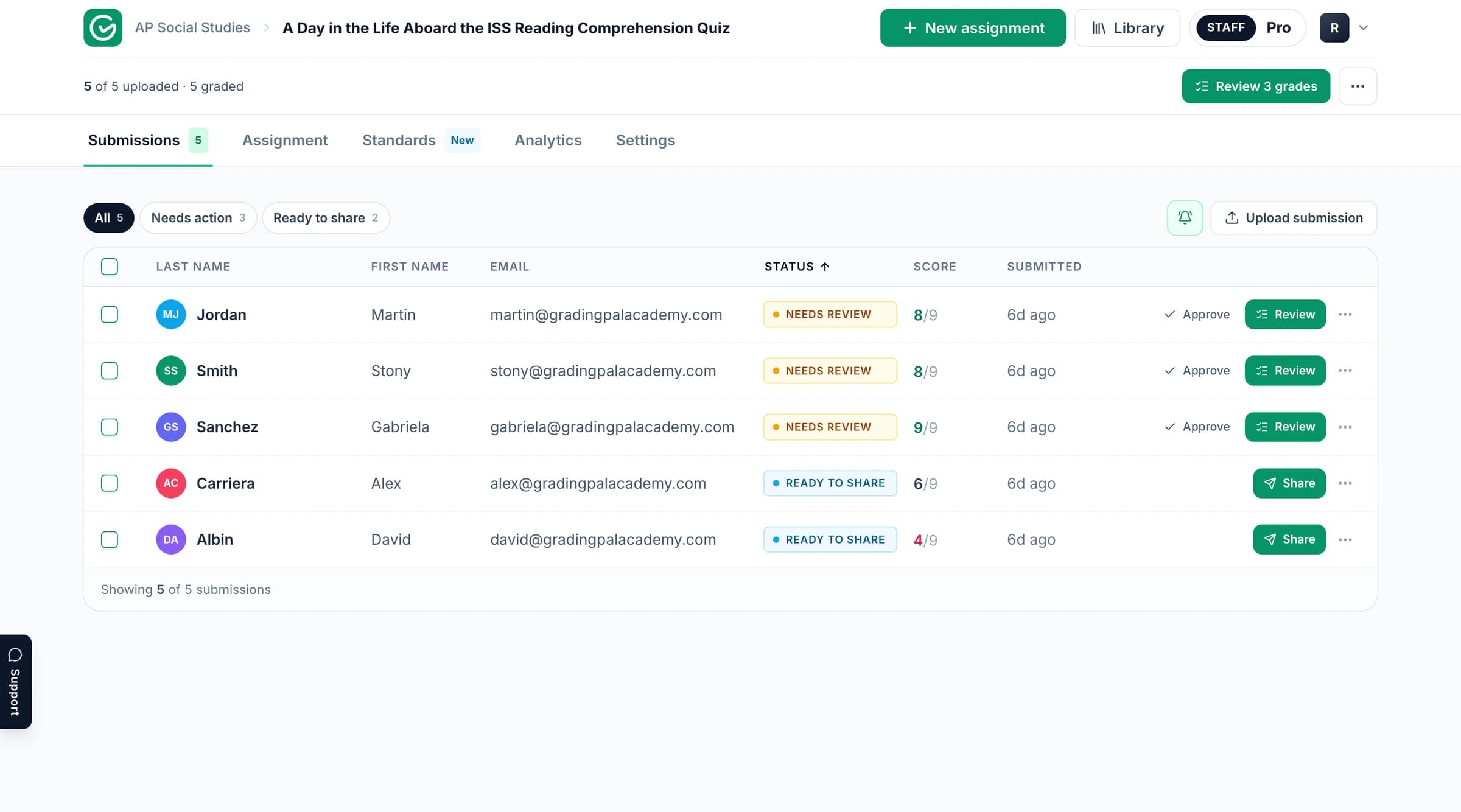
The GradingPal workspace for grading and feedback.

Find a relevant example for your next assignment

Filter the published collection by subject, grade level, assignment type, or standards. Open an example to read its actual task, evidence, and assessment. The collection grows with the examples we publish; the product's full range of capabilities is explained on the linked grader pages below.

Choose a subject to narrow the examples. Showing 22 of 22.

Start with a published assessment example

These selected examples give you a place to begin. Choose work close to your teaching context, then follow the connection between what the student submitted, the rubric expectations, and the feedback. Each example retains its own title, attribution, date, and supporting material.

See what earned credit and what the student can improve

The most useful grading example shows how a result was reached. GradingPal generates rubric scores with evidence for teacher review, alongside individual feedback. Use the material available in an example to examine the decisions that matter in your subject.

The assignment and response

Start with what the learner was asked to demonstrate. A calculation, an extended explanation, and a spoken response reveal different kinds of understanding. The task and submitted work establish the context for the assessment.

The rubric and scoring evidence

Check the criterion, the credit, and the explanation together. In math, a sound method may deserve partial credit despite an arithmetic error. In science, a correct conclusion may still need evidence and reasoning. Your rubric sets those expectations.

Feedback the student can act on

A useful comment identifies something in the work and gives the learner a next action: correct a step, explain a relationship, support a claim, or revise a passage. The teacher can refine the wording before returning the assessment.

AI grading across subjects and assignment types

GradingPal assesses more than essays. It reads handwritten and digital work, generates rubric-based scores, and prepares individual feedback across the tasks below. Explore each grader to understand the assessment process, whether or not that type currently has a published example in the collection.

GradingPal essays & writing assessment example

Essays & Writing

Assess argument, evidence, organization, and the expectations in your rubric. Give students a specific revision priority.

Explore essay grading
GradingPal worksheets assessment example

Worksheets

Grade short answers, long answers, calculations, and mixed question types. Review the proposed credit question by question.

Explore worksheet grading
GradingPal quizzes & exams assessment example

Quizzes & Exams

Assess brief responses and extended answers using your mark scheme, with explanations for teacher review.

Explore exam grading
GradingPal problem sets assessment example

Problem Sets

Assess multi-step mathematical working, calculation, and final answers. Use rubric rules for method marks and partial credit.

Explore problem-set grading
GradingPal science labs assessment example

Science Labs

Grade biology explanations, chemistry calculations, physics reasoning, and lab reports against subject-specific criteria.

Explore science grading
GradingPal handwritten work assessment example

Handwritten Work

Bring scans and photographs into the assessment process without asking students to type their answers.

Explore handwritten grading
GradingPal presentations & slides assessment example

Presentations & Slides

Assess the content, evidence, structure, and communication in submitted slide decks.

Explore presentation grading
GradingPal video & audio assessment example

Video & Audio

Assess spoken explanations and supported recordings against the criteria of the task.

Explore oral and recording assessment

Find examples connected to your standards

Published examples carry the framework tags supplied with their records. Use them to find a relevant starting point, and check the rubric and task within the example for the actual alignment.

GradingPal's broader standards directory covers resources for all 50 states and Washington, DC, including Common Core, NGSS, and Texas TEKS. AP, IB, and exam-board resources explain the relevant course and rubric context. A framework label alone does not establish mastery; approved aligned assessment evidence contributes to that record.

Use the assessment to plan feedback and the next lesson

GradingPal gives you six feedback styles—Targeted, Glow & Grow, Structured, Sandwich, Actionable, and Socratic—plus controls for language, detail, and your teaching instructions. A practice task may call for a guiding question; a completed assessment may need a clear explanation of the rubric result. Explore student feedback.

Classroom analytics surface strengths, weaknesses, and recommended next steps. The standards mastery gradebook follows approved evidence across assignments, with five calculation methods and teacher adjustments. These product features show how an assessment can inform teaching; an individual published example only demonstrates the evidence it actually contains.

For a department, the 500-rubric catalog and shared libraries make assessment resources easier to reuse. Bring your own criteria, adapt a library copy, or discuss a school workflow with the team.
Try the same approach with your own class

Start with a familiar task and the rubric you teach with. Review the proposed scores and evidence, make the feedback your own, and decide what students should do next. The free plan includes 50 submissions per month; plans explain access to additional formats and features.