Built to give teachers more time to teach

GradingPal helps teachers reduce repetitive grading, give students useful individual feedback, and turn assessment results into better-informed teaching. We build AI assessment tools around the work educators already do: their assignments, their criteria, and their knowledge of their students.

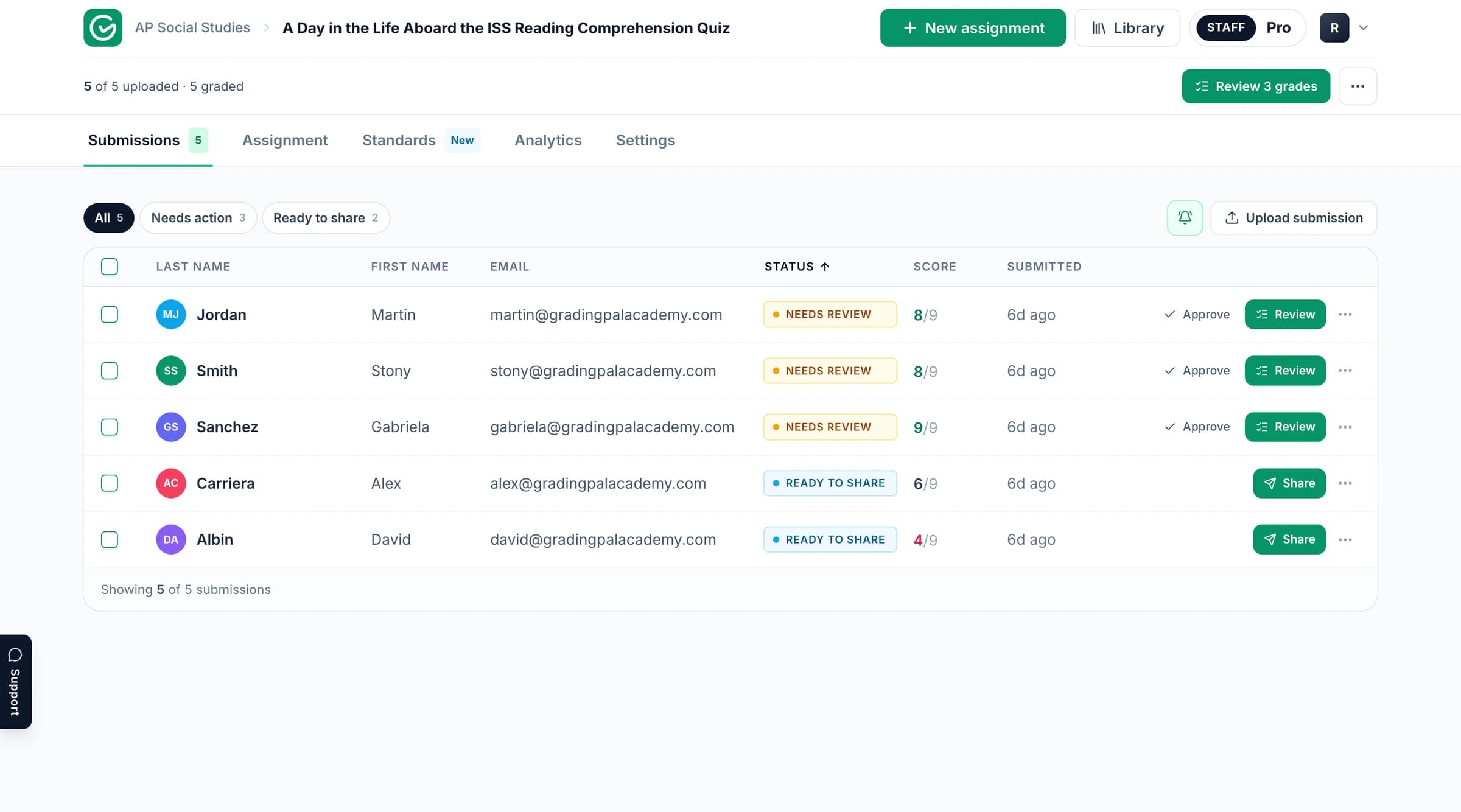
The GradingPal workspace for assessment and feedback.

Three needs shape everything we build

Teachers do more than assign marks. They explain what a student understands, identify what needs attention, and decide how to help. GradingPal is built to make that work practical across the volume of assignments a teacher receives.

Reduce the repeated work around grading

Reading a class set, applying a rubric, calculating scores, and writing similar explanations takes time away from other teaching work. GradingPal produces rubric-based assessments and feedback for teachers to review, reducing the amount they need to prepare from scratch.

Give every student a useful next step

A score tells a student where they stand; a clear explanation helps them act. GradingPal drafts individual feedback connected to the submitted work. Teachers can shape its style, language, and level of detail so it fits the learner and the lesson.

Use assessment evidence to guide the next lesson

Student work reveals recurring strengths and misunderstandings. GradingPal brings those patterns into classroom analytics and standards mastery tracking, helping teachers decide what needs another explanation and where targeted support could help.

Build for the work students actually produce

Learning appears in handwritten math, scientific explanations, essays, worksheets, presentations, artwork, and spoken responses. GradingPal supports the corresponding assessment workflows so teachers can use the tasks that suit their subjects.

For math and science, that means more than accepting a file. GradingPal can read supported handwritten working, assign scores against the rubric, and explain the reasoning behind the assessment. Teachers inspect the evidence and adjust the result when classroom context or a different interpretation matters.

The same principle applies to writing and other formats: understand the submitted response in relation to the criteria, then provide feedback that helps the learner take a next step. Explore AI grading across subjects.

Make teacher judgment easy to apply

Teachers set the expectations for an assignment. GradingPal supports the assessment by providing scores, explanations, and editable comments together. The teacher can inspect the work, change the assessment, and decide what students receive.

Feedback controls help the software follow the teacher's instructions. The in-app assistant makes it easier to request changes to rubric scores and comments. Clear screens and a straightforward review workflow matter because useful technology should make the daily work easier to carry out. Read our responsible AI approach.

Support the classroom and the school around it

Individual teachers need a practical grading workflow. Schools also need reusable assessment resources, curriculum fit, adoption support, and clear information about student data.

GradingPal connects those needs through shared rubric and assignment resources, standards-aligned assessment, and school onboarding. Common Core, NGSS, TEKS, AP, and IB are among the supported standards and framework resources. Teachers can also use their own criteria.

Google Classroom is available now. Canvas and Schoology are available on a school plan. The aim is to fit assessment into the school's teaching and systems, with the relevant setup discussed during evaluation. Explore GradingPal for schools.

Meet the company behind GradingPal

GradingPal is a product of Cues Technologies Inc. Rajesh Vora is the company's Founder & President. The company brings product development and educator input together to improve how software supports teaching and assessment.

“Successful education products must begin with a clear understanding of the learner and the educator — not with the technology.”

Rajesh Vora, Founder & President, Cues Technologies Inc.

Rajesh Vora, Founder & President of Cues Technologies Inc.

Let classroom experience inform the product

Teachers can tell us where the workflow helps and where it needs to improve: an unclear score explanation, a feedback style that needs adjusting, or a step that takes more effort than it should. That specific experience helps the team understand what to improve.

Educators can contribute through product feedback and the GradingPal Pioneers community. School teams can bring their assessment practices and adoption requirements into the conversation. Explore GradingPal Pioneers or send us your feedback.

Treat student work with care

Student submissions contain work that deserves careful handling. Student work is not used to train AI models. Our published privacy documents, data agreements, security information, and sub-processor list explain how data is handled and give schools material for their review.

Explore the team's products

GradingPal

AI grading, editable student feedback, classroom analytics, and standards mastery tracking for teachers and schools. Explore GradingPal features.

Alayna AI

AI tools for teaching preparation and classroom work from the wider team. Visit Alayna AI.

Company information and documents

Cues Technologies Inc. 9171 Wilshire Blvd, Ste 500 Beverly Hills, CA 90210, United States hello@gradingpal.com

Our Terms of Use, Privacy Notice, Data Processing Agreement, Student Data Privacy Addendum, EU/UK Privacy Notice, and Sub-processor List are publicly available. Schools can start reviewing them before contacting the team.

See how GradingPal could support your teaching

Try a familiar assignment and inspect the scores and feedback. For a school, begin with the workload, feedback, and teaching needs you want to address.