Grade your next assignment with AI scores and feedback
Bring a familiar assignment into GradingPal, add your rubric, and choose the feedback you want students to receive. GradingPal generates scores and comments from the submitted work so you can focus on reviewing the assessment and helping students take the next step.
50 free submissions per month, shared across assignment types.
Start with work you have already collected
Use an essay, worksheet, math problem set, science explanation, slide deck, or other supported assignment. You do not need to rebuild the assessment around a new task to evaluate GradingPal.
Have the assignment instructions, student submissions, and any rubric or answer key ready. Choose work you know well for the first run so you can judge whether the suggested scores and comments reflect your expectations.
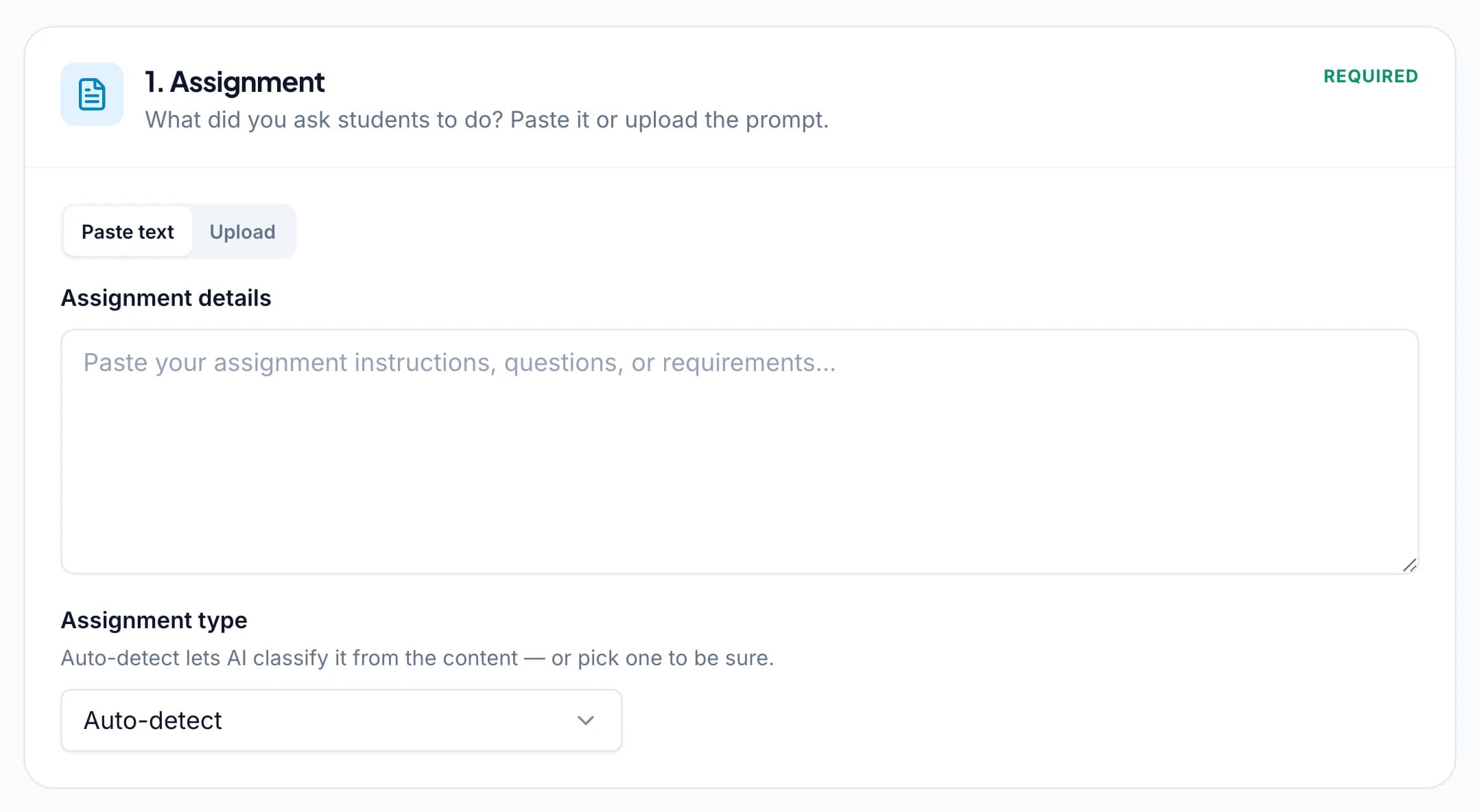
1.Add the assignment and supported submissions
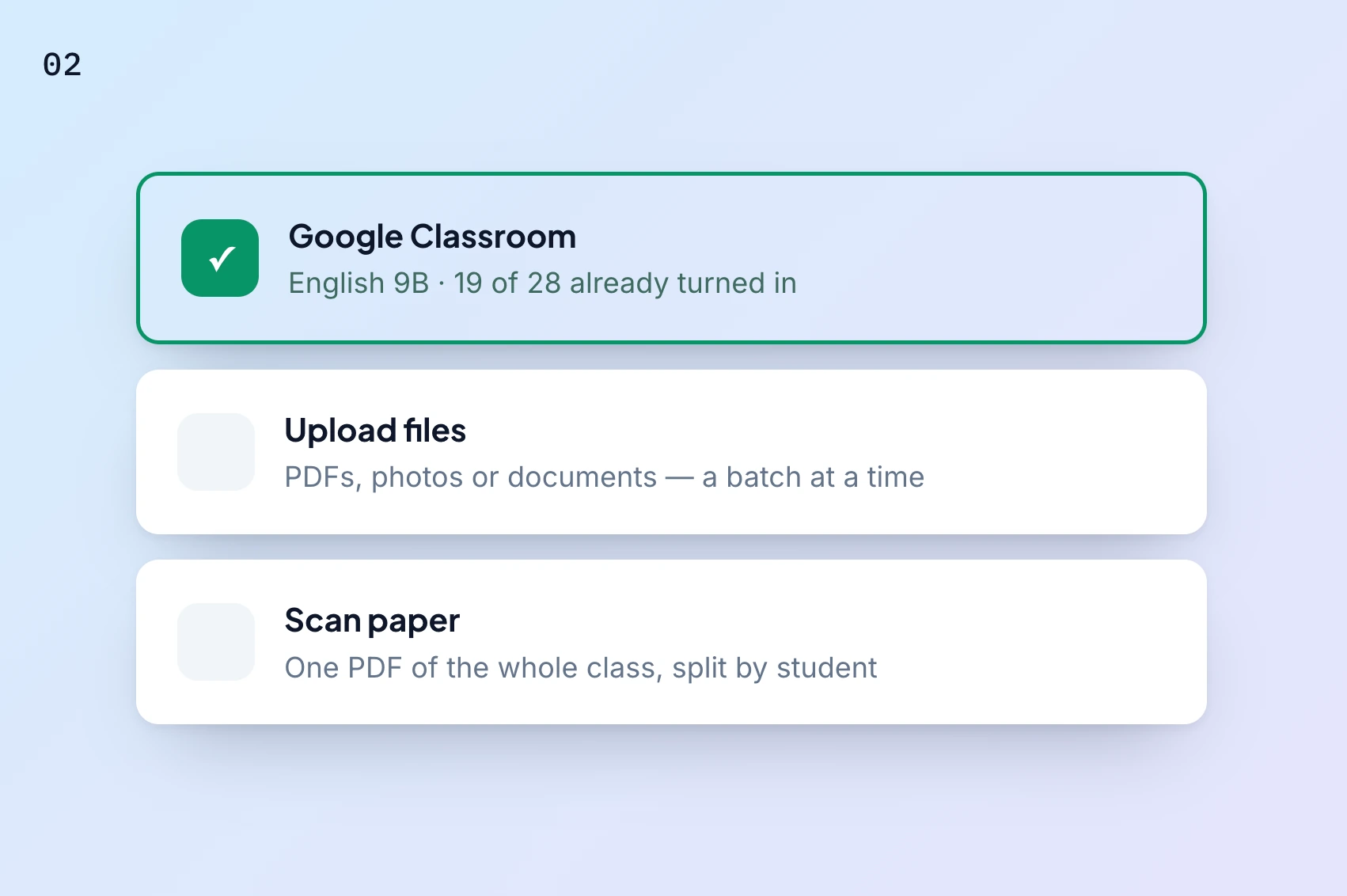
Upload the files, paste the relevant text, or select work from Google Drive. If you use Google Classroom, bring in a supported assignment and its submissions through the connected workflow.
For paper work, use readable scans or photos. A batch scan can contain several students' responses; check how the pages are organized and matched before proceeding. See handwritten grading for the preparation and review details.
2.Check the assignment type and student matches
Review the detected assignment type and the material GradingPal will assess. Make sure the work is attached to the right assignment and student, and that scanned pages appear in the intended sequence.
A short answer, a long written response, and a calculation can require different assessment details. Check the task and expected responses before starting so the rubric applies to the work students actually completed.
3.Use your rubric or review a generated one
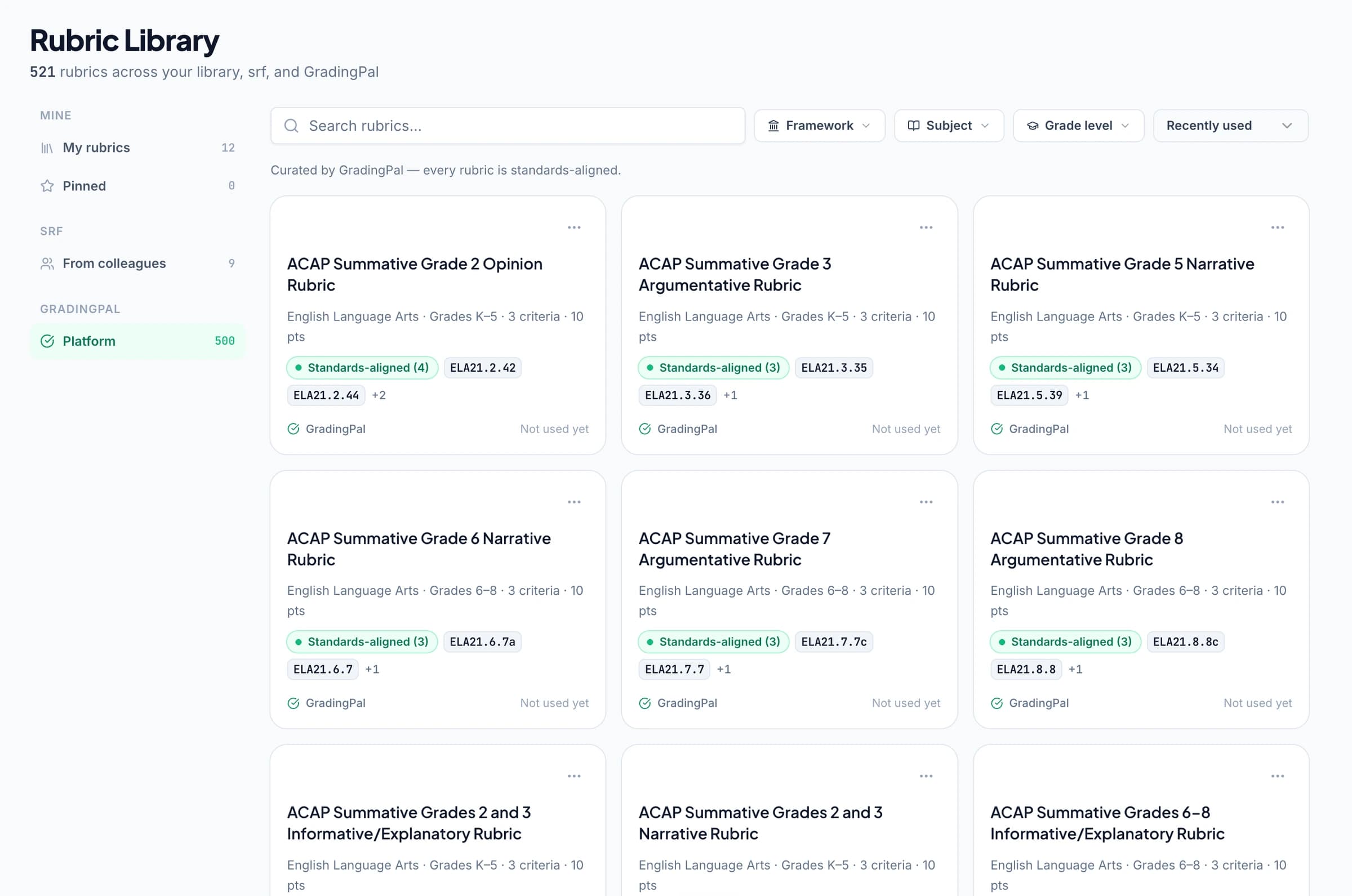
Bring your own rubric, import it through a supported workflow, or ask GradingPal to draft one from the assignment. Review the criteria, level descriptions, and point values before using it.
For math, specify the credit for method and answer. For science, distinguish data interpretation from the explanation. For writing, define evidence, reasoning, and organization as appropriate. A clear rubric makes the resulting score easier to review. Explore rubric options.
4.Choose feedback students can act on
Select one of six feedback styles, choose concise or detailed comments, and set the supported language option. Add instructions for the classroom vocabulary or revision focus you want reflected in the feedback.
A practice worksheet might need one correction and a follow-up question. A substantial essay may need a structured explanation against the criteria. You can keep the settings appropriate to the task without composing every comment yourself.

5.Review the scores and evidence
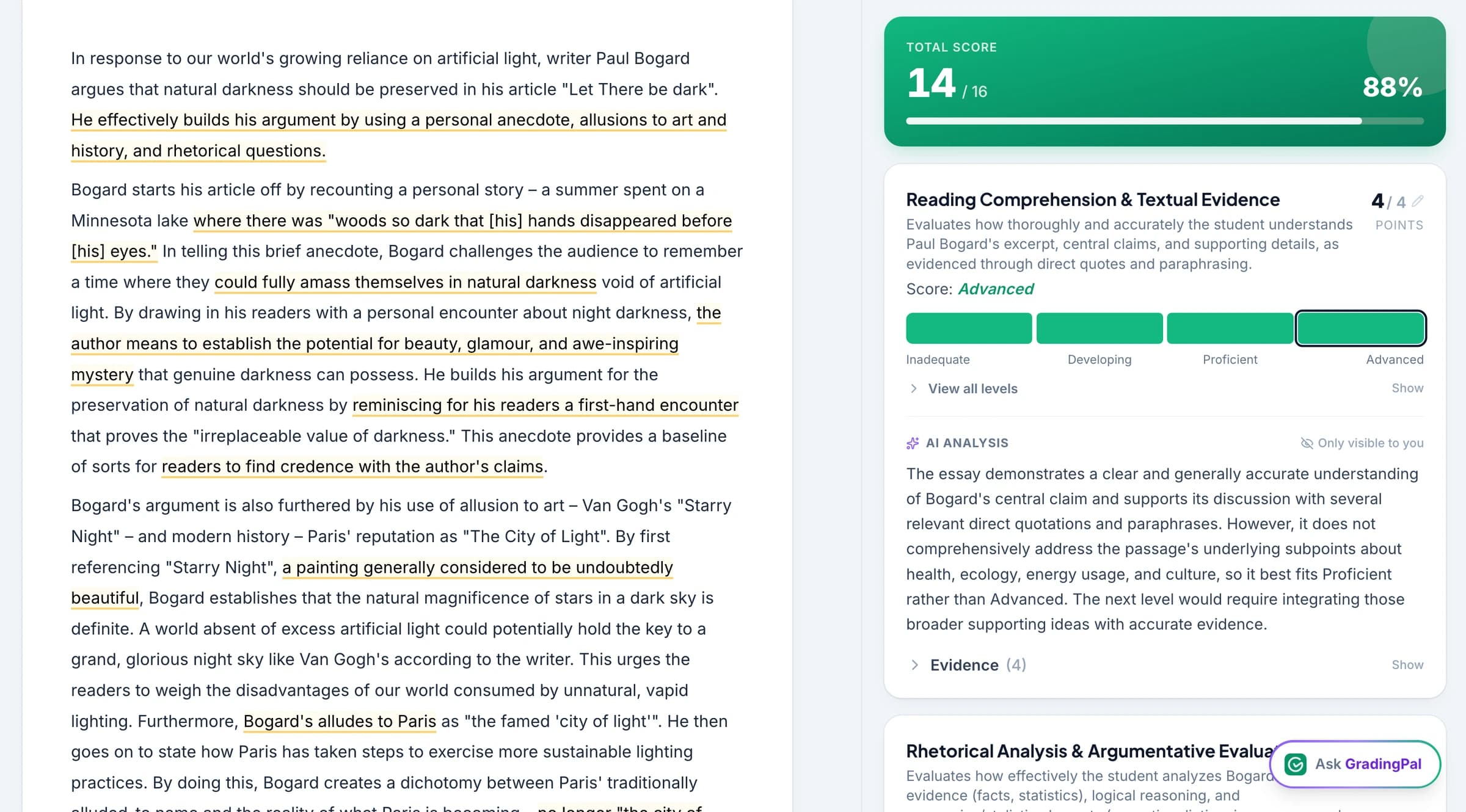
GradingPal assesses the submitted work against the rubric and generates suggested scores and feedback. Open the response and criterion-level explanation together to inspect why a level was selected.
Change a score when the evidence calls for it and refine a comment where the student needs more context. Use Ask GradingPal for supported proposed edits in the current assessment, then review and accept the changes you want.
6.Share the results when they are ready
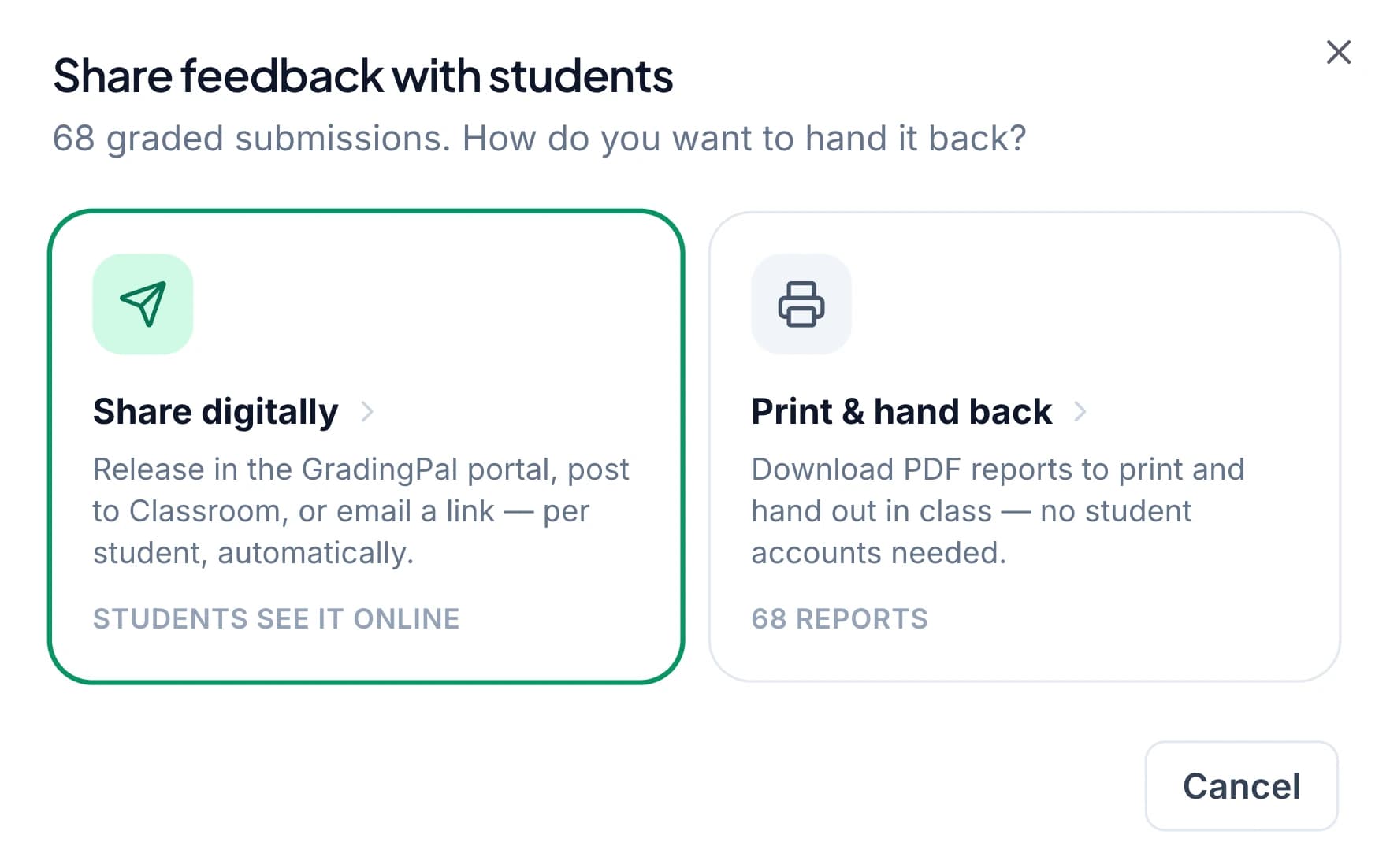
Return approved feedback through the available digital or print options. Choose whether to include a displayed grade and check the recipients and release timing before sharing.
Connect the return to a student task: correct the first error, explain the evidence, or revise a conclusion. The assessment is more useful when students know what to do after reading it. Explore sharing and scheduling.
Try the workflow with different kinds of assessment
GradingPal supports more than typed essays. Include the kind of work that matters to your teaching when you evaluate the tool.
A handwritten math assignment
Use readable working and criteria that distinguish method from answer. Check whether the suggested score and explanation reflect the steps the student showed.
A science response or investigation
Provide the task and relevant rubric, then review how GradingPal assesses the submitted data, reasoning, and conclusion. Check scientific correctness and context before approving.
A worksheet or exam
Bring short answers, longer explanations, or calculations into a question-based assessment. Review the individual results so students receive useful feedback on the questions they need to revisit.
Use approved work to guide the next lesson
With paid performance analytics, inspect common strengths, difficulties, and suggested teaching responses across the class. Optional standards mastery tracking organizes aligned results over time.
You can begin with ordinary assignment points and feedback, then use the additional evidence views when they fit your teaching. The first assignment is enough to evaluate the assessment workflow; longer progress questions benefit from more than one demonstration.
Questions about starting an assignment
Can I use an assignment I have already created?
Yes. Bring the task, supported submissions, and rubric into GradingPal. You can keep the assignment students completed and evaluate the scoring and feedback against it.
Do I need to write a new rubric?
No. Use your own or review a generated rubric. The library provides another starting point on eligible plans.
Can I change a rubric after grading?
Yes. A rubric edit can trigger a regrading step for affected submissions. Review the updated scores and comments before sharing them.
Are results sent to students automatically?
You decide when to share. Review the proposed scores, feedback, recipients, and content before releasing results.
Is instant grading a fixed processing-time promise?
No fixed turnaround is promised here. Assignment size, file type, and processing requirements affect the time involved. GradingPal reduces the repeated scoring and comment-writing work while you retain review.
Can I use the free plan for my first assignment?
Yes. The free plan includes a monthly submission allowance. Check the current plan comparison for the allowance and access to analytics, libraries, and other features.
Can I keep student work on paper?
Yes. Use supported scans or photos, check the organization and student matching, then return printable feedback when that fits the class.
Start with one assignment you know well
Inspect how GradingPal scores the work, explains the evidence, and gives students a useful next action.