Grade math, science, and handwritten work
Explore rubric scoring for mathematical methods, scientific explanations, short and long answers, and scanned submissions. See how the teacher reviews evidence and partial credit. Explore grading examples.
Explore practical sessions for teachers and school teams with Wendy Soutsos. Learn how to grade handwritten math and science, review rubric scores, give students actionable feedback, and decide what to teach next.
Join a live session when one is announced, or learn at your own pace with our webinar recordings. Explore live webinars · Browse on-demand webinars
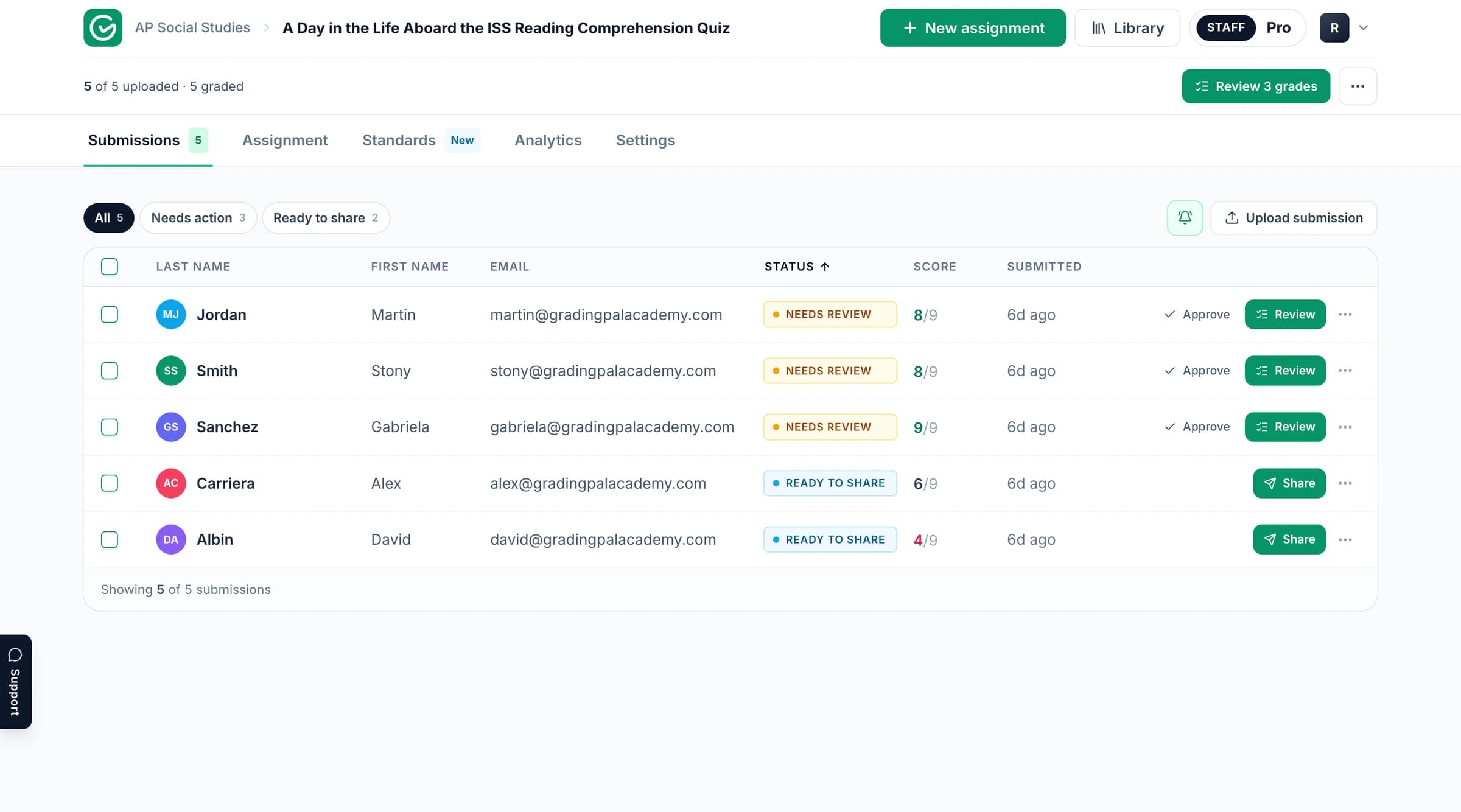
Our next live webinar has not been announced yet. When a session is scheduled, you’ll find its topic, date, host, and registration details here.
Live sessions combine a practical demonstration with time for teacher questions. Suggest a topic or explore the on-demand library while you wait for the next session.
Explore our recorded sessions on back-to-school AI grading and handwritten math and science. Each session includes a full recording, an overview of what you’ll learn, and the original session details. Watch free without registration.
Take a quick tour of the GradingPal interface and its grading, feedback, and learning insights tools. For full teacher sessions, visit the on-demand webinar library.
Pause on a relevant step: setting up an assignment, working with rubric scores, shaping student feedback, or reviewing learning evidence. Then visit the linked feature pages for a detailed explanation and current plan access.
A useful session starts with something you want to do differently in class. These are topics to explore with GradingPal and discuss with our team; they are not a schedule of announced events.
Explore rubric scoring for mathematical methods, scientific explanations, short and long answers, and scanned submissions. See how the teacher reviews evidence and partial credit. Explore grading examples.
Choose among six feedback styles and set the language, detail, and tone. Connect the comment to a revision or practice action students can carry out. Explore student feedback.
Follow approved evidence across assessments and inspect the work behind a result. Discuss the calculation method and evidence requirements that fit your reporting approach. Explore the mastery gradebook.
Use class strengths, weaknesses, and recommended instructional next steps to plan support. Pair a class pattern with the evidence behind it before deciding how to respond. Explore classroom analytics.
Bring your own criteria or adapt a copy from the 500-rubric catalog. Explore shared assignment and rubric resources for colleagues on eligible plans. Explore the rubric library.
Discuss subjects, staff access, integrations, and rollout. Google Classroom is available now; Canvas and Schoology are available on a school plan. Explore GradingPal for schools.
Start with the work teachers find most repetitive, the feedback students need, and the learning patterns your team wants to understand. A school demonstration can then connect the scoring, feedback, mastery, and shared-resource features to those priorities.
It helps to identify representative assignment types, the standards or rubrics you use, and your LMS requirements. Common Core, NGSS, TEKS, AP, and IB resources provide relevant starting points; the standards directory includes all 50 states and Washington, DC. Review the security information and plans alongside the product demonstration.
Use the product documentation for individual steps, the teacher resource hub for training and presentation material, and the blog for assessment ideas. Try a familiar assignment so you can judge how the score explanations and student feedback match your expectations.
The in-app assistant can propose rubric, score, or feedback changes while you work. Review the proposal and accept the changes that fit. That gives you a practical way to apply what you have learned inside the assessment itself.
Upcoming sessions will be announced on this page with their dates and registration details. You can also contact the team with a topic or school training question.
Yes. Visit the on-demand webinar library to watch our recorded teacher sessions free, without registration. Each webinar has its own page with the recording and learning outcomes.
Yes. Book a demo or contact us with your subjects, assignment types, and questions. We can discuss the assessment features and setup relevant to your team.
Certificates were offered to attendees of the live September 17 back-to-school session. Watching a recording does not automatically issue a certificate or establish accredited hours or CEUs. Contact our team with questions about participation documentation.
Watch the tour, choose one familiar assessment, and explore how GradingPal prepares scores and individual feedback for review. For a school discussion, bring the priorities of your teaching team.