AI grading for higher education. Detailed feedback across the course cohort.
GradingPal helps college and university instructors assess essays, problem sets, lab reports, exams, and other submitted coursework against their rubrics. Instructors review scores with supporting evidence, give students actionable disciplinary feedback, and use assessment insights to guide tutorials and further teaching. Departments can build on shared resources while retaining academic judgment.
50 free submissions per month, shared across assignment types.
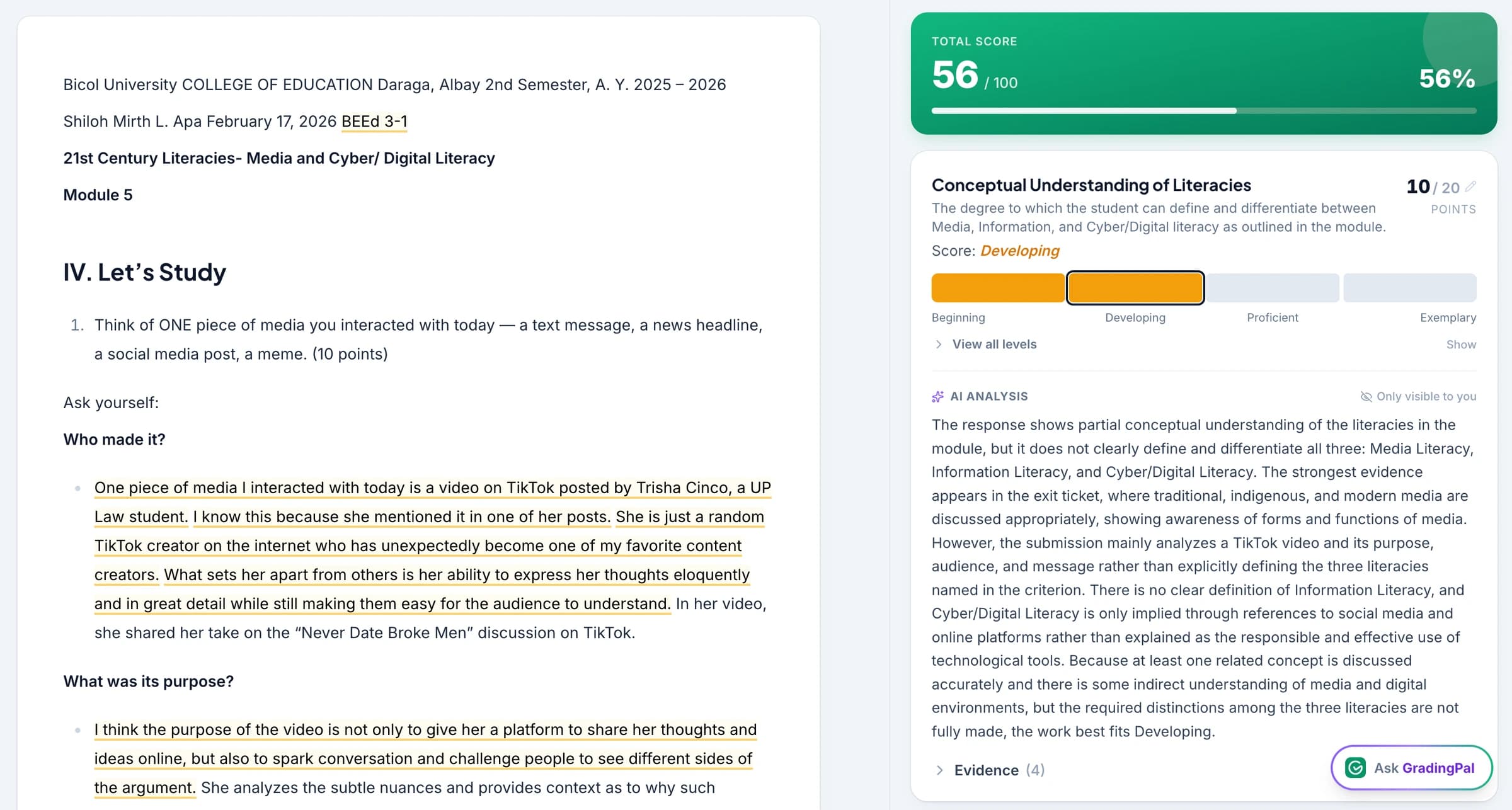
Make thorough assessment practical across more submissions
The repeated work of scoring and writing comments can consume time that instructors need for teaching and student support. GradingPal connects that assessment work with the feedback students receive and the instructional decisions that follow.
Reduce repeated scoring and comment writing
Apply the course rubric to supported submissions and review the resulting scores and feedback. Instructors spend their assessment time inspecting the reasoning and refining the judgment instead of composing every criterion comment from scratch.
Give each student substantive guidance
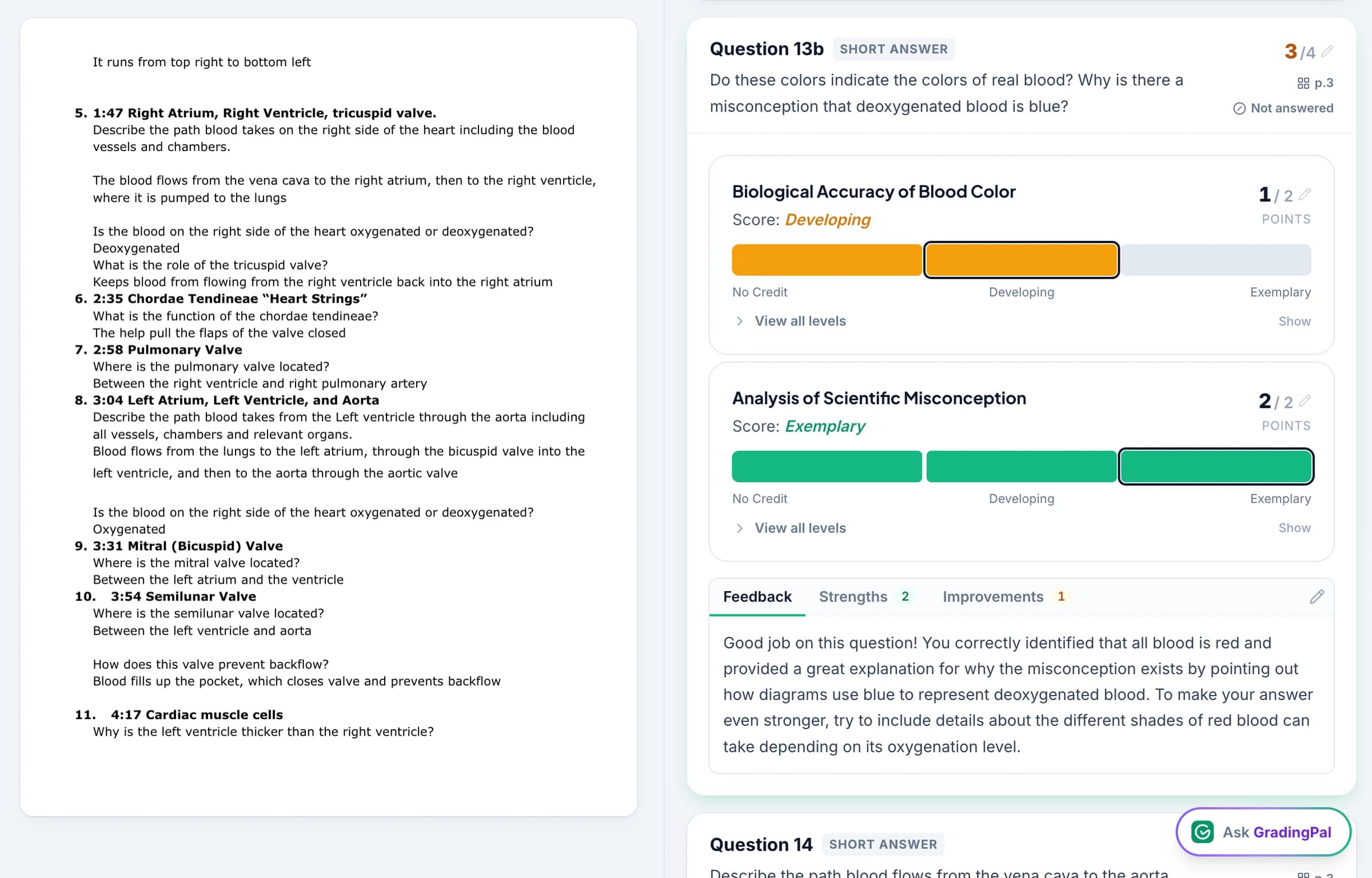
Feedback addresses the submitted argument, explanation, calculation, or analysis. Shape it with the disciplinary vocabulary and level of detail the task requires so the next action is clear to the student.
Identify what needs another seminar or tutorial
Classroom assessment analytics surfaces recurring strengths and weaknesses in approved work. Inspect the responses behind a pattern and use suggested teaching activities to plan a further explanation, worked example, or focused practice task.
Grade quantitative work as well as essays and reports
A department's assessments can take many forms. GradingPal generates rubric-based scores and feedback through the supported workflow for each type, with the course criteria defining what earns credit.

Essays, research writing, and case analyses
Assess argument, evidence, interpretation, organization, and other rubric criteria. Inspect the relevant passages and explain where the reasoning needs development.
Explore essay grading
Mathematical and scientific problem sets
Assess supported calculations, readable handwritten methods, and written explanations. Specify how method, accuracy, and partial credit contribute to the score, then inspect the work behind the result.
Explore math grading
Lab reports and scientific responses
Use discipline-specific criteria for scientific explanations, data interpretation, and the reasoning in a submitted report. The assessment reflects the evidence in the submission; instructors add the context of practical work where necessary.
Explore science grading
Exams, slides, and recorded presentations
Review question-level exam responses, presentation slides, and audio or video assignments using the appropriate assessment workflow. Exam grading, slide grading, and oral and video grading provide focused examples.
Exam gradingInspect the course rubric alongside the submitted work
Use the criteria from the assignment rather than a generic description of good writing or reasoning. GradingPal explains the proposed scores and shows the relevant evidence. An instructor can examine how the student has met a criterion, revise the score, and refine the comments before approval. See the assessment workflow.
Connect with Canvas and your institution's assessment routine
Canvas is available on a school plan, including institutional evaluation through our team. Google Classroom is available now, and Schoology is also available on a school plan. Discuss the platform workflow, course setup, and access your institution needs. Explore Canvas integration.
Instructors can also upload supported files and readable scans to evaluate the assessment process with familiar coursework. See all integrations and handwritten grading.



Review data protection and instructor control
Student work is not used to train AI models. Instructors review the scores and comments and decide when results are returned. Use the published security information and speak with GradingPal about the documentation your institution requires for adoption. Review security and privacy.

FERPA
Compliant

COPPA
Compliant

GDPR
Compliant
CASA
Tier 2 Verified
Give feedback that advances the student's reasoning
A useful comment identifies the particular move a student needs to make: justify an assumption, interpret a result, evaluate an alternative, or support a claim. GradingPal drafts feedback about the actual response and course rubric, shaped by your preferred tone, length, language, and instructions.
An illustrative instruction: “Use the terminology from the assignment. Identify one assumption the student needs to justify, and explain what additional reasoning would strengthen that part of the response.” Review the result for disciplinary accuracy and the stage of the course. Explore student feedback.
Share feedback digitally, print it, or schedule delivery. Choose whether students see the displayed grade alongside comments, according to the activity and your institution's assessment practice. Explore feedback delivery.

Use assessment patterns to plan tutorials and follow-up teaching
Performance analytics brings recurring strengths, weaknesses, and question-level results into view after assessments are approved. Instructors can examine the students and responses associated with a difficulty before choosing a teaching response.
For example, if a group completes an algebraic procedure but struggles to explain the assumptions behind a model, make that distinction the focus of a tutorial. Inspect the responses, plan a worked comparison in a tutorial, and use a short later task to check the explanation. GradingPal suggests teaching activities; instructors select and adapt what fits the course. Explore paid assessment analytics.

Follow evidence of learning across course assignments
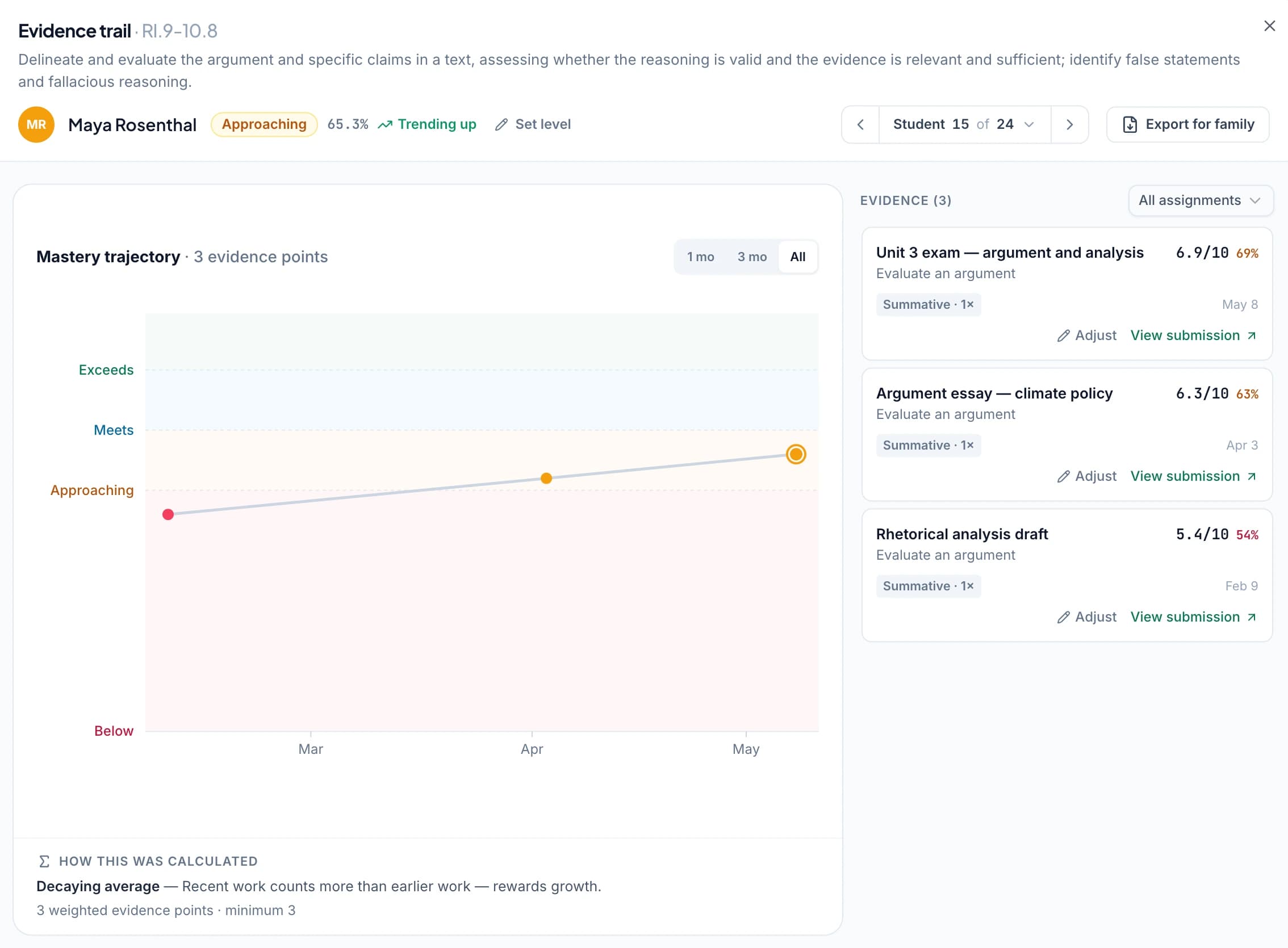
When a course uses the relevant supported standards or learning-goal setup, approved aligned assessments can contribute to the mastery gradebook. Inspect the work behind a result and follow later evidence of the skill instead of treating one submission as the entire picture.
Teachers can select calculation rules, evidence requirements, and thresholds for mastery reporting. Use the approach that fits the course, or retain assignment-based grading where that is more appropriate. Institutional evaluation should establish how your learning goals fit the available setup.
Ask GradingPal to propose a specific rubric or feedback change
Use the in-app assistant to request an edit while reviewing an assessment. For example, ask it to clarify a criterion about justifying assumptions or revise a comment to focus on the student's use of evidence. Inspect the proposed rubric, score, or feedback change and accept it when it reflects your intention. Explore Ask GradingPal.
Evaluate the value for your instructors, students, and course team
Choose a course assignment with a rubric the team knows well. Inspect the assessment across different response strengths, review whether the feedback gives students a useful action, and consider what the analytics adds to planning a tutorial. Include quantitative and written work where both matter to the department.
Discuss the LMS workflow, shared resources, training, and access with our team. Your institutional evaluation can establish how GradingPal fits existing assessment practice and where it would reduce repeated work. Arrange an institutional conversation.
Questions about AI grading for higher education
Can I use my own disciplinary rubric?
Yes. Provide the assignment criteria and relevant context. GradingPal generates scores and feedback against that rubric, with reasoning and evidence for instructor review. Refine the proposed assessment when disciplinary judgment requires it.
Can several instructors work from shared resources?
Yes. Shared assignment and rubric libraries are available on school plans and other supported plans. Discuss the course-team setup and access you need, and use agreed criteria within your institution's assessment process.
Is Canvas available for an institutional evaluation?
Yes. Canvas is available on a school plan. Contact GradingPal to discuss the course workflow, integration setup, and plan access your institution needs. Google Classroom is available now; Schoology is also available on a school plan.
Does this replace institutional moderation?
No. Instructors and course teams continue to follow institutional moderation and review procedures. GradingPal provides rubric-based assessment and supporting evidence that they can inspect and discuss within those processes.
Can it assign scores to quantitative coursework?
Yes. GradingPal assesses supported problem sets, calculations, handwritten methods, and scientific responses using your rubric. Define partial-credit and explanation requirements and inspect the evidence behind each proposed score.
Can I control the depth and language of student feedback?
Yes. Choose feedback preferences and add instructions about disciplinary terms, tone, and the level of detail. Supported student-feedback languages include English, Spanish, French, German, and Brazilian Portuguese; see the language settings for regional options.
Can assessment analytics help plan tutorials?
Yes. On plans with performance analytics, inspect recurring strengths and weaknesses and the responses behind them. GradingPal suggests teaching activities; instructors decide which explanation or practice fits the course and the students involved.
Does standards tracking create accreditation reports?
The mastery gradebook organizes evidence from approved aligned assessment. This page does not promise accreditation reporting or institution-wide aggregation. Discuss your course goals and reporting requirements during an institutional evaluation.
Can an instructor start with the free plan?
Yes. An instructor can assess supported work within the current monthly submission allowance. See the Free Plan page. Shared resources, analytics, and institutional requirements should be evaluated with the appropriate plan access.
See what GradingPal changes in your course assessment
Bring the coursework and criteria your instructors use. Review the scoring evidence, the quality of student feedback, and the next teaching action together.