AI grading for writing, math, science, and more
GradingPal reads supported student work, generates rubric-based scores, and writes individualized feedback. Review the evidence behind each suggested score, shape the comments in your teaching voice, and use assessment insights to decide what students need next.
50 free submissions per month, shared across assignment types.
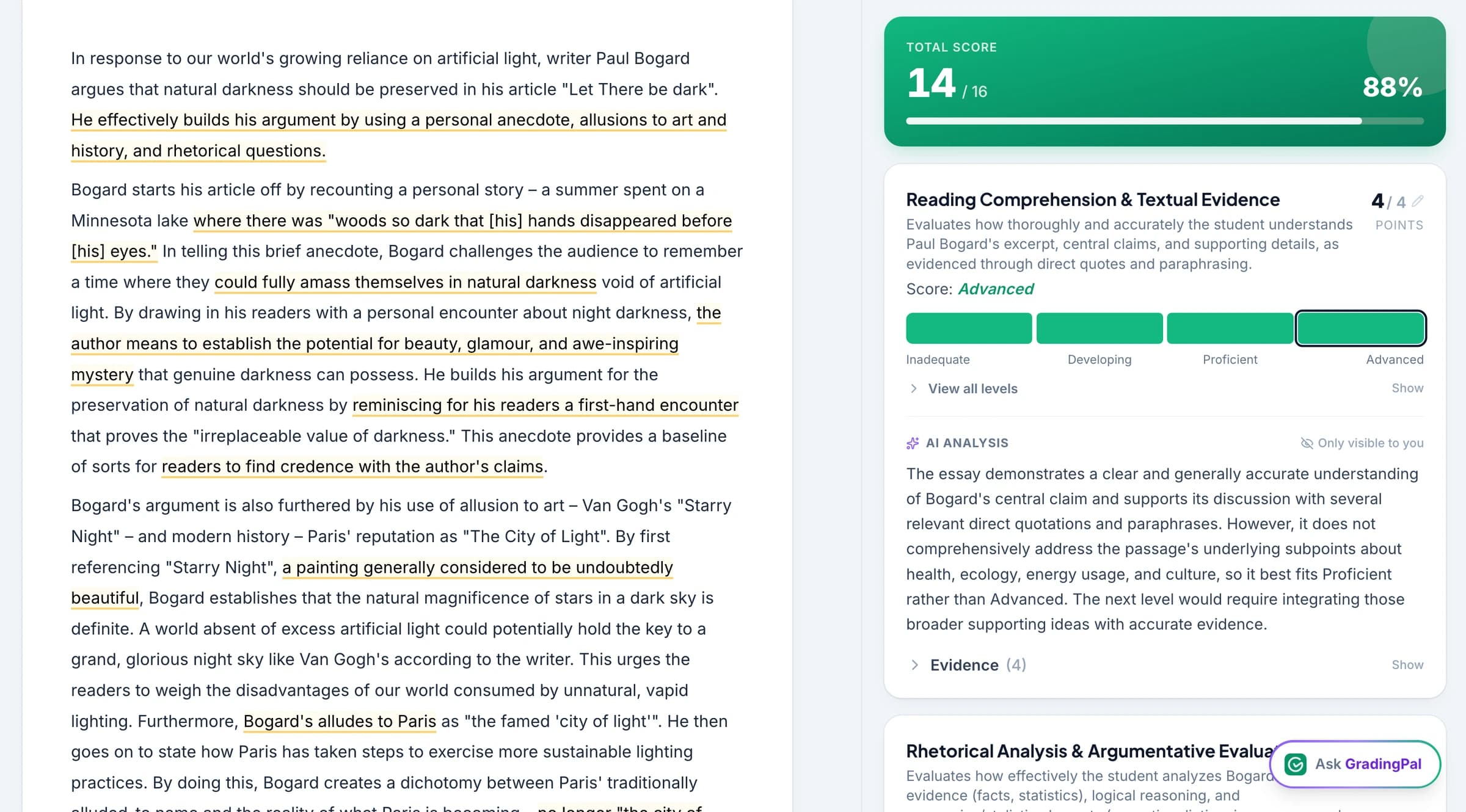
Spend less time scoring and writing every comment
A class set creates repeated assessment work even when every response is different. GradingPal applies your rubric to the submitted work and produces scores and comments for review, reducing the need to begin each assessment with an empty feedback box.
You can focus on the quality of the judgment: whether the reasoning earns credit, whether the explanation refers to the evidence, and whether the student has a clear next action. The result connects teacher workload, individual feedback, and the learning decisions that follow.
Use AI grading across subjects and assessment types
GradingPal generates scores and feedback for more than essays. It reads supported handwritten mathematical working, science explanations, short and long answers, and other assessment formats. Choose the grader that fits the work you assign.

Essays & Writing
Assess argument, evidence, analysis, organization, and other criteria in your rubric. Give students comments tied to their actual sentences and reasoning.
Explore essays & writing
Worksheets
Grade short answers, long answers, calculations, and mixed-response tasks. Review question-level results and feedback in one assessment workflow.
Explore worksheets
Quizzes & Exams
Assess supported question types and scanned responses against your question criteria. Inspect scores and explanations before returning the class set.
Explore quizzes & exams
Problem Sets
Assess math, physics, and chemistry calculations, including readable handwritten working. Use rubric criteria to distinguish method, reasoning, and final-answer credit.
Explore problem sets
Science Labs
Assess submitted biology, chemistry, and physics investigations: data interpretation, explanation, and conclusions against your criteria.
Explore science labs
Handwritten Work
Bring scans and photos into the grading workflow. Check page organization, student matching, and unclear writing before reviewing the assessment.
Explore handwritten work
Presentations & Slides
Assess the submitted slide content and visual communication against the rubric. Make expectations for evidence, organization, and explanation explicit.
Explore presentations & slides
Video & Audio
Assess supported recorded explanations and spoken responses. Review the evidence and feedback in the relevant recording workflow.
Explore video & audioFor supported art submissions, explore the AI art grader.
Teachers on GradingPal grading and feedback
“GradingPal individualizes feedback specific to each student and gives steps to improve their performance. I also love the ability to change the tone of feedback for different assignment types. The team is incredibly helpful and responsive too.”
 Michelle DouglassGrades 11–12 · Research & Anatomy/Physiology · Central Virginia Governor’s School, Lynchburg VA
“GradingPal helps me optimize my time by streamlining the grading process. What I like most is the feedback students receive — it is specific and it is something they can act on.”
 Adriana Barrios RodriguezCollege · Health Sciences & Teacher Education · Universidad Autónoma de Sinaloa, Mexico
See why the rubric score was selected
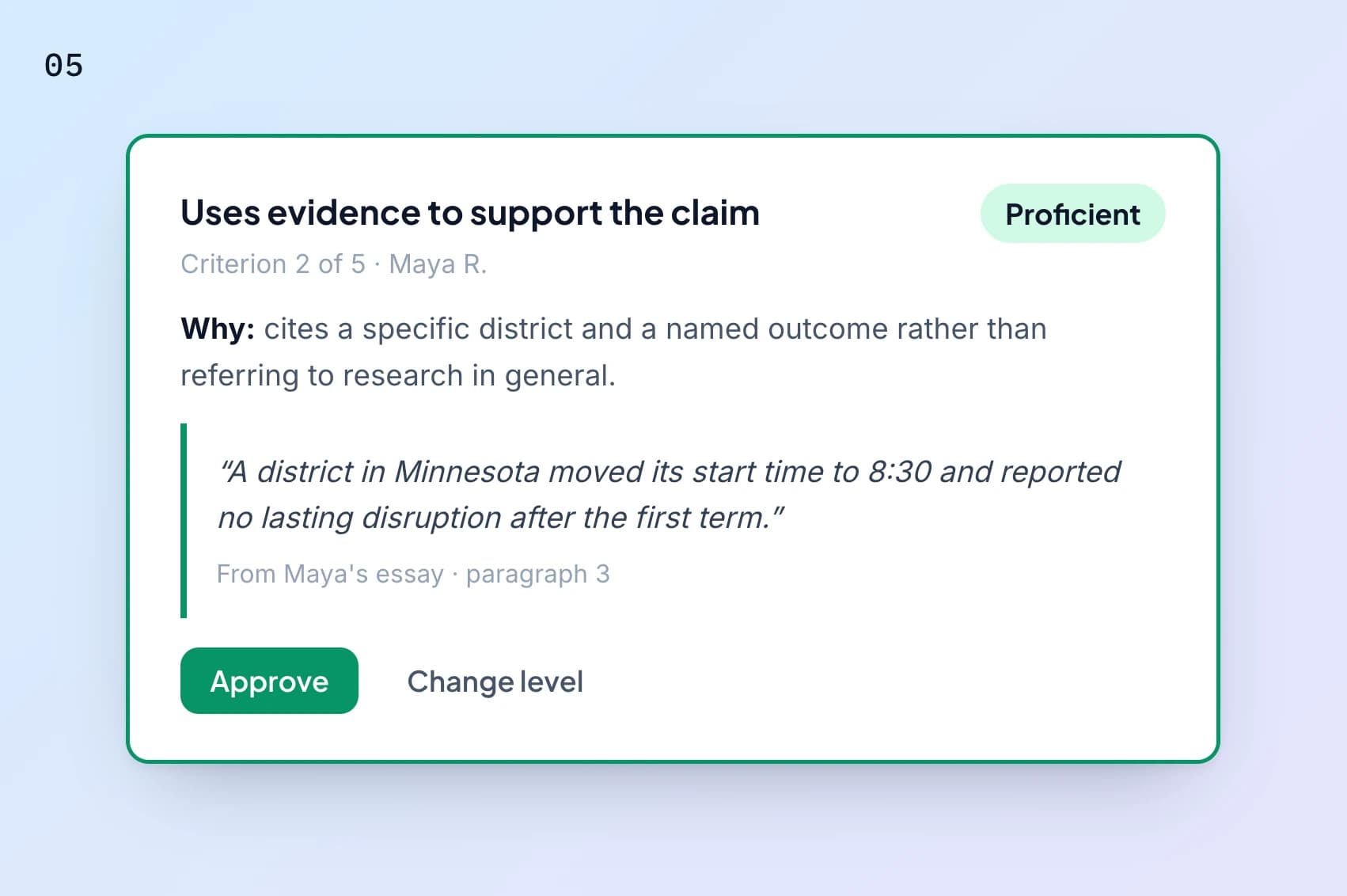
GradingPal provides criterion-level scoring explanations alongside the student response. Inspect the evidence supporting a suggested level, then change the score when the work calls for a different judgment.
Your rubric defines the criteria and points. Grading instructions add context such as a required method or classroom terminology. This makes the assessment easier to inspect than a total with no explanation of how the response was judged.
Give students a specific next step in your teaching voice
Choose from six feedback styles, set the length and language, and describe how you want comments to sound. GradingPal writes feedback from each student's work, so a missing explanation receives different guidance from an incorrect calculation.
Review the wording before sharing. Ask the student to add evidence, explain a relationship, or correct a step they can locate in the response. Explore student feedback and the controls that make it suitable for your class.

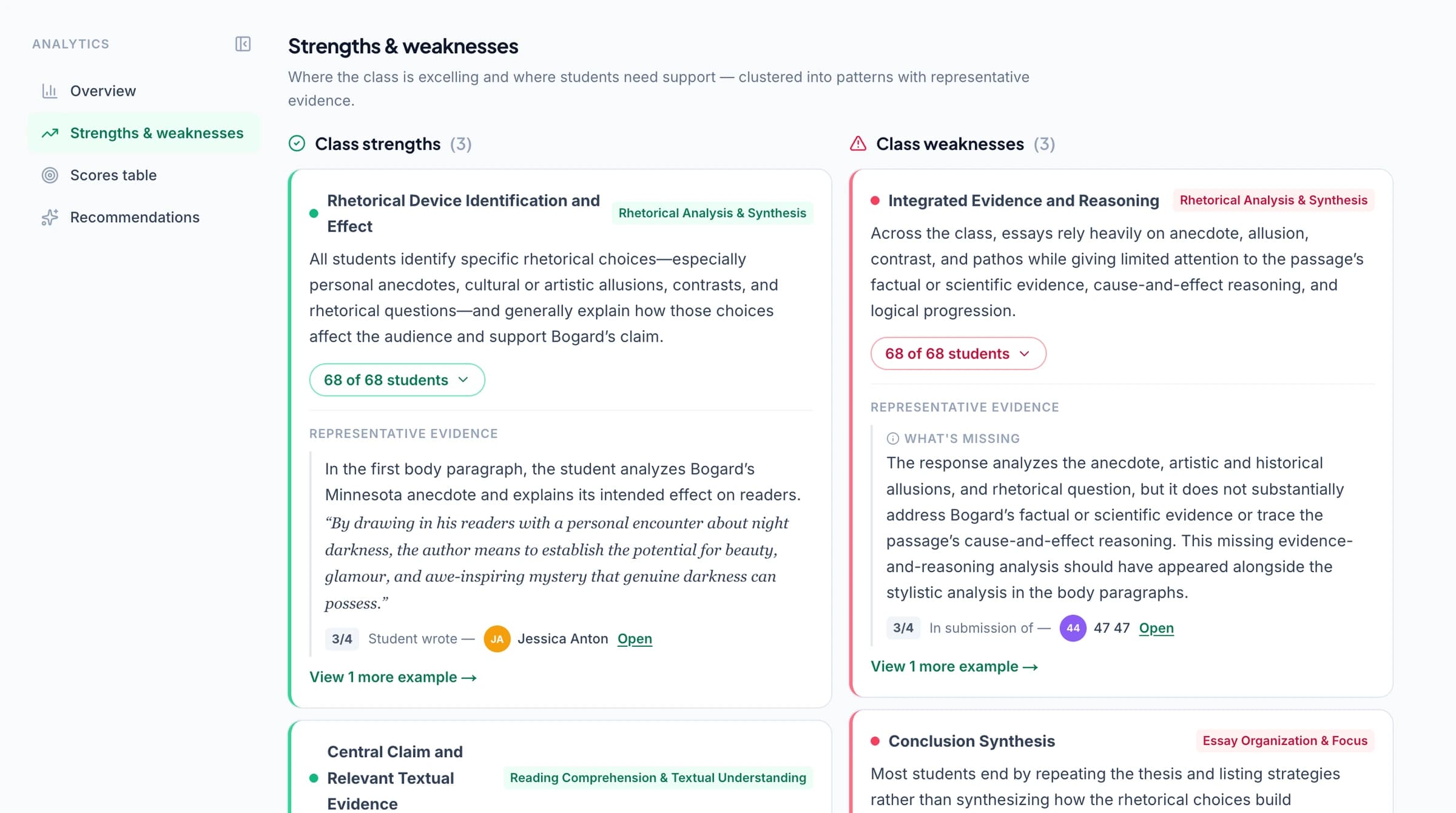
Know what to reteach after grading
Paid classroom analytics surfaces common strengths, recurring gaps, associated students, and suggested teaching activities from approved assessments. Inspect the responses and choose the next explanation or practice task.
Optional standards mastery tracking combines approved aligned evidence across assignments using your selected calculation rules. Use Common Core, NGSS, TEKS, other state standards, and relevant AP or IB resources to connect the work to the learning goals you teach.
Grade an assignment in six clear steps
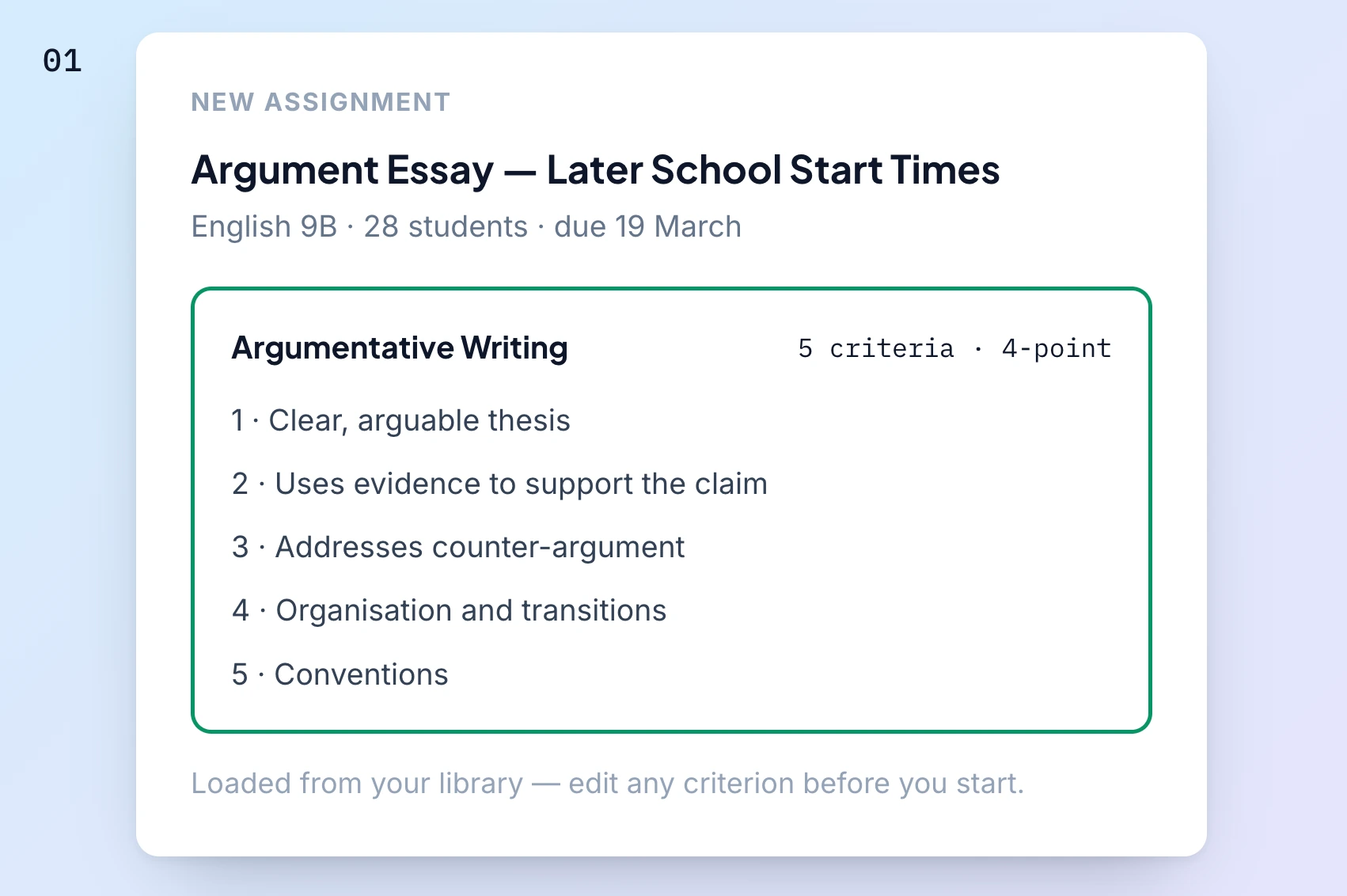 1
1Add the assignment. Bring the task and supported work into GradingPal through uploads, pasted text, Drive, or the connected LMS workflow.
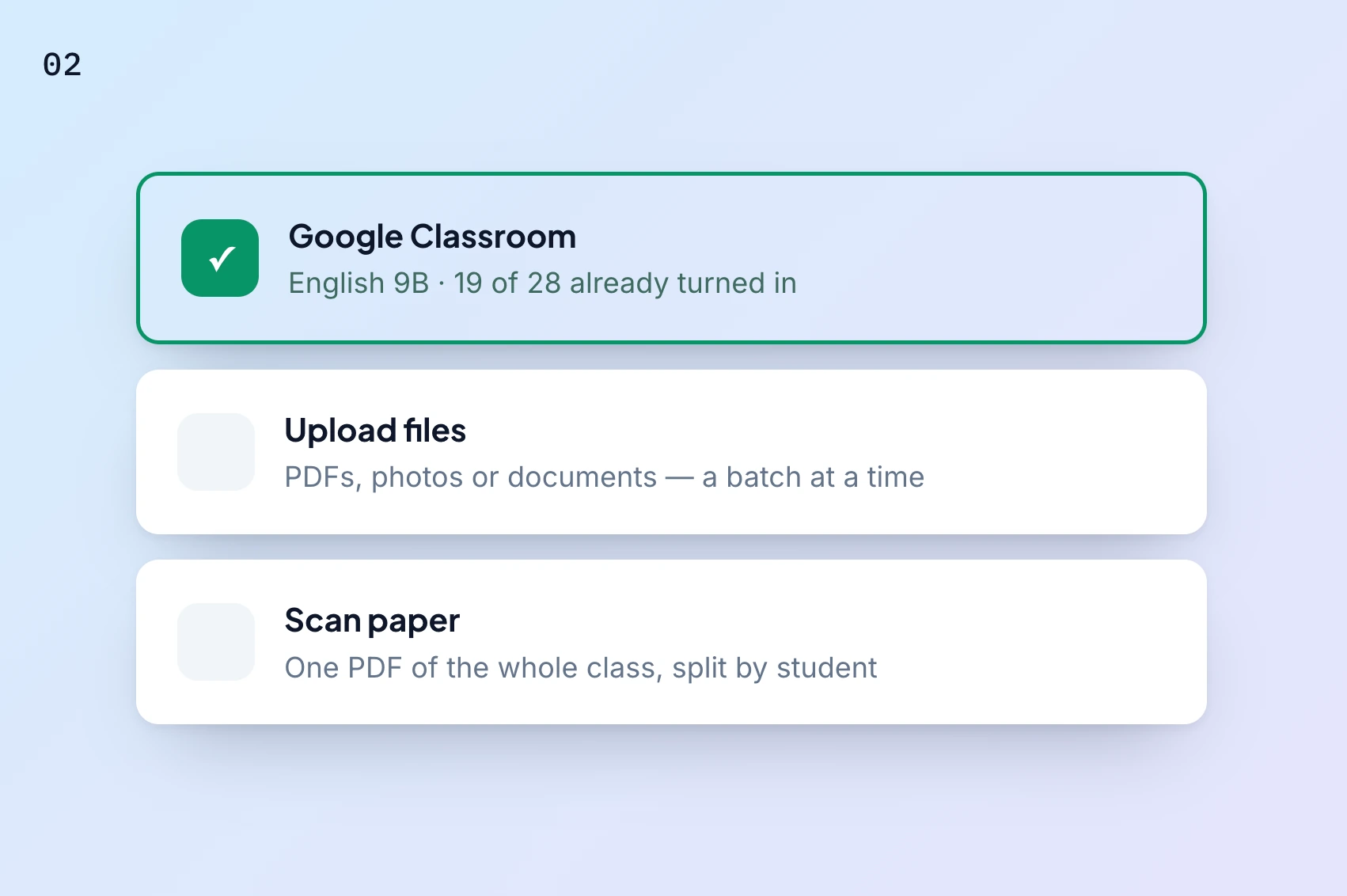 2
2Check the submissions. Confirm the assignment type, student matches, and organization of any scanned pages.
 3
3Set the rubric. Use your own criteria or review a generated rubric, including levels and points.
 4
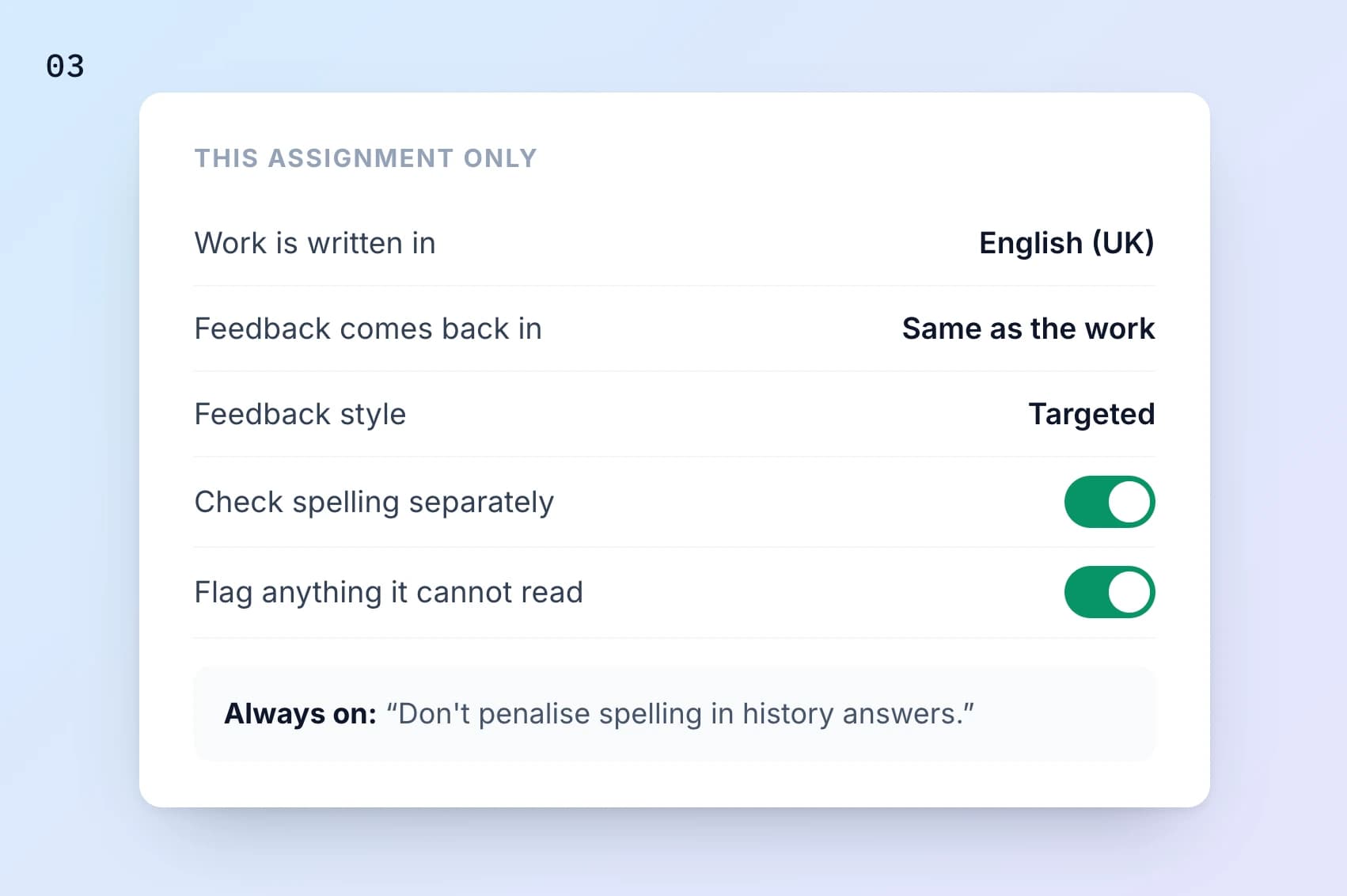
4Choose feedback settings. Add instructions, select a style, and set the language and length.
 5
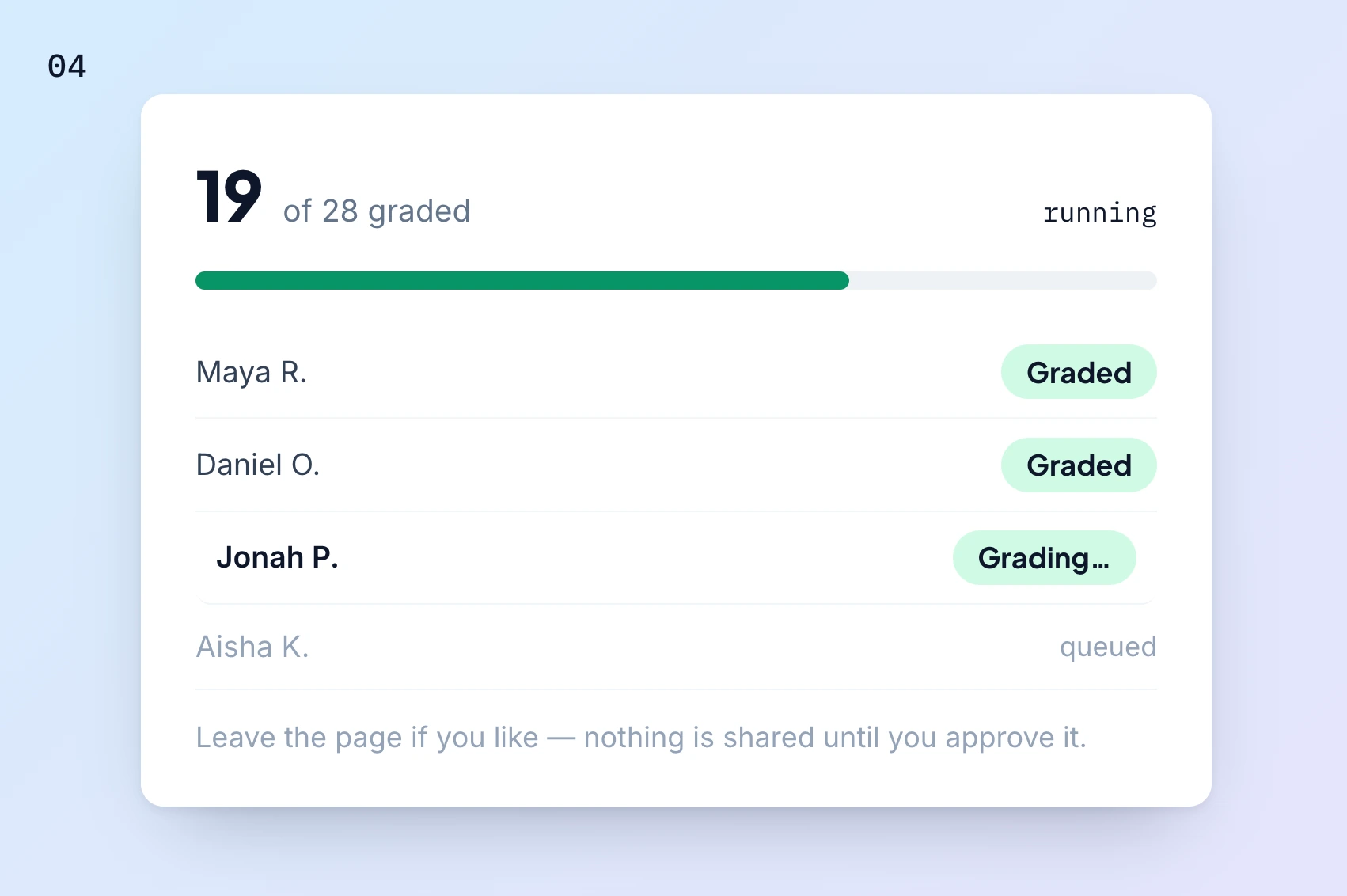
5Review scores and comments. Inspect evidence, make edits, and approve the assessment you intend to return.
 6
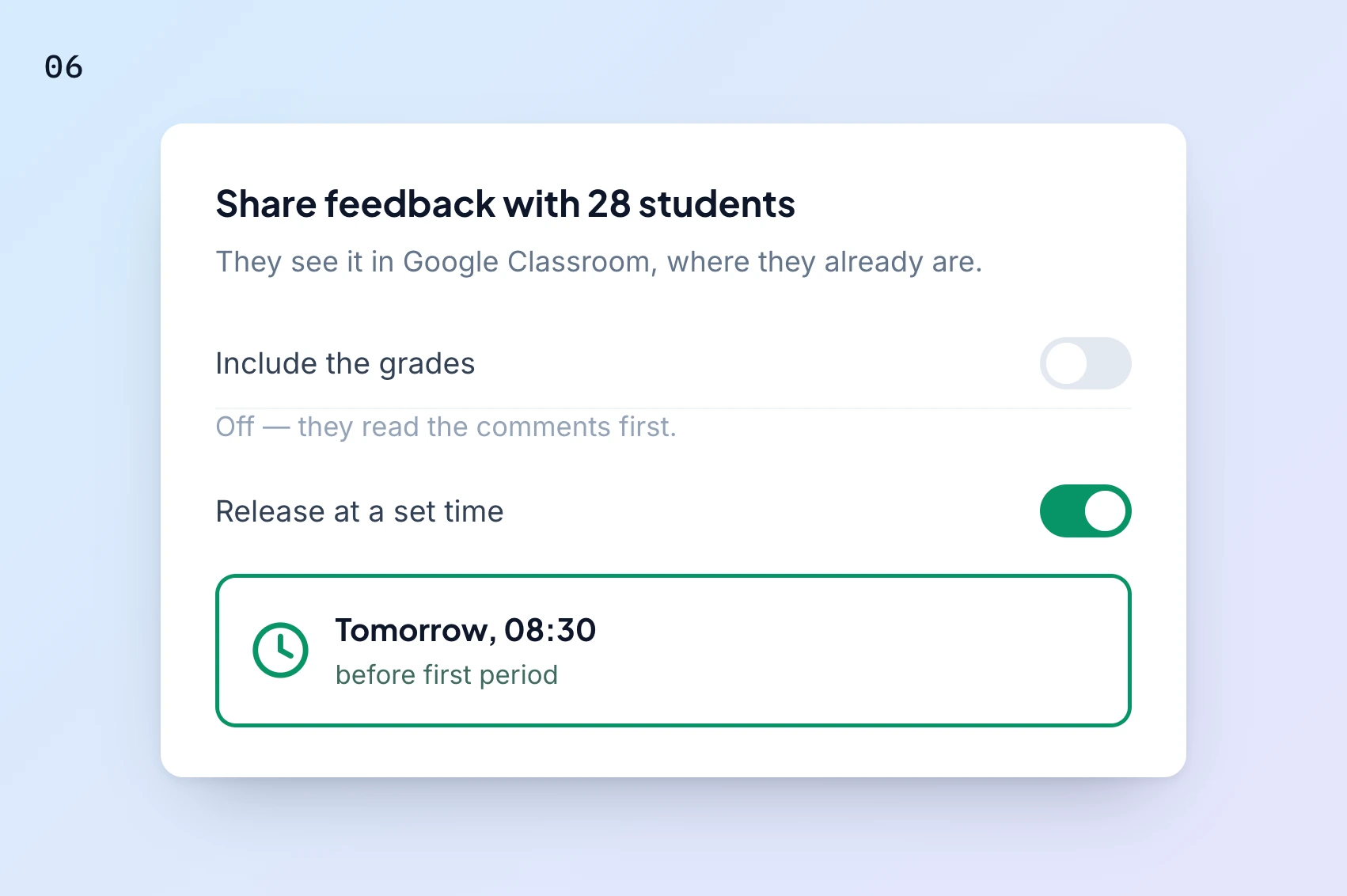
6Share the results. Choose digital or printed feedback, what students see, and the timing of release.
Use the first-assignment walkthrough for more setup detail. Google Classroom is available now; Canvas and Schoology are available on the school plan. Explore integrations.
Evaluate AI grading with an assignment you know well
Choose representative student responses and the rubric you already use. Check criterion scores, partial-credit decisions, evidence, and the usefulness of comments. Include handwritten or quantitative work if that matters to your teaching.
Read the research and evaluation information for published evidence and methodology. Your own review helps establish whether the tool fits the assignments and students you teach. Numerical accuracy or time-saving claims should be understood within the assessment and measurement conditions behind them.
Keep assessment decisions and student data in view
Teachers review and edit the results before sharing. GradingPal assesses the submitted work against the criteria; questions about authorship or academic integrity remain part of the school's broader process.
Use the security page for the shared FERPA, COPPA, GDPR, and CASA Tier 2 information and student-data practices. See responsible AI for the role of teacher review in the grading workflow.

FERPA
Compliant

COPPA
Compliant

GDPR
Compliant
CASA
Tier 2 Verified
Questions about AI grading with GradingPal
What does GradingPal do when it grades an assignment?
It assesses supported submitted work against the rubric, generates suggested scores, and writes individualized feedback. You inspect the scoring evidence and comments, make edits, and decide what to share.
Does it grade math and science as well as essays?
Yes. It supports readable handwritten working, calculations, scientific explanations, and other supported responses. The rubric specifies the criteria and how points are allocated.
Can I award partial credit for working?
Set the relevant method and reasoning criteria in your rubric. GradingPal proposes scores against those expectations, and you review whether the submitted steps support the credit awarded.
Can I change the score or comment?
Yes. Inspect the response and evidence, then edit the result through the grading workflow. The contextual assistant can also propose supported edits for you to review.
Will students receive the same generic comment?
Feedback is based on the student's response and rubric. Shared styles and instructions keep the communication approach consistent while the substantive comment addresses that student's work.
Does GradingPal determine whether a student used AI?
This grading workflow assesses the submitted work. It does not provide an AI-authorship determination; use the school's appropriate evidence and process for academic-integrity questions.
Can I start free?
Yes. The free plan includes a monthly submission allowance and the grading and feedback features described in the plan comparison. Performance analytics and library features have their own plan access.
How should I check the suggested grading?
Use a familiar rubric and representative responses, then inspect the criterion scores, evidence, and comments. AI can make mistakes and is not guaranteed to grade exactly as you would on every response. Edit the assessment where the work calls for a different judgment.
Who makes the assessment and teaching decisions?
Teachers set expectations, review the proposed scores and feedback, and decide what students receive. GradingPal reduces repeated assessment work and surfaces useful evidence; teachers choose the response to learning.
Learn more on the blog
- The Complete Guide to AI Grading for K-12 Teachers: Align with Standards, Deliver Better Feedback, and Boost Student Outcomes in 2026
- Pros and Cons of AI Grading: A Balanced Guide for K-12 Educators
- Why ChatGPT & Claude Fall Short for K-12 AI Grading - And Why Teachers Need a Specialized Tool Like GradingPal in 2026
See what AI grading can do with your next class set
Start with a familiar assignment and review the scores, evidence, and feedback against the standards you expect.