AI grading for elementary schools. More time for each learner.
GradingPal grades elementary writing, math, science, and other submitted work against your rubric. Give children clear feedback they can use, see which skills need another explanation, and track progress across assignments. Teachers spend less time scoring and writing repeated comments, with more room for individual support.
50 free submissions per month, shared across assignment types.

Give teachers more time to respond to learning
A class set of worksheets or short responses contains more than scores. It shows what children understand and where they need help. GradingPal handles the repeated assessment work and brings that evidence into a form teachers can review and use.
Reduce worksheet and writing assessment time
GradingPal reads supported typed and handwritten responses, assigns rubric-based scores, and drafts individual comments. Teachers review the work and scoring evidence instead of preparing every assessment from a blank page.
Give children a clear next step
Shape feedback around the language used in class and a manageable action. A child might add one detail to a story, label a calculation, or explain what an observation shows. Teachers choose the amount of guidance each task needs.
Plan support from the work children submit
Classroom analytics identifies recurring strengths and gaps in approved assessments. Teachers can inspect the responses behind a pattern, choose a small-group activity, and check the same skill in later work.
Grade elementary math, writing, science, and short answers
Keep the assignments that fit your teaching. GradingPal assesses the submitted response against the criteria you provide, including the reasoning in a math answer and the evidence in a science explanation.

Math worksheets and handwritten calculations
Assess number work, fractions, word problems, and explanations of a method. GradingPal reads supported handwritten working and applies the rubric's point allocations, including partial credit where specified.
Explore AI math grading
Stories, paragraphs, and reading responses
Give feedback on the skill being taught: sequencing events, choosing a useful detail, explaining a character, or supporting an answer with the text. Use your rubric to keep the assessment focused.
Explore writing assessment
Science observations and explanations
Assess submitted descriptions, investigation responses, and explanations using the evidence in the child's work. Classroom observations remain part of your own assessment when the submission does not show a skill.
Explore AI science grading
Quizzes, worksheets, and short answers
Grade question-based work with the expectations for each response. Review a correct answer, an incomplete explanation, or a misunderstanding separately so feedback addresses the particular need.
Explore worksheet gradingSee a worksheet become scores, feedback, and teaching evidence
Open the student response beside its assessment. Inspect a question score, read the explanation, and review the feedback before approving it. The same assessed work can then inform classroom insights and, when aligned, the standards mastery record. Watch the GradingPal walkthrough.
Keep paper assignments and your school's LMS
Children can continue working on paper. Teachers upload supported scans or photographs, check student matching and readability, and review the resulting assessment. This teacher-managed upload and print workflow does not require each child to create a GradingPal account. See handwritten grading.
Google Classroom is available now. Canvas and Schoology are available on a school plan. Use the integration pages to explore the platform your school uses and discuss the workflow with our team.



Protect student work and keep teachers in control
Student work is not used to train AI models. Teachers inspect scores, edit comments, and decide what to return. Schools can review GradingPal's published security information and discuss the documentation needed for their approval process. Review security and privacy.

FERPA
Compliant
COPPA
Compliant

GDPR
Compliant
CASA
Tier 2 Verified
Write feedback children can understand and use
Choose the feedback style, length, and supported language, then add instructions that fit the class. Ask for short sentences, familiar lesson vocabulary, and one concrete next action. GradingPal applies those preferences to feedback about the student's actual response; teachers check the wording before sharing.
For example, a teacher instruction might be: “Use short sentences. Name one thing the student did well. Give one next step using the vocabulary from our lesson.” Explore feedback controls.
When the assignment assesses ideas or reasoning, grammar suggestions do not add an independent scoring penalty outside the rubric. Keep spelling or conventions in the score when they are part of the criteria. See grammar feedback.

Know which children need another explanation
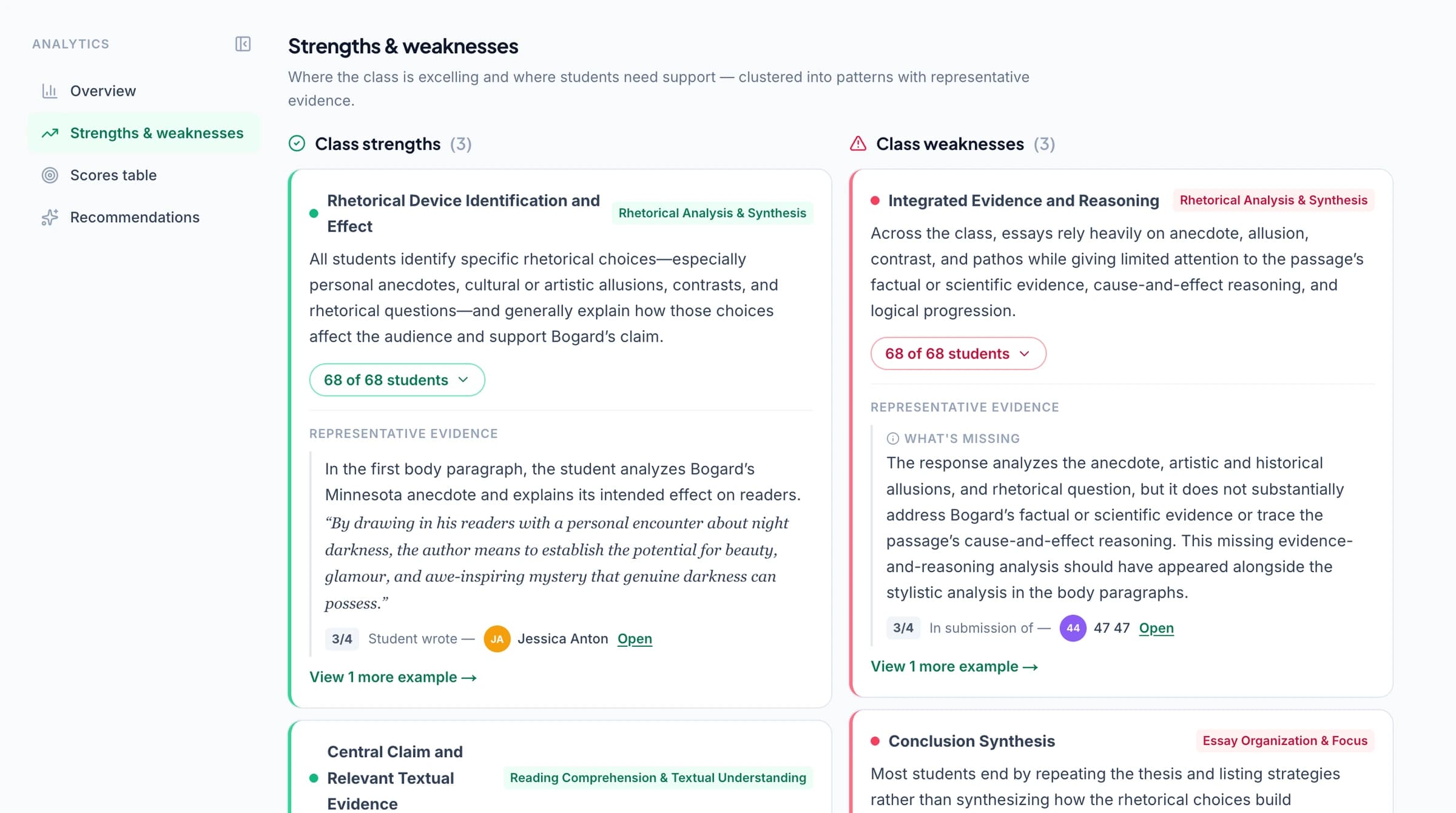
Use classroom strengths, weaknesses, and suggested teaching activities to plan a response to approved work. Inspect which students share a difficulty and the answers behind it before deciding whether to reteach the whole class or meet with a smaller group.
For example, if several children complete a calculation but cannot explain their method, use that gap to plan a focused follow-up. Review their responses, model the method with a familiar representation, and give a short follow-up task that asks for an explanation. Classroom analytics helps assemble the evidence; the teacher chooses the activity. Analytics is available on paid plans with that feature.
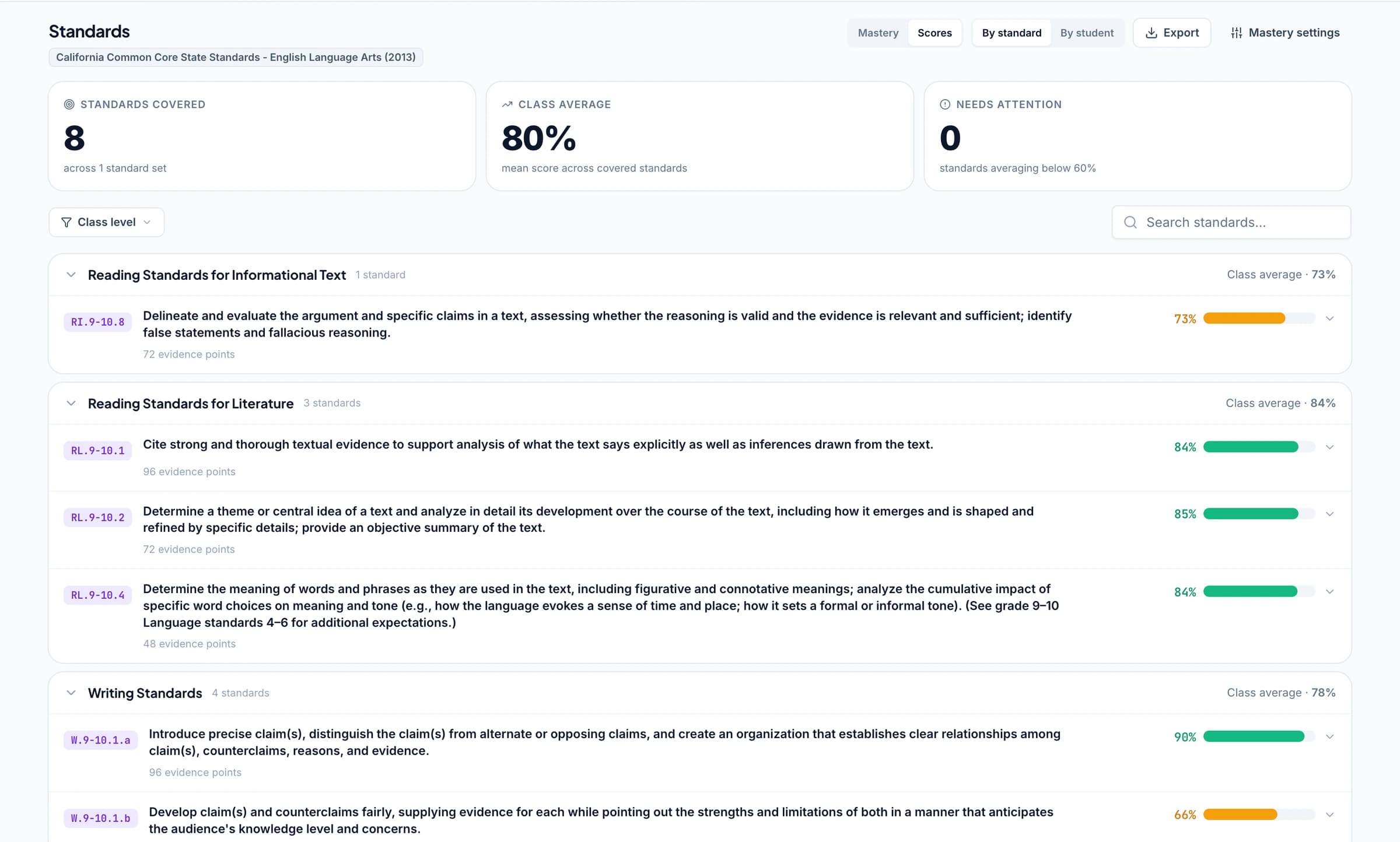
Track progress against the standards your school teaches
Align relevant rubric criteria or questions to learning standards and let approved assessments contribute evidence to the standards mastery gradebook. Open the work behind a result and follow the same skill across later assignments, rather than relying on one worksheet score.
GradingPal supports standards across all 50 states and Washington, D.C., including Common Core, NGSS, and Texas TEKS. Explore California classroom assessment, Florida B.E.S.T. benchmarks, and New York learning standards where relevant. Select the appropriate grade, subject, and framework. Teachers can choose mastery calculation rules and minimum evidence requirements that fit the school's approach.
Print feedback for revision and family conversations
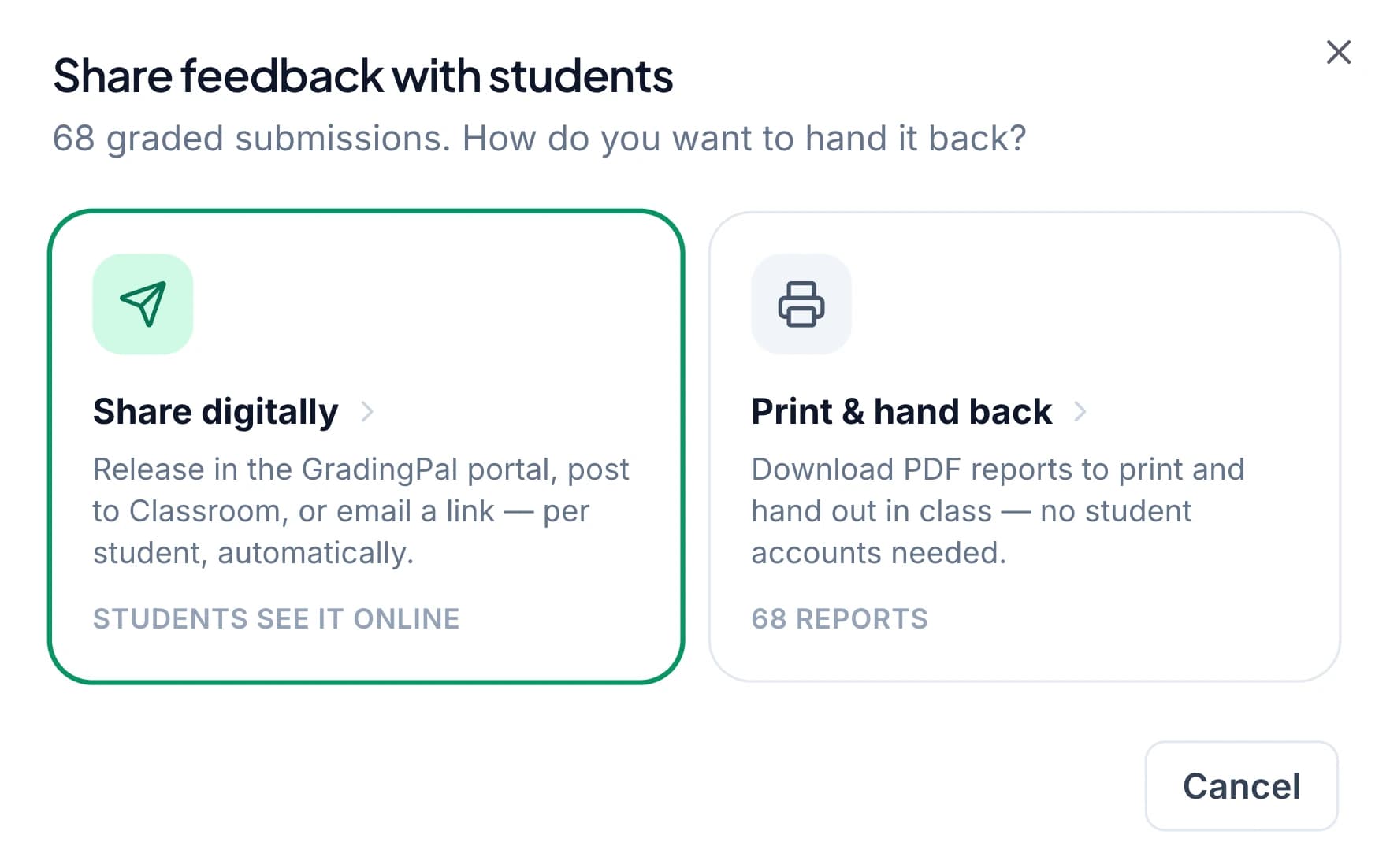
Return feedback digitally, print individual reports, or schedule delivery. Hide the displayed grade when you want children to begin with the guidance. In a conference, use the report beside the original work and ask the child to show what they will change or practise next.
For family discussions, choose the work and feedback that explain progress through your school's usual communication process. The assessment gives the conversation a concrete example; it does not replace the teacher's knowledge of the learner. Explore sharing and printing.
Evaluate GradingPal with one grade-level team
Choose a familiar math task and a piece of writing, with the criteria teachers already use. Review the proposed scores, the clarity of feedback, and the teaching patterns that emerge. Discuss LMS setup, training, shared resources, and plan access with our team before deciding how to extend use across the school. Explore GradingPal for schools.
Questions about AI grading for elementary schools
Can I make comments shorter and more encouraging?
Yes. Choose feedback preferences and add instructions for short sentences, familiar vocabulary, and a manageable next step. Review the result for the child. These are teacher-controlled settings, not an automatic reading-level assessment.
Can students keep working on paper?
Yes. Upload supported scans or photographs of student work. Check that the writing is readable and assigned to the right student, then review the suggested scores and comments. The teacher-managed upload workflow lets children keep their normal paper routine.
Does GradingPal assess classroom observations automatically?
GradingPal assesses the work submitted to it. Use your own observations for participation, practical skills, and other context that the response does not establish. You can reflect the relevant assessed skills in your rubric and use the submitted evidence alongside your professional judgment.
Can I return feedback without a grade?
Yes. Share comments without displaying the grade when you want children to concentrate on improvement. Teachers can print or return the feedback and choose how it will be used in a revision activity.
Does it grade math and science as well as writing?
Yes. GradingPal assigns rubric-based scores and feedback for supported calculations, handwritten working, science responses, worksheets, and writing. Set criteria for the actual task and review the evidence behind each assessment.
Can it help teachers plan small-group instruction?
Classroom analytics surfaces recurring strengths and weaknesses, the students involved, and suggested teaching activities from approved work. Teachers inspect the responses and decide how to group or support students. Analytics requires a plan that includes the feature.
Can our grade-level team share rubrics?
Yes. Shared assignment and rubric resources are available on school plans and other supported plans. Teachers can reuse criteria and review examples together while retaining responsibility for their own scoring and feedback.
Which standards and learning platforms are supported?
Use relevant grade-level standards across all 50 states and Washington, D.C., including Common Core, NGSS, and TEKS. Google Classroom is available now; Canvas and Schoology are available on a school plan. See the standards and integration pages for more detail.
Can an elementary teacher try GradingPal before a school evaluation?
Yes. The free plan includes a monthly submission allowance across supported assignment types. See the current allowance on the Free Plan page. School resources and paid analytics should be evaluated with the appropriate plan access.
Bring clearer feedback and more teaching time to your elementary school
Try a familiar assignment yourself or show us the assessment routine your grade-level team wants to improve. See how rubric scores, child-friendly feedback, and learning evidence fit together.