 Available now
Grade Google Classroom assignments with your rubric and AI feedback
Import classes, assignments, rubrics, and supported submissions into GradingPal. Review rubric-based scores and individualized comments, then return the results you approve through Google Classroom. Students keep the submission routine they know while you spend less time scoring and writing every comment.
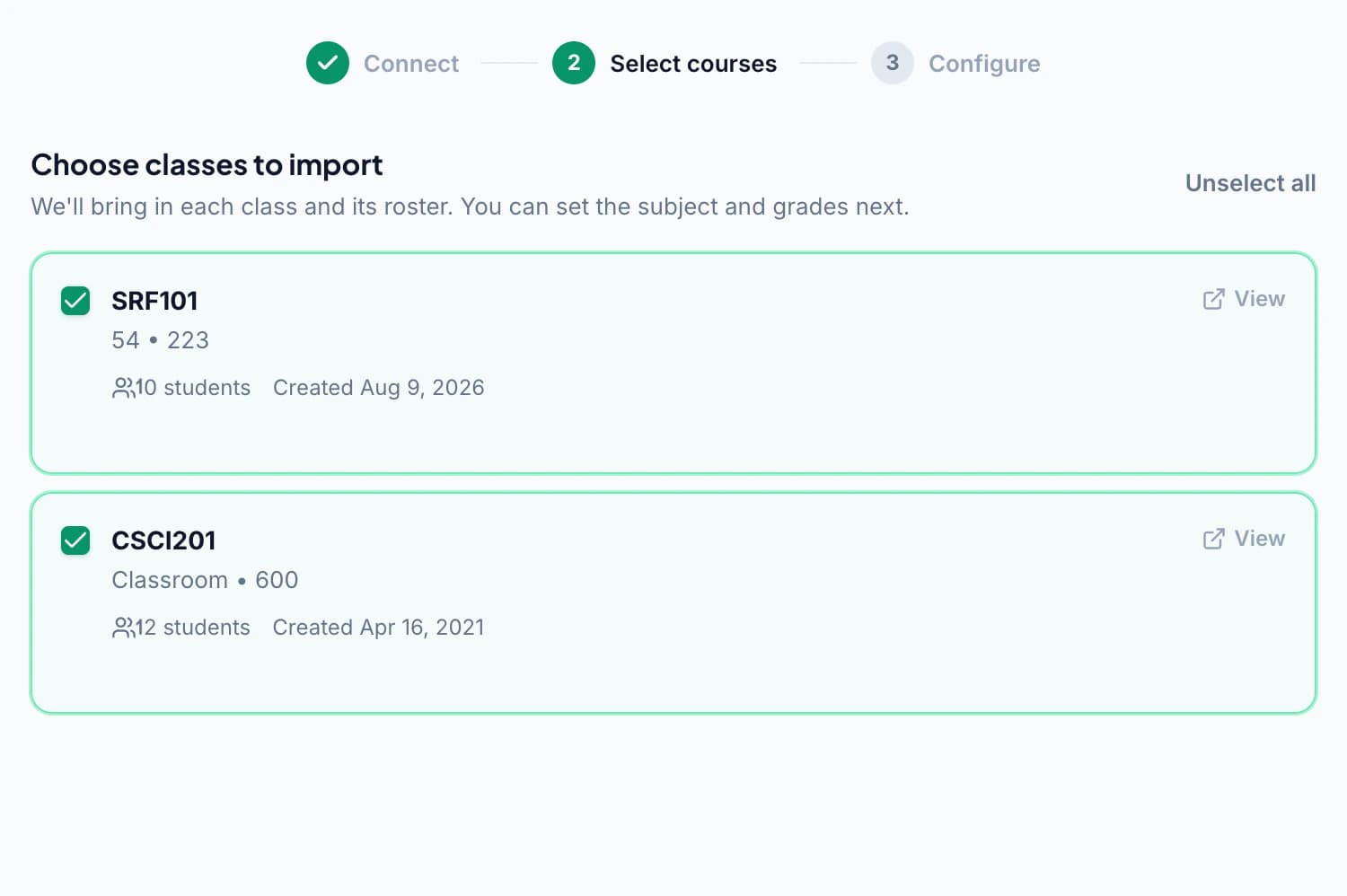
Start with the classes and work you already have
Connect your Google account, review the consent screen, and select the classes you want to import. Bring in a supported assignment and the work students have already submitted, then check the imported details before grading.
You can start with a familiar assignment rather than designing a new assessment for the tool. Choose a class set whose questions and rubric you know well so it is easy to evaluate how GradingPal applies your expectations.
Keep the rubric wording and points you assigned
Where an assignment has a Google Classroom rubric, import its criteria, level descriptions, and point values. Review the imported rubric alongside the task so the assessment reflects what students were asked to do.
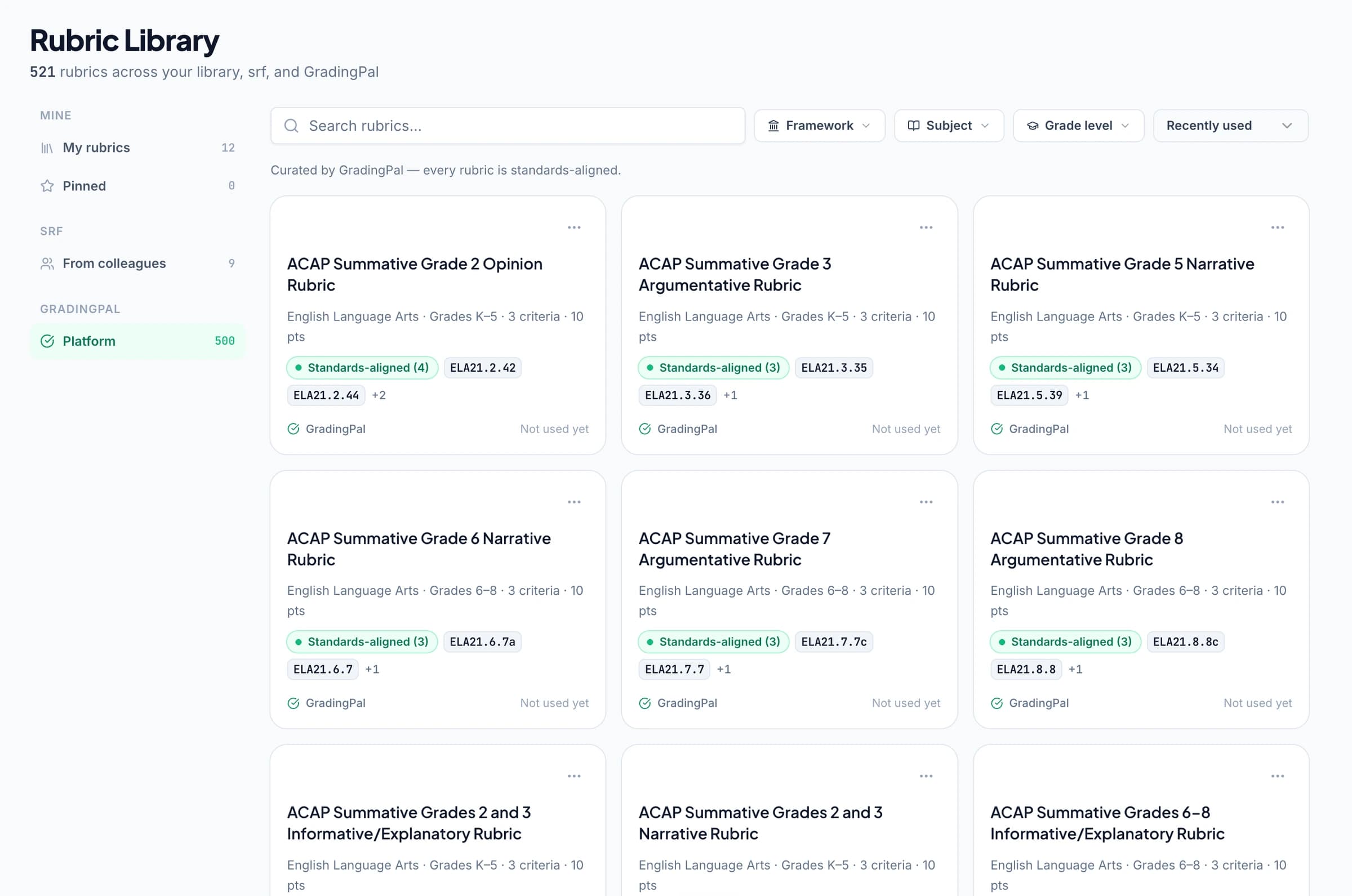
If you need a rubric, use your own or review one generated in GradingPal. The rubric library, available on eligible plans, provides another option. Add instructions for classroom context such as a required method or the terminology you want in feedback.
Teachers on GradingPal grading and feedback
“GradingPal individualizes feedback specific to each student and gives steps to improve their performance. I also love the ability to change the tone of feedback for different assignment types. The team is incredibly helpful and responsive too.”
 Michelle DouglassGrades 11–12 · Research & Anatomy/Physiology · Central Virginia Governor’s School, Lynchburg VA
“GradingPal helps me optimize my time by streamlining the grading process. What I like most is the feedback students receive — it is specific and it is something they can act on.”
 Adriana Barrios RodriguezCollege · Health Sciences & Teacher Education · Universidad Autónoma de Sinaloa, Mexico
Assess writing, math, science, and other supported work
GradingPal generates scores and feedback from the submitted work and rubric. Use it for writing and essays, question-based assessments, handwritten math and science responses, and other supported assessment types.
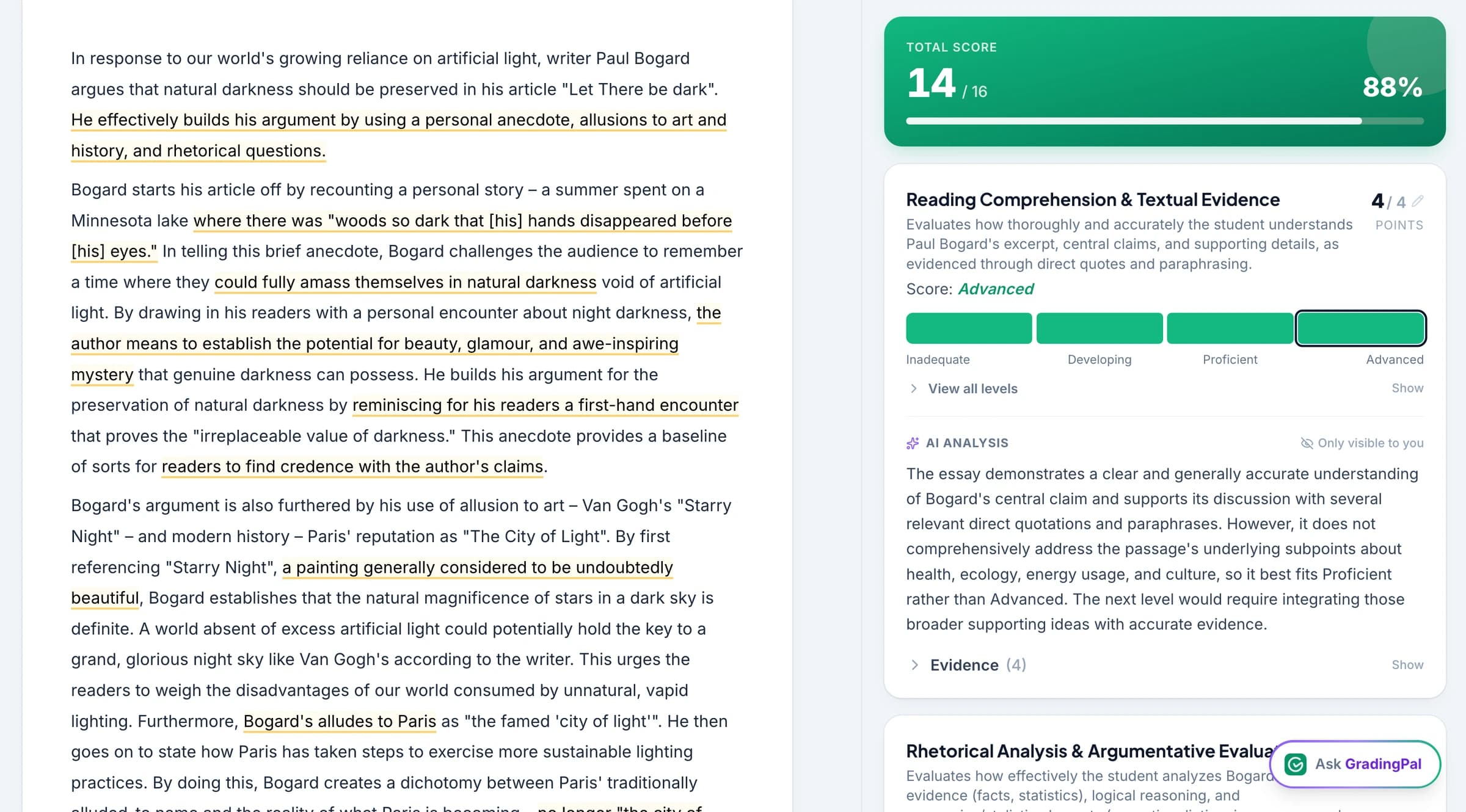
For a calculation, inspect the working and suggested credit. For a scientific explanation, review how the evidence supports the conclusion. For an essay, check the argument against the criteria. Explore the supported graders and choose the workflow that fits the assignment's content and format.
Review scores and student comments together
Open the original response and the scoring evidence, then edit any mark or comment that needs your judgment. Choose a feedback style, tone, length, and language so the student receives guidance suited to the task.
Use the AI assistant for supported contextual edits when you want a clearer explanation or a more specific next step. Review the proposed change before accepting it. The imported assignment gives you the context; your review determines the result you return.
Return feedback to the Classroom assignment
Use GradingPal's connected sharing step to return the results you intend to release. Choose feedback with grades or comments without a displayed grade, then review the student-facing content before sharing.
Students can receive the feedback in Classroom without creating a separate GradingPal account for this workflow. Use sharing and scheduling to fit the return to your lesson, such as releasing comments before a revision activity.

Check newer attempts before assessing again
A student may submit a newer attempt after the original import. When GradingPal offers re-import for a newer attempt, check which version you want to assess and bring that work into the review process.
Keep the assignment version, rubric, and return decision connected. For roster changes, co-teacher access, or particular sync requirements, discuss the setup and plan access that apply to your school rather than assuming every account follows the same arrangement.
Turn the returned work into the next teaching step
Ask students to act on one comment: develop an explanation, correct a calculation, or add evidence. Their feedback has a clear home in the assignment workflow, and you can connect the revision to a lesson they recognize.
Paid classroom analytics helps you inspect patterns across approved work. Optional standards mastery tracking connects aligned results to longer progress. The LMS handles the familiar assignment routine while GradingPal adds assessment evidence and instructional insight.
Understand the Google permissions you approve
Review the requested permissions when connecting your account, and follow your school's connected-app approval process. The integration needs access to the class, assignment, submission, and feedback information involved in the workflow.
Details for teachers and school reviewers
Class and roster permissions support selecting classes and matching students. Email-address access supports student matching and the relevant sharing workflow. Coursework and grade permissions support importing assignments and returning the results you choose to share. Notification permissions support updates from Classroom.
Classroom attachments are stored in Drive, so the consent screen also includes Drive read access. That permission is broader than the individual assignment attachments GradingPal uses in this workflow. Review the actual consent wording when connecting, and consult the security information or school team if your institution needs more detail.
Questions about Google Classroom AI grading
Can I import work students have already submitted?
Yes. Bring in the assignment and its supported submissions, then check the imported task, student details, and rubric before grading.
Does the rubric retain my wording and points?
The integration imports rubric criteria, performance levels, and point values. Review them to confirm they match the assessment you intend to use.
Do students need a separate GradingPal account?
Students can continue submitting work and receiving feedback through Google Classroom without a separate GradingPal account for that workflow.
Can grades return to Classroom?
The supported sharing workflow returns approved grades with feedback. Choose what to share, and confirm any specific gradebook sync requirements and plan access for your school's setup.
What if my school restricts connected apps?
Use your school's approval process. Our security information and school contact team can support the review before you connect the account.
Can I return comments without a grade?
Yes. Choose feedback without the displayed grade when the task calls for revision first. Preview the content students will receive before sharing.
What if a student submits a newer version?
Review the re-import option when a newer attempt is available. Check the version you intend to assess and review any updated results before returning them.
Can a school using Canvas or Schoology use GradingPal?
Canvas and Schoology are available on the school plan. See the integration options and discuss the relevant platform setup with the team.
Try one Classroom assignment from submission to feedback
Import a familiar task, inspect how GradingPal applies the rubric, and return comments students can use in the next lesson.