Make standards-based grading easier to use in everyday assessment
GradingPal connects rubric-based scores and student feedback to the learning standards you teach. Approve the relevant alignment, grade the work, and build an evidence record across assignments. Use standards tracking alongside your current routine, with mastery levels when they fit your reporting approach.
Assess the learning goal behind the assignment total
A total can combine several skills into one number. Standards-based assessment gives you another view: what the student demonstrated against a specific goal and which work supports that judgment.
In GradingPal, connect the relevant question or rubric criterion to the selected standard. Approved results then contribute evidence to that goal, so a later progress discussion can refer to the response and the criterion instead of relying only on an average.
Start with one class and the standards you teach
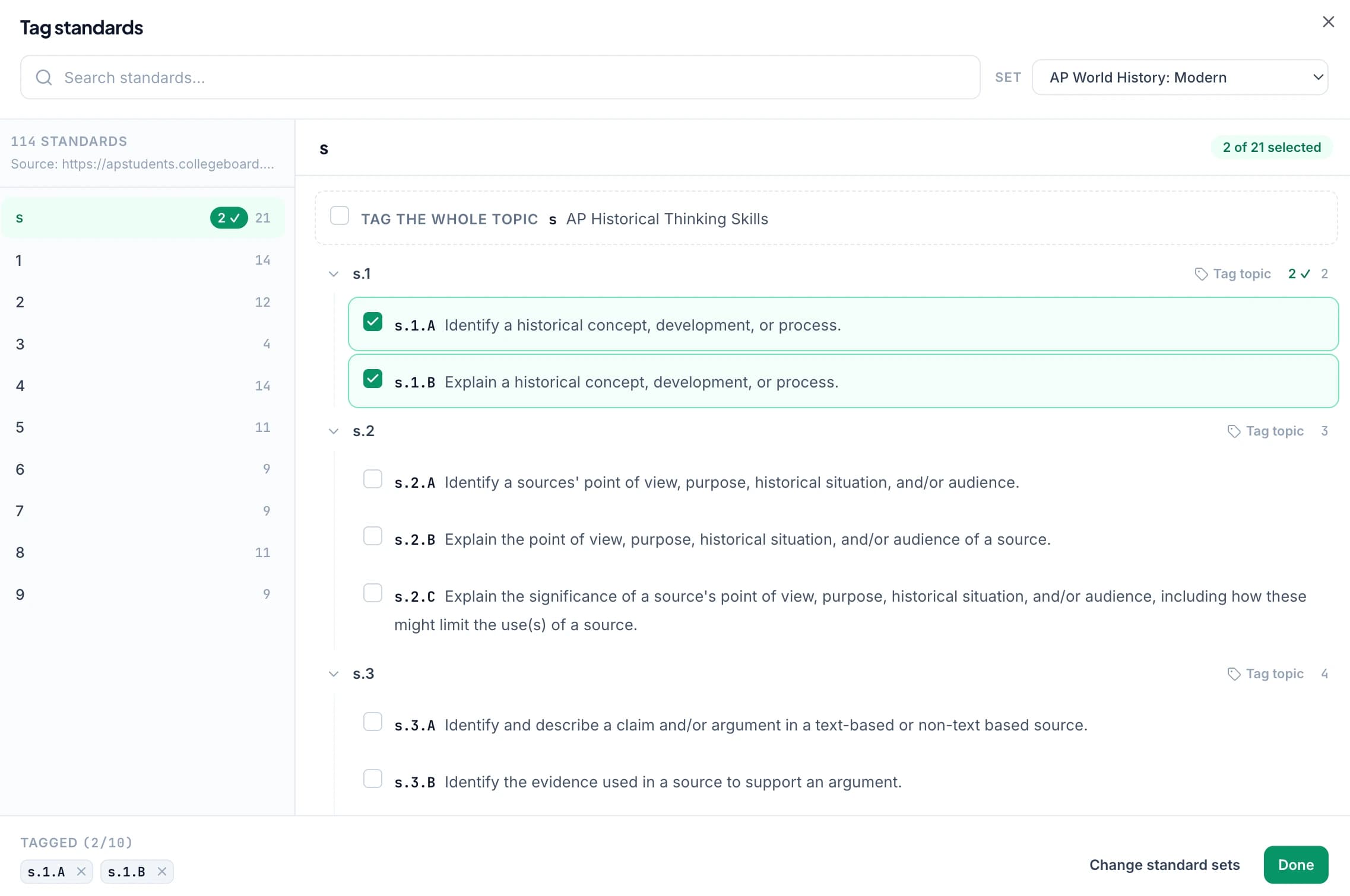
Select the appropriate standards sets, grade levels, and strands for a class. Choose from Common Core, NGSS, TEKS, and other supported state and course resources in the standards directory.
Start with a task that already assesses a clear learning goal. You do not need to tag every criterion on every assignment to begin. A useful first alignment is one where you can explain why the student's response provides evidence of the selected expectation.
Review suggested standards on the rubric
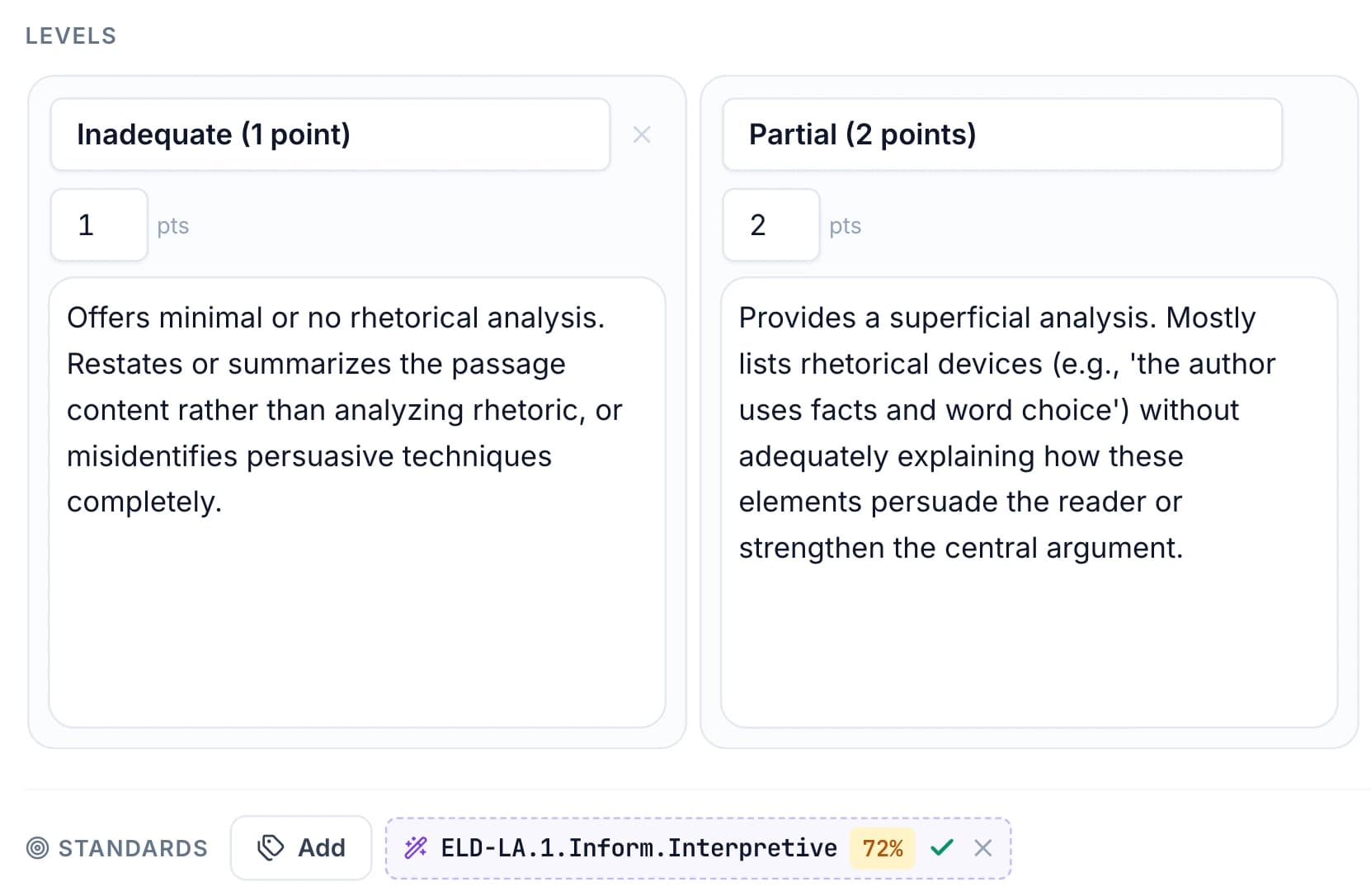
GradingPal can suggest alignment for questions and rubric criteria. Inspect each suggestion and accept the tags that match what the task actually asks students to demonstrate.
A science rubric might separate data interpretation from explanation; a writing rubric might distinguish evidence selection from reasoning. Keep those distinctions visible rather than attaching a broad subject label to the whole assessment. A library rubric can provide a starting point on an eligible plan, with its tags still subject to your review.
Grade the work and give the student a next action
GradingPal generates scores and feedback against the rubric. Inspect the original response and scoring evidence, edit results where needed, and approve the assessment you intend to use.
The student should also understand the next step. A standards tag identifies a learning goal; the feedback explains what to change in the actual response. Use feedback controls to keep the comments specific and expressed in the language students recognize from your teaching.
Use reassessment to gather another demonstration
After feedback or reteaching, set another opportunity to use the skill. A revision, a short explanation, or a later question can provide additional evidence when it genuinely assesses the same goal.
For example, a student who included evidence without explaining it might revise the link and then demonstrate the skill on a new passage. This is an illustrative teaching sequence. Review each assessment in context rather than assuming that one corrected response establishes lasting mastery.
Inspect progress across approved assessments
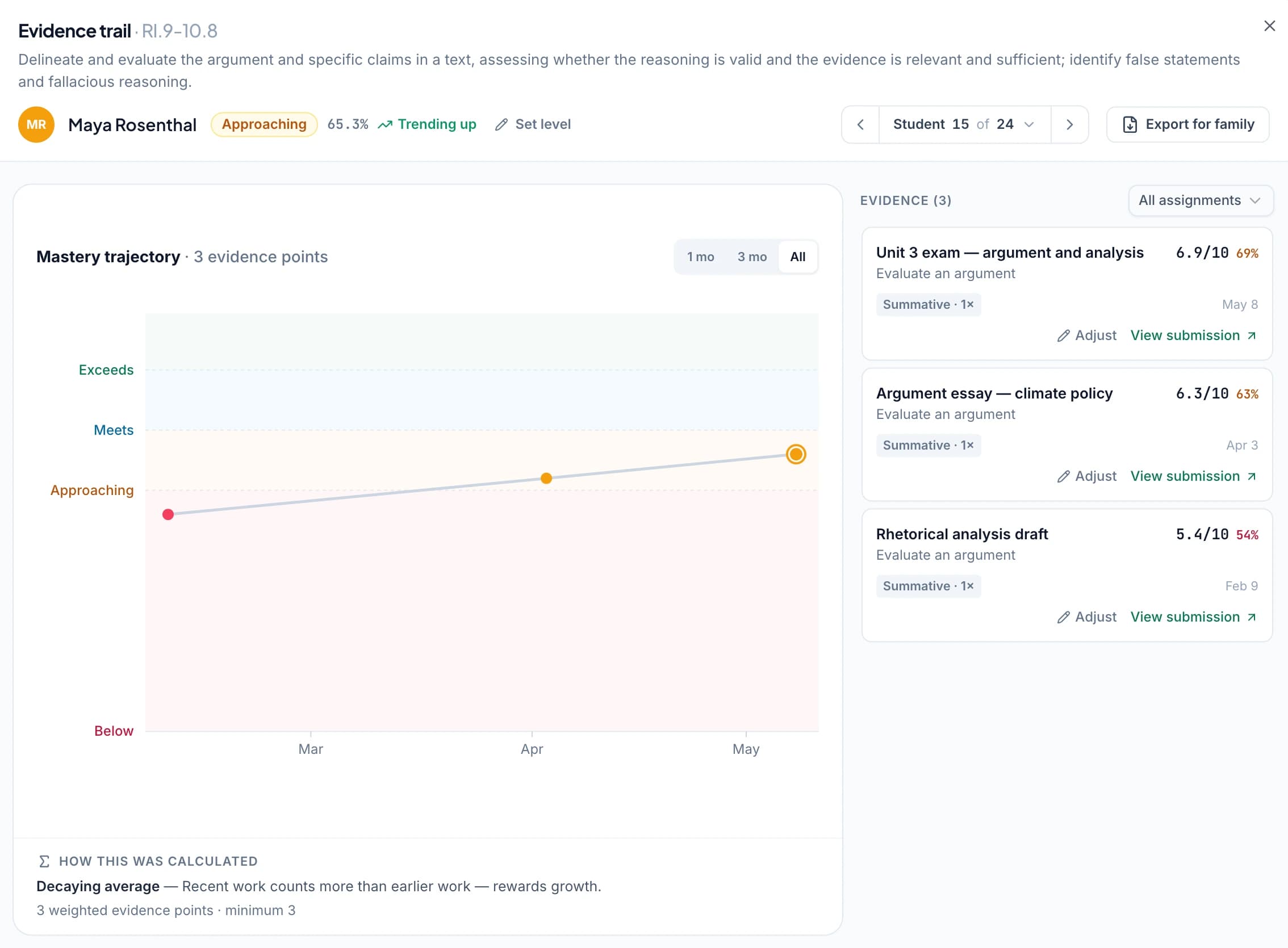
The standards mastery gradebook lets you open the evidence contributing to a standard and return to the original work. Review the sequence of assignments, dates, and results when interpreting progress.
Use that evidence in a conference or planning conversation: what has been demonstrated, where the evidence is limited, and what the student should attempt next. Paid classroom analytics adds recurring response patterns and suggested teaching activities when you need a class-level instructional view.
Choose how evidence contributes to a reported level
If you enable mastery levels, select the method, scale, weighting, and minimum evidence requirement that fit your practice. The gradebook supports methods including simple average, decaying average, most recent attempts, most frequent level, and highest level.
Practice can remain visible with no calculation weight. Teacher adjustments can carry a reason while the computed result remains available. Review the detailed mastery settings so the reported level means what your school intends it to mean.
Keep points and percentages where they are useful
Standards tracking is optional. You can keep rubric-based assignment scores and feedback, review per-standard percentages, or add mastery levels as a separate choice.
This lets a teaching team evaluate the evidence workflow without immediately changing every report or gradebook routine. Decide how the additional view fits the school's assessment approach, and use the available exports alongside the reporting process you already have.
Questions about standards-based grading software
Do I have to stop using points or percentages?
No. GradingPal supports rubric-based assignment grading, and standards tracking is optional. Choose how the additional evidence view fits your school's reporting approach.
Does one assignment prove mastery?
A single result is one demonstration in a particular context. Use the evidence record and configured minimum requirement to decide when enough qualifying work is available for a reported level.
Can I inspect the work behind a standard?
Yes. Open the approved evidence contributing to the standard and return to the assessment, rubric criterion, and student response.
Where can I find the supported frameworks?
Use the standards directory, then check the course, grade, and version available for your class. Review suggested tags before saving the alignment.
Does AI choose the mastery level independently?
No. The gradebook calculates the reported level from approved evidence using your selected settings. AI can suggest alignment for review, while the calculation and any teacher adjustment remain explainable.
Can practice be recorded without changing the level?
Yes. Configure its contribution appropriately, including zero weight when that matches your practice. The work can remain visible in the evidence record.
Is this an automatic change to the school's report card?
No. The workflow organizes classroom evidence and supports exports. Your school decides how it relates to its reporting system and institutional assessment practices.
Connect the next assessment to a learning goal
Choose one standard, review the rubric alignment, and see how approved work becomes evidence you can use again.