 Available on school plan
AI grading for schools using Schoology
Schoology is available on the GradingPal school plan. Help teachers spend less time marking, give students individualized feedback, and use assessment evidence to plan support. Work with our team to fit GradingPal into the classroom routines and Schoology setup your school uses.
Give teaching teams more time for the response to learning
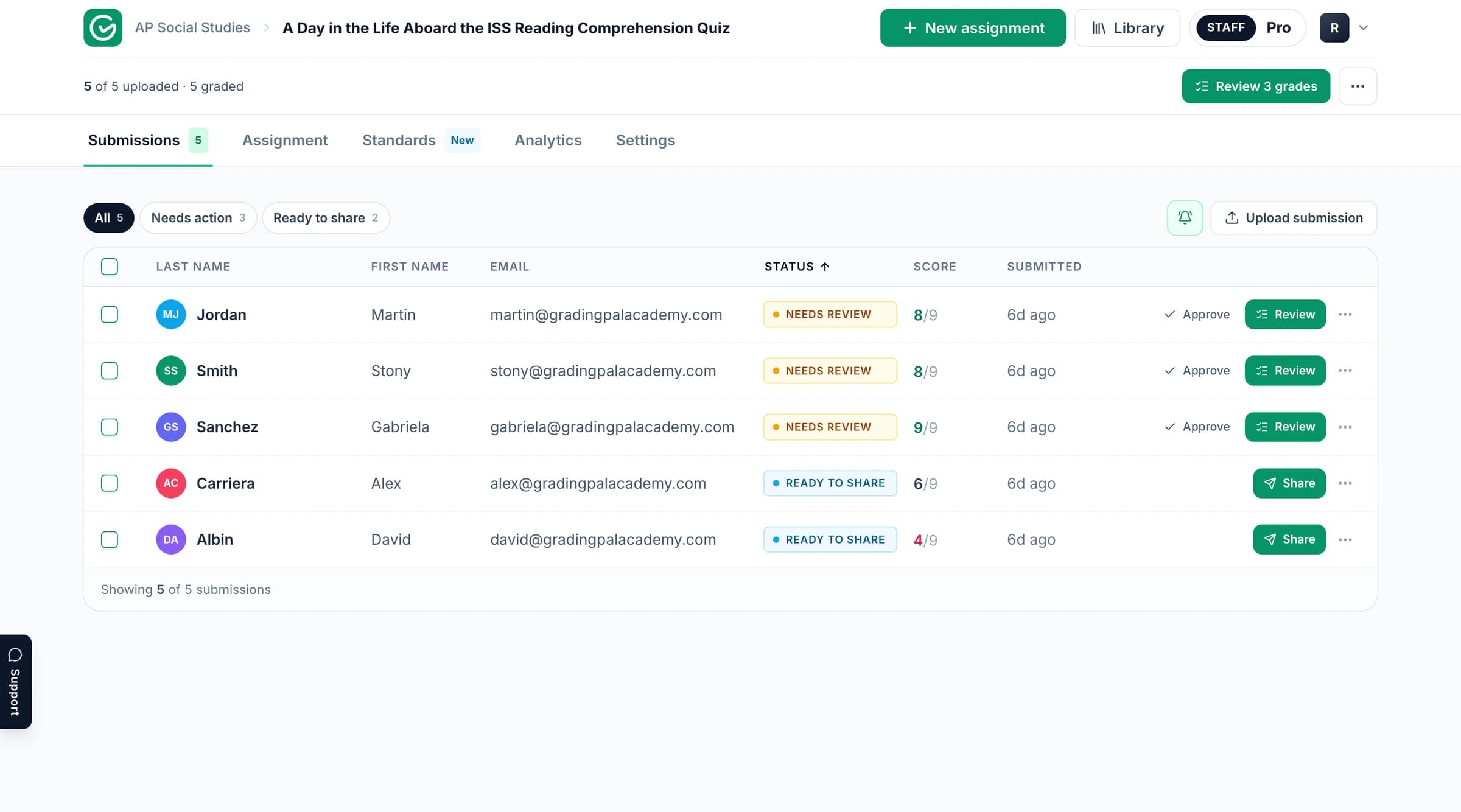
Across a school, the marking workload includes far more than recording grades. Teachers need to explain errors, recognize strengths, and decide what to teach next. GradingPal generates rubric-based scores and feedback so they can spend more time reviewing those judgments and planning the response.
Evaluate it around three practical outcomes: less repetitive grading, useful guidance for each student, and clearer evidence for teaching. Schoology provides the familiar classroom context; the GradingPal school-plan discussion connects that routine with the assessment experience your team needs.
Support the assignments teachers already set
A school may collect a typed response in one lesson and handwritten working in the next. GradingPal supports writing, worksheets, quizzes, exams, math problem sets, science explanations, slides, and recorded responses through its assessment workflows.
Keep paper work part of the classroom
Bring readable scans or photos into the handwritten grading workflow. Check pages and student matches, then review scores and comments against the rubric. Teachers can return printed reports when that fits the class.
Grade short answers and extended responses
Assess individual answers as well as longer writing. A worksheet can combine brief explanations, calculations, and longer responses, with scoring criteria that reflect the learning being assessed.
Make math and science visible in the evaluation
Include a representative calculation or science explanation in the school demo. GradingPal generates scores and feedback from the submitted work; instructors can inspect the method, reasoning, and evidence against their criteria.
Start from shared criteria and preserve teacher judgment
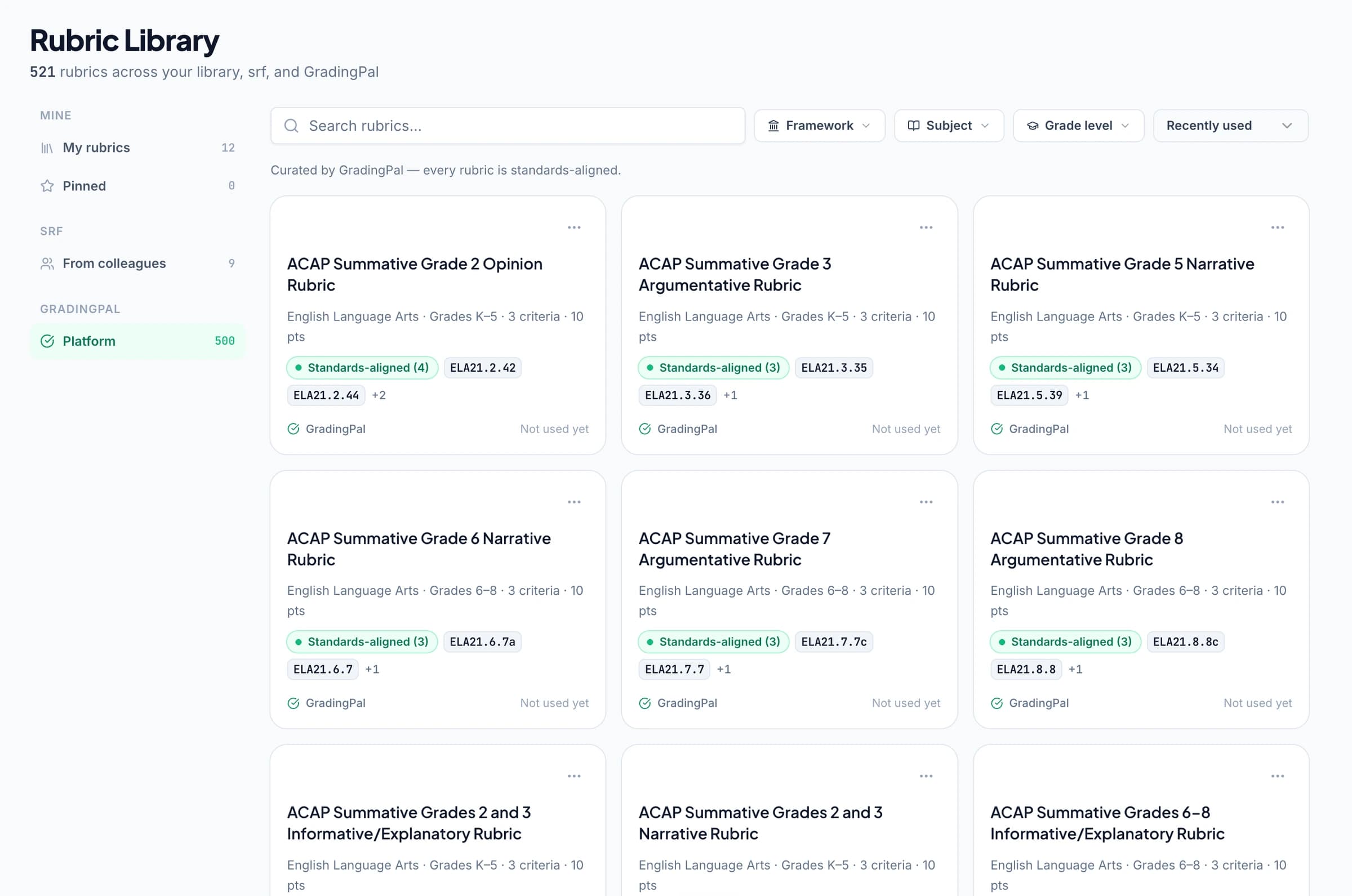
Teaching teams can use agreed rubric language to make expectations easier to discuss. On plans with shared libraries, make assessment resources available to colleagues and adapt the working copy where a task needs a change.
A common rubric does not remove the need to review individual work. Teachers inspect scoring evidence, edit results, and bring their knowledge of the student and lesson to the final assessment. Explore the rubric library and grading controls.
Make individual feedback practical across a class
GradingPal writes comments tied to the student's own response. Teachers choose the style, length, language, and instructions, then refine the wording before students receive it.
One student may need to explain the relevance of evidence; another may need to correct a calculation step. The feedback can address those different needs without requiring the teacher to compose every comment from scratch. See the feedback experience and the available sharing routes.

Identify what needs reteaching
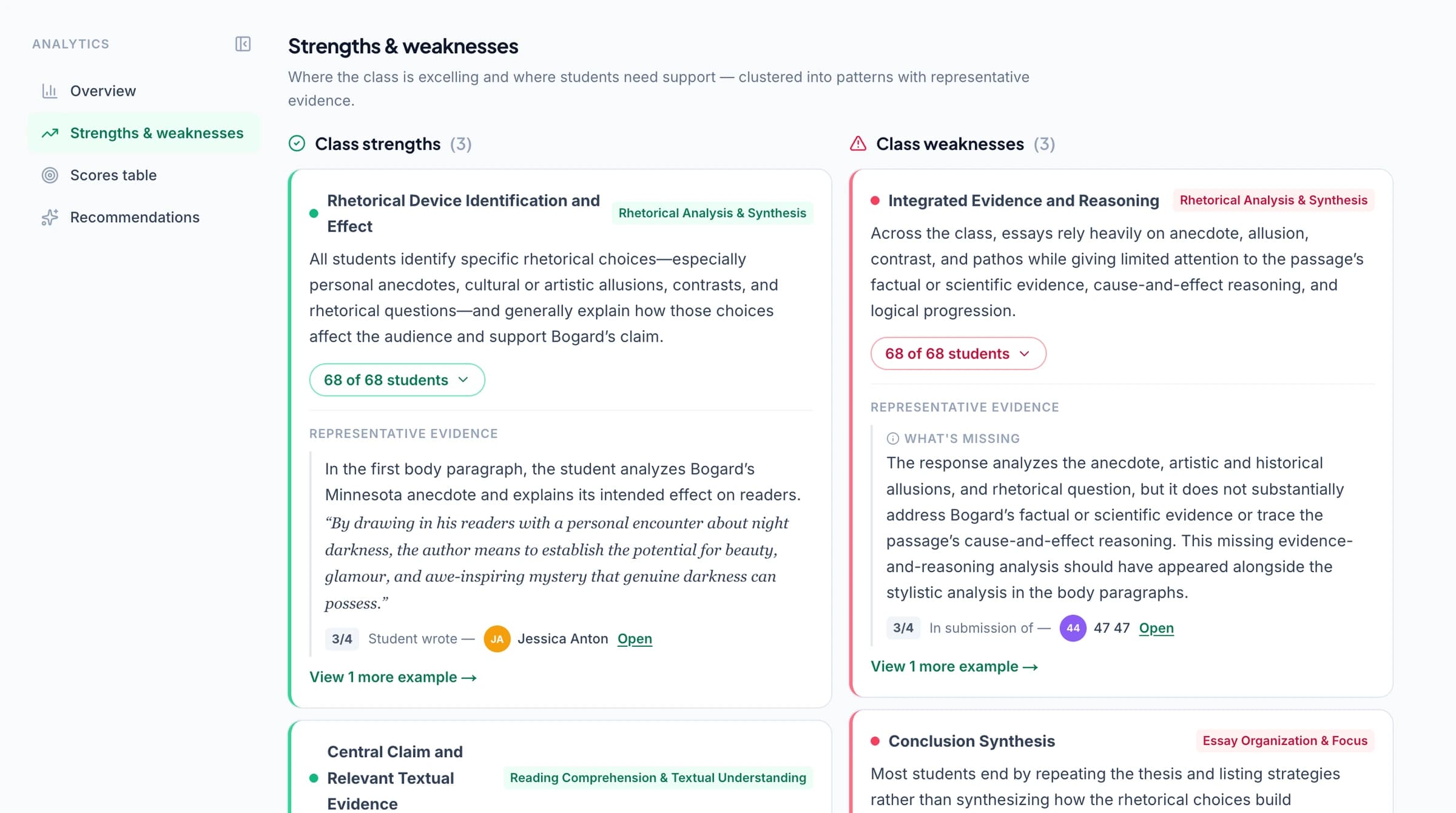
Classroom analytics brings together strengths, weaknesses, associated students, and suggested teaching activities from approved assessments. Teachers can inspect the underlying responses before deciding whether to revisit a concept with the whole class or plan a smaller group.
Optional standards tracking connects approved results to selected frameworks and state sets, including Common Core, NGSS, and TEKS. Use the mastery gradebook when the team wants evidence across assignments; keep points and percentages where those fit the school's reporting approach.
Plan adoption around a real teaching routine
Choose a class or teaching team and a familiar assessment for the evaluation. Review how teachers prepare the rubric, assess submissions, inspect feedback, and return results. Include the people who understand the school's Schoology setup and connected-app approval process.
Bring the questions that matter in practice: which teachers will use the tool, what submission types they collect, how students receive comments, and what support teachers need to begin. This makes the school conversation concrete without assuming that every class needs the same workflow.
Get the information your school needs
Schoology is available on the school plan. Contact our team to discuss the platform configuration, access, and supported assessment workflow for your school.
Review the school adoption page for licensing and support discussions, and security information for student-data review. A useful evaluation brings the educational and practical questions together: teacher workload, student feedback, instructional value, and the setup needed to use them.
Questions about GradingPal and Schoology
Is Schoology available with GradingPal?
Schoology is available on the school plan. Speak with our team about your school's setup and the integration workflow you need.
Can we evaluate GradingPal with our current assignments?
Yes. Use a representative task, rubric, and supported submissions to review the grading and feedback experience. Include a paper assignment if handwritten work is important to your teachers.
Do teachers have to use the same rubric?
Teachers can use their own criteria. Teams may choose shared assessment resources on plans with shared libraries, while still reviewing and adapting the criteria appropriate to the task.
Can it support different subjects across a school?
Yes. GradingPal supports writing, math, science, and other assessment types. Choose examples that reflect the subjects and formats your teachers actually use during the evaluation.
Does it decide which students receive an intervention?
Analytics identifies patterns and associated students, with evidence for teachers to inspect. Teachers choose the support and deliver the teaching response.
Does a school need to change its reporting system?
GradingPal supports assignment points and feedback, with optional standards tracking. Discuss exports and reporting requirements for your school; do not assume the tool replaces your existing record system.
How do we confirm Schoology sync and role requirements?
Bring those requirements to the school-plan conversation. Our team can discuss the supported setup for your institution rather than assuming every configuration has identical behavior.
Do you work with only one type of school?
The school-plan conversation is open to different institutions and teaching settings. Share your assessment needs and Schoology configuration so the evaluation reflects your context.
Can our school review privacy and security information?
Yes. Start with the security page, then contact the team about documentation or questions specific to your institution.
Explore related features
Evaluate the value in your teachers' own work
Bring a real assessment and see how GradingPal can reduce marking, improve individual feedback, and inform the next lesson.