Give students specific grammar feedback alongside their grade
GradingPal identifies language issues and suggests corrections in the context of student work. Help students find the wording to revise while keeping the score tied to your rubric. Review the suggestions alongside the response and share the guidance that supports your teaching.
50 free submissions per month, shared across assignment types.
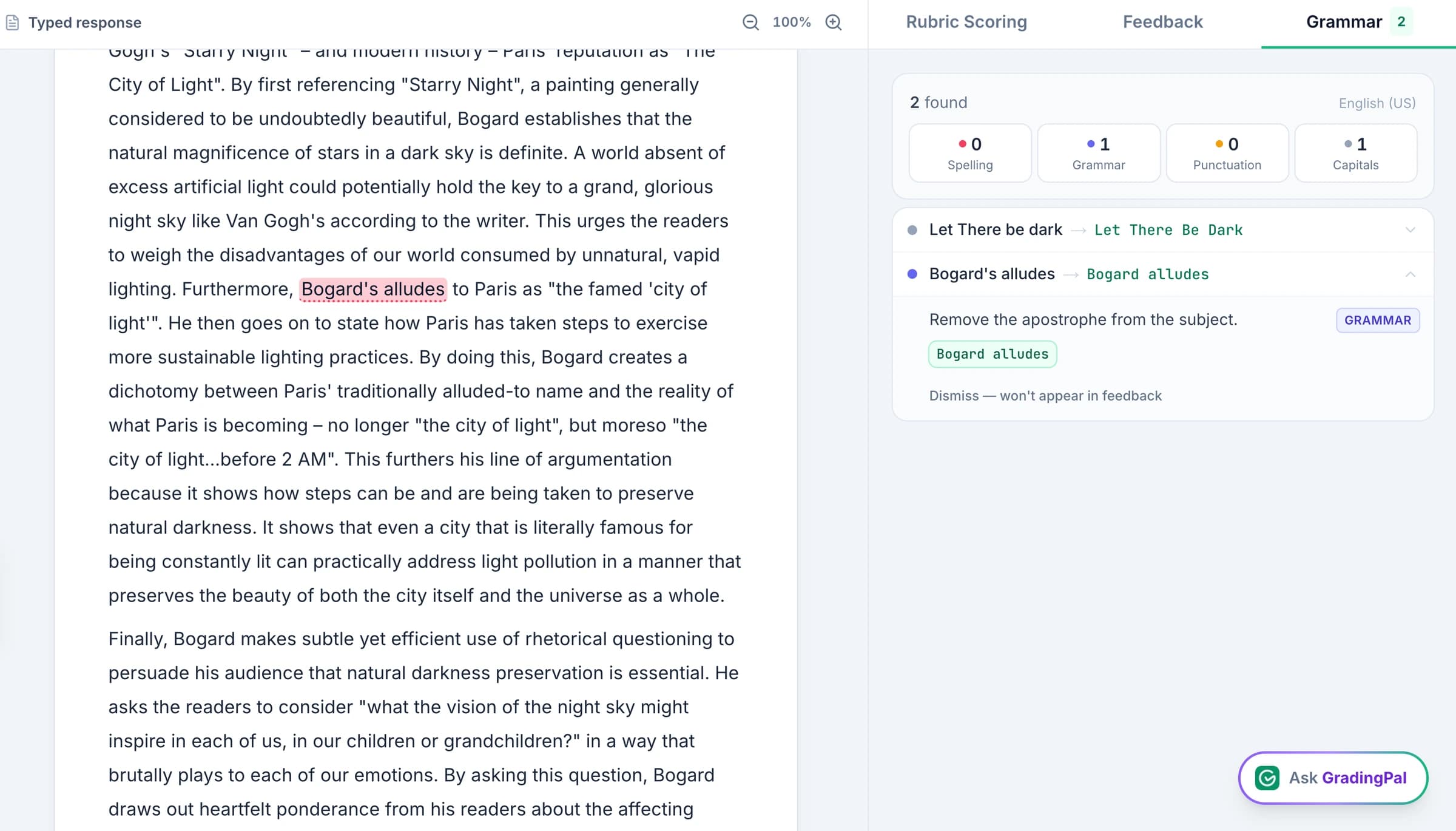
Show students where the writing needs attention
A comment such as “check your grammar” leaves the student to locate the issue alone. GradingPal's grammar view points to relevant wording and offers a suggested correction, giving the student a specific place to begin.
Review the suggestion in the original sentence. Keep the correction when it improves the expression without changing the student's meaning, and dismiss a suggestion that does not fit. The useful outcome is an edit the student can understand, not a longer list of errors.
Keep grammar suggestions separate from scoring criteria
A grammar suggestion identifies a language issue. A rubric score describes performance against the criteria you selected. Turning on suggestions does not add a new grammar penalty to an assessment that did not include one.
When grammar or language conventions are part of the rubric, GradingPal assesses them through that criterion. When the task focuses on scientific reasoning, historical evidence, or mathematical explanation, score those expectations and use grammar feedback to support clearer communication.
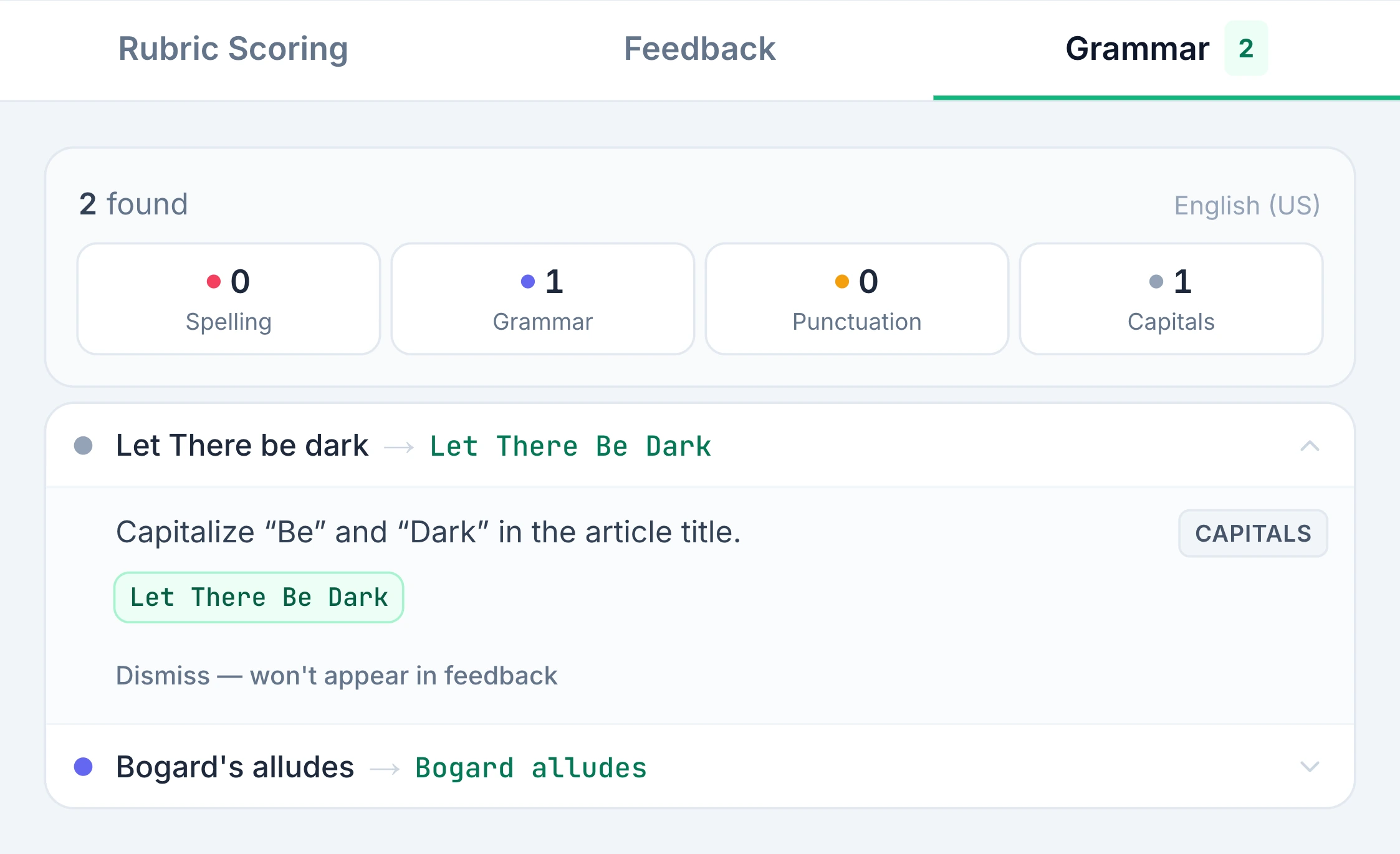
Support subject writing without losing the main learning goal
Students write in science, history, and other subjects as well as English. A sentence can need editing while its explanation demonstrates the intended content knowledge. GradingPal lets you review the language suggestion alongside the subject assessment.
For an illustrative science example, a student might describe an observed trend correctly but use an incomplete sentence. Give the student a precise language correction while reviewing the scientific explanation against the rubric. If the explanation itself is weak, address that through the relevant content criterion and feedback.
Connect sentence edits with useful assignment feedback
Grammar and substantive feedback answer different revision questions. A correction can improve one phrase; a rubric comment can show where the argument needs evidence or the explanation needs another step.
Use student feedback settings to shape the larger comment, then review the grammar suggestions that fit. For an early draft, identify the priority that will most improve the work instead of allowing sentence-level edits to distract from the central task.
On a first draft
Choose a manageable revision focus and use grammar suggestions selectively. Ask the student to correct a recurring pattern and apply the same principle elsewhere in the response.
On a completed writing assessment
Review conventions through the relevant rubric criterion when they are assessed. Return specific suggestions so the student can understand the language issue behind the evaluation.
On an explanation in another subject
Preserve the subject goal and check the student's intended meaning. Use the language correction to make the reasoning easier to communicate rather than changing what the response claims.
Use the conventions taught in your classroom
Choose the supported language and regional setting that fits the assignment. US and UK English, for example, use different spelling conventions. Check the selected setting when interpreting a suggestion and review specialist vocabulary in context.
The language settings page lists supported options. A language setting helps establish the expected conventions; it does not remove the need to inspect a technical term, deliberate stylistic choice, or quoted passage in the student's actual work.
Review and dismiss suggestions before returning feedback
Open the Grammar tab alongside the assessment, inspect the proposed correction, and dismiss items you do not want included. Check that the remaining suggestions are useful to the student and consistent with the task.
Your final review brings sentence-level guidance together with the score and student comment. Then use sharing options to return the approved feedback through the route your class uses.
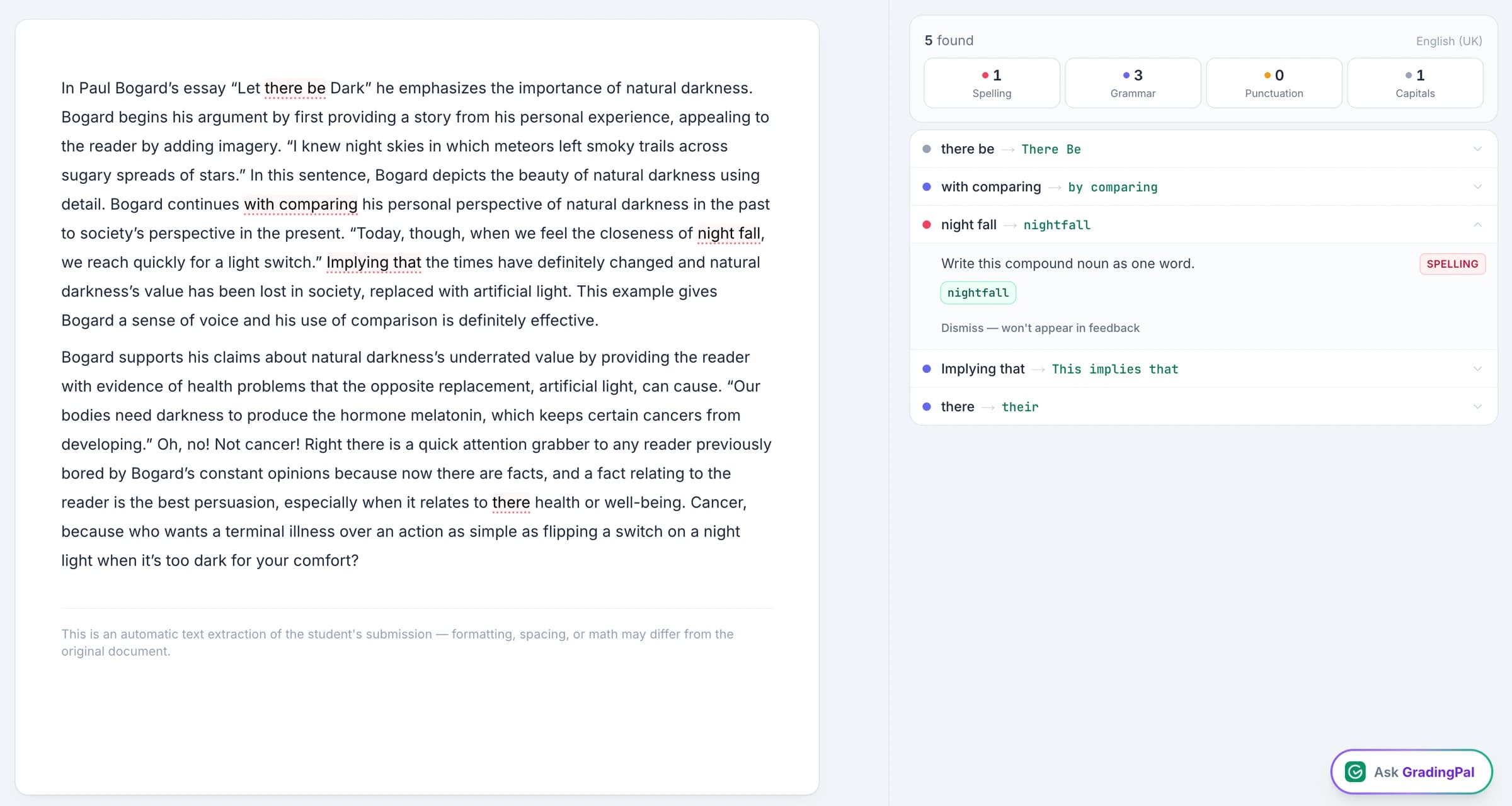
Make a grammar correction part of learning
Ask students to explain one correction in their own words and find another place where the same principle applies. That gives the feedback a task beyond accepting a replacement word or punctuation mark.
For example, a student could revise a sentence boundary, explain why it was needed, and check the next paragraph for the same pattern. This is an illustrative teaching activity. You choose whether that focus is appropriate alongside the assignment's other learning priorities.
Questions about AI grammar feedback
Does each suggested correction lower the score?
No. Suggestions do not automatically create deductions. Grammar affects the assessment through the criteria and point allocations in your rubric.
Can I give grammar help on science or history work?
Yes. Review language suggestions alongside the subject response, while scoring the knowledge, evidence, and reasoning the rubric actually assesses.
Should I check suggested corrections?
Yes. Review the original sentence, intended meaning, and classroom conventions. Dismiss a suggestion that does not fit before returning the feedback.
Does grammar feedback replace essay grading?
No. Grammar addresses language issues. Essay grading also assesses argument, evidence, organization, and other rubric criteria, with individualized feedback on the response.
Can I turn grammar suggestions on when they are useful?
Yes. Use the grammar setting for the assignment and review the suggestions alongside the work. Choose the feedback emphasis that matches your teaching purpose.
Can I dismiss an inappropriate correction?
Yes. Use the review controls to dismiss a suggestion that does not preserve the student's meaning or fit the assignment. Keep the useful items for the feedback you return.
How do regional conventions affect the review?
Select the supported conventions used in your class, then inspect the suggestions in context. The language page explains the available regional choices for the assessment and feedback workflow.
Make the next writing edit clear
Give students a specific place to revise, while the assessment continues to follow the criteria you chose.