Teacher story · Earth and Space Science

How Chris Merkert gives every student personal feedback during class

Chris used to lose whole class periods going over old work. Now students in Chris's Earth and Space Science classes at East Hampton High School get feedback on their work while they are still in class, revise, and turn it in again before the bell.

Chris Merkert

Earth and Space Science teacher and tech facilitator · East Hampton High School, NY

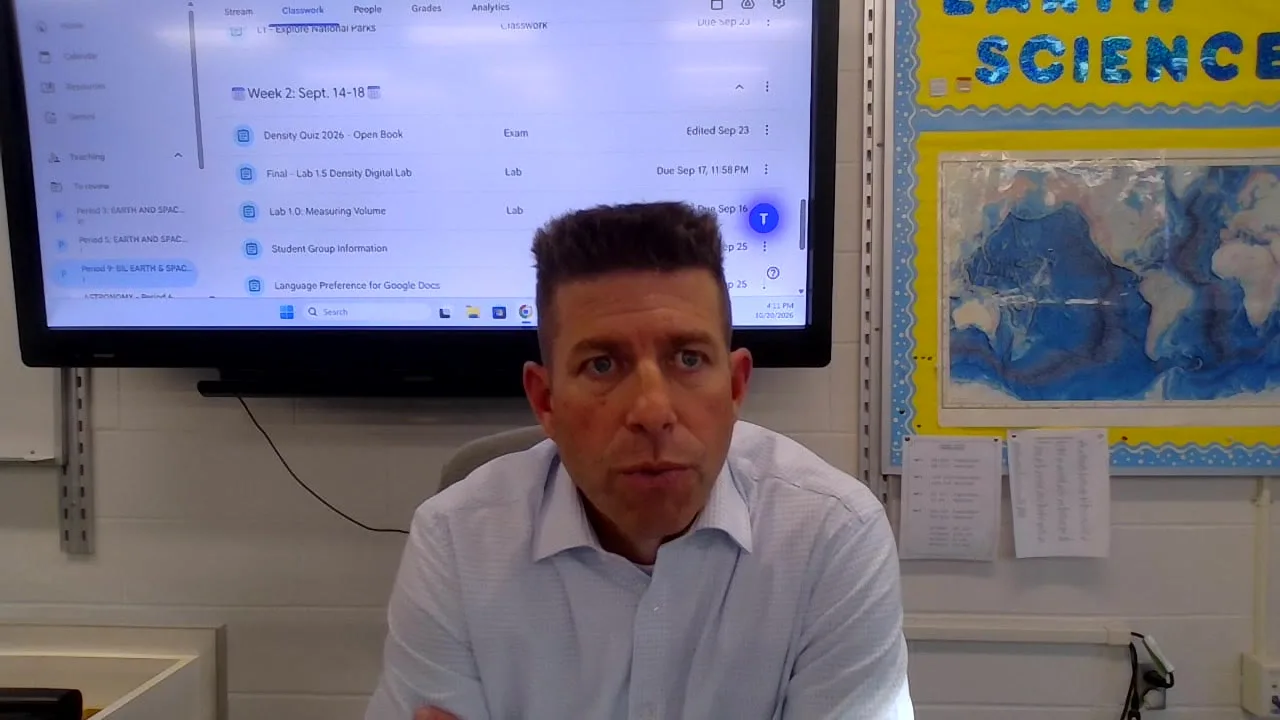
Chris Merkert in an Earth and Space Science classroom at East Hampton High School
School
East Hampton High School, New York
Teaches
Earth and Space Science (Regents), a bilingual section, and Astronomy
In the classroom
32 years, about 20 in middle school and 12 in high school
Uses GradingPal
In every class, three to five times a week, with Google Classroom

Chris's classroom today

25–30 min

to grade a class set of longer labs, down from 3–4 hours

2–3 rounds

of feedback for students in a single 40-minute period

Every assignment type

and language supported, from skill practice to full labs and a bilingual section

Before: going over work used up class time

Chris Merkert has taught science for 32 years: about 20 at the middle school level and the last 12 or so at East Hampton High School in New York. Chris teaches Earth and Space Science, a bilingual Earth and Space Science section and Astronomy, and is the school's tech facilitator.

For most of those years, the hardest part of grading was turnaround. Going over yesterday's assignment could take a whole 40-minute period, and the next lesson had to wait. Detailed written feedback for every student would have taken around four hours per assignment. And as Chris puts it, a person's energy ebbs and flows, so the last lab in the pile rarely got the attention the first one did.

As a new teacher, you give students an assignment, you wanna go over it the next day in class, and before you know it, the entire forty-minute period is over and you just finished going through the previous night's homework or the previous day's assignment, and that would really erode at teaching.”

Chris sets the rules. GradingPal drafts. Chris decides.

Every assignment starts with Chris's expectations. Sometimes that means adding an answer key, and sometimes GradingPal works from the lab itself. Early on, Chris wrote grading instructions in plain words: be a little softer on this question, accept large numbers within 10 percent.

A class set takes about five minutes to run and about ten more to review. Chris reads the results, then reads them again the way a student will, with Preview as student. When the same mistake shows up across the class, Chris asks whether the rubric is being too harsh and edits it before anything goes back to students.

The students are able to get customized feedback to exactly what they wrote, as if I sat down with them. So I feel like there's twenty-seven of me in the classroom with twenty-seven students.”

Grading Google Slides labs and diagrams

Many of Chris's labs are interactive Google Slides decks of 15 to 20 slides. In one, students build a Hertzsprung–Russell diagram. They drag stars into color columns, place each star on a graph by luminosity and surface temperature, and answer questions in text boxes along the way.

GradingPal reads both: the typed answers and where each star landed. One student scored 18.5 out of 21, with comments on every question about what went well and what to improve. Another had drawn the Sun's path through its later stages in the wrong place, read the feedback, and moved the line.

ST

Student work SHARED

Lab 9.1 Exploring the HR Diagram · Earth and Space Sciences

ExportShare

Submission · page 4 of 8

Luminosity (solar units)
40,00010,0006,0004,5003,000

Surface temperature (K)

TOTAL SCORE

18.5 / 21

88%

20 of 21 answered

Question Part 1 DIAGRAM

1/1

Organize the stars based on their color. Drag each star into the correct color column.

Accuracy of Star Placement and Organization

Score: Complete / Accurate Placement

Incorrect / IncompletePartial / Minor errorsComplete / Accurate
FeedbackStrengths 2Improvements

All star tokens are grouped in the correct color columns, progressing from blue and light blue to yellow, orange and red as temperature decreases.

GradingPal reads where each star was placed, not only the typed answers.

It will actually read the placement of the stars, the placement of the color bands as well, and evaluate the students on that.”

Feedback during class, not days later

Once an assignment is set up, Chris keeps one classroom computer running GradingPal while walking the room. When new work comes in through Google Classroom, Chris imports it, runs it and shares the feedback back. Students often see feedback two or three times in a single 40-minute period.

That changed how students treat a lab. The first attempt is now a draft. They read the feedback, find the detail they left out, and try again while the lab is still in front of them. Every student gets feedback on what they wrote, at their own pace, instead of one set of comments for the whole class.

They're doing it while it's fresh in their mind. They're not waiting, going to four other classes, doing it again tonight.”

Feedback in the student's own language

Chris is not bilingual. The bilingual Earth and Space Science section has a bilingual teaching assistant in the room, and GradingPal reads students' answers in their own language and writes the feedback in it too.

It does something that I could never do before, which was read what they're writing in their native language and give them good quality feedback in it.”

Seeing what to reteach

For Chris, the real goal is a habit: support every claim with data. New York's newer science exams ask students to defend answers with several sources rather than recall facts, and Chris reminds students that the numbers they need are already on the page. The feedback points out what they left out, every time. Across a year-end exam, five or ten small misses can be the difference between an 86 and a 94.

Class analytics shows where that work is landing. On the HR diagram lab, scores moved toward the green end of the chart, and 18 of 20 students shared one misconception: that temperature alone decides how bright a star is. Chris uses views like this to find the common mistakes worth going back to with the whole class.

Overview

How the class performed on this assignment, at a glance.

CLASS MEAN

76.0%

Median 79.0%

RANGE

55–88

Lowest to highest

SUBMITTED

20/27

74% of class

SCORE DISTRIBUTION

CONSISTENT

Scores cluster within 33 points. 2 students scored below 60% and 9 scored at or above 80%.

MOST COMMON MISCONCEPTION

Temperature alone determines luminosity

18 of 20

Class analytics for the HR diagram lab in one of Chris's sections. Performance analytics is available on selected plans. Compare features.

More grading, in less time

Chris expected a time saver, and it is one. A class set of the longer labs used to take three to four hours and now takes 25 to 30 minutes. But Chris now grades more than before, because offering a second round is easy.

It actually has made me grade more, only because I'm grading better. … You want to redo it? Make some corrections, turn it back into me. I'll gladly grade it again.”

Usage snapshot

Chris's first five weeks, in numbers

September 15 – October 20, 2026

1,685

submissions graded

for 92 students across 4 classes and 73 assignments, from the first lab on September 15.

35 of 36 days had work graded, weekends included
0
500
1,000
1,500
1,685
Sep 15Oct 6Oct 20

Submissions graded, running total. Hover the chart for any day.

words of feedback returned
286,000
About 3,100 words for every student, written to what each one turned in.
second attempts graded
309
Students read their feedback, revised, and turned the work in again.
back within 40 minutes
398
Graded, reviewed and returned within 40 minutes of being turned in.
with feedback in Spanish
72
For students in the bilingual Earth and Space Science section.
Show the numbers by week
Week startingGraded that weekRunning total
Tue, Sep 15170170
Tue, Sep 22422592
Tue, Sep 29388980
Tue, Oct 62001,180
Tue, Oct 134191,599
Tue, Oct 20 (one day)861,685

From Chris's GradingPal account, September 15 to October 20, 2026, Eastern time. Every graded attempt counts, including revisions. Feedback words are the overall feedback on work returned to students.

“As much as it saved me the teacher time and energy, it actually is giving more, I think, to the students than it actually is to the teacher.”

Chris MerkertEarth and Space Science · East Hampton High School, NY

The tools in Chris's week

Everything in this story is part of GradingPal today. Here is where to read more about each piece.

Grading instructions in your own words

Tell GradingPal where to go easier, what tolerance to accept on numbers, and what a full answer needs. Add an answer key when you have one.

Set grading instructions

Google Classroom import

Bring new turn-ins into GradingPal and grade them while students are still in the room.

Explore the integration

Google Slides labs and diagrams

Grade typed answers, labels and where students placed items on a slide.

See slide deck grading

Feedback in your students' language

Choose a feedback language so students in a bilingual or multilingual class can read and act on it.

Explore feedback languages

Preview as student, then share

See results the way a student will, adjust the rubric if something is too harsh, and share only when you are ready.

Explore student feedback

Class analytics

See how scores spread and the most common misconception, then plan what to reteach. Available on selected plans.

Explore classroom analytics

What Chris tells other teachers

“I would 100% recommend to do it. I've already recommended it to two colleagues in here just this week.”

Chris MerkertEarth and Space Science · East Hampton High School, NY

“It also tells them where they could have had some improvement specific to them, rather than a generalization of saying, well, a lot of students made this mistake.”

Chris MerkertEarth and Space Science · East Hampton High School, NY

Try it on your next lab

Connect Google Classroom or upload a class set. Review every grade before students see it.

50 free submissions a month. No credit card required.

Questions teachers ask

Can GradingPal grade Google Slides labs?

Yes. Chris's labs are interactive Google Slides decks of 15 to 20 slides. GradingPal reads the typed answers on each slide and gives feedback question by question, using the teacher's criteria and an answer key when the teacher adds one. See how slide deck grading works.

Can it grade diagrams, labels and graphs?

Yes. In Chris's HR diagram lab, GradingPal evaluated where students placed each star on a luminosity and temperature graph and how they sorted stars by color, along with their written answers. Teachers review results before sharing them with students.

Can students get feedback in Spanish or another language?

Yes. Teachers choose the feedback language for an assignment. Supported languages include English, Spanish, French, German and Brazilian Portuguese. Chris's bilingual section gets its feedback in Spanish. Explore feedback languages.

Do teachers check the grades before students see them?

Yes. The teacher decides what students receive and when it is shared. Chris reads the results, previews them the way a student will see them, and edits the rubric when something is too harsh. How student feedback is shared.

Read the video transcript

Chris Merkert, Earth and Space Science teacher, East Hampton High School

I feel like there's twenty-seven of me in the classroom with twenty-seven students.

My name is Chris Merkert. I am an Earth and Space Science teacher at East Hampton High School.

As a new teacher, you give students an assignment, you wanna go over it the next day in class, and before you know it, the entire forty-minute period is over and you just finished going through the previous night's homework or the previous day's assignment, and that would really erode at teaching.

The students are able to get customized feedback to exactly what they wrote, as if I sat down with them.

GradingPal actually will read the students' work and not only read the text boxes, but it will actually read the placement of the stars, the placement of the color bands as well, and evaluate the students on that.

So for example, here's a student who had this assignment, and you can see they had an 18 and a half out of 21, an 88%.

I do look it over each time. I'll look at some student results before I send it back to the students, so that way I still have the opportunity to go in and edit the rubrics.

I'll have a computer isolated just for that as assignments come in and I'm walking around the room. So they're getting feedback sometimes two times, three times in a forty-minute period on their work.

GradingPal actually is able to read their answers in their native language and provide feedback to them in their native language.

Now it's probably taking me twenty-five, thirty minutes to do an entire class instead of probably three to four hours.

As much as it saved me the teacher time and energy, it actually is giving more, I think, to the students than it actually is to the teacher.